
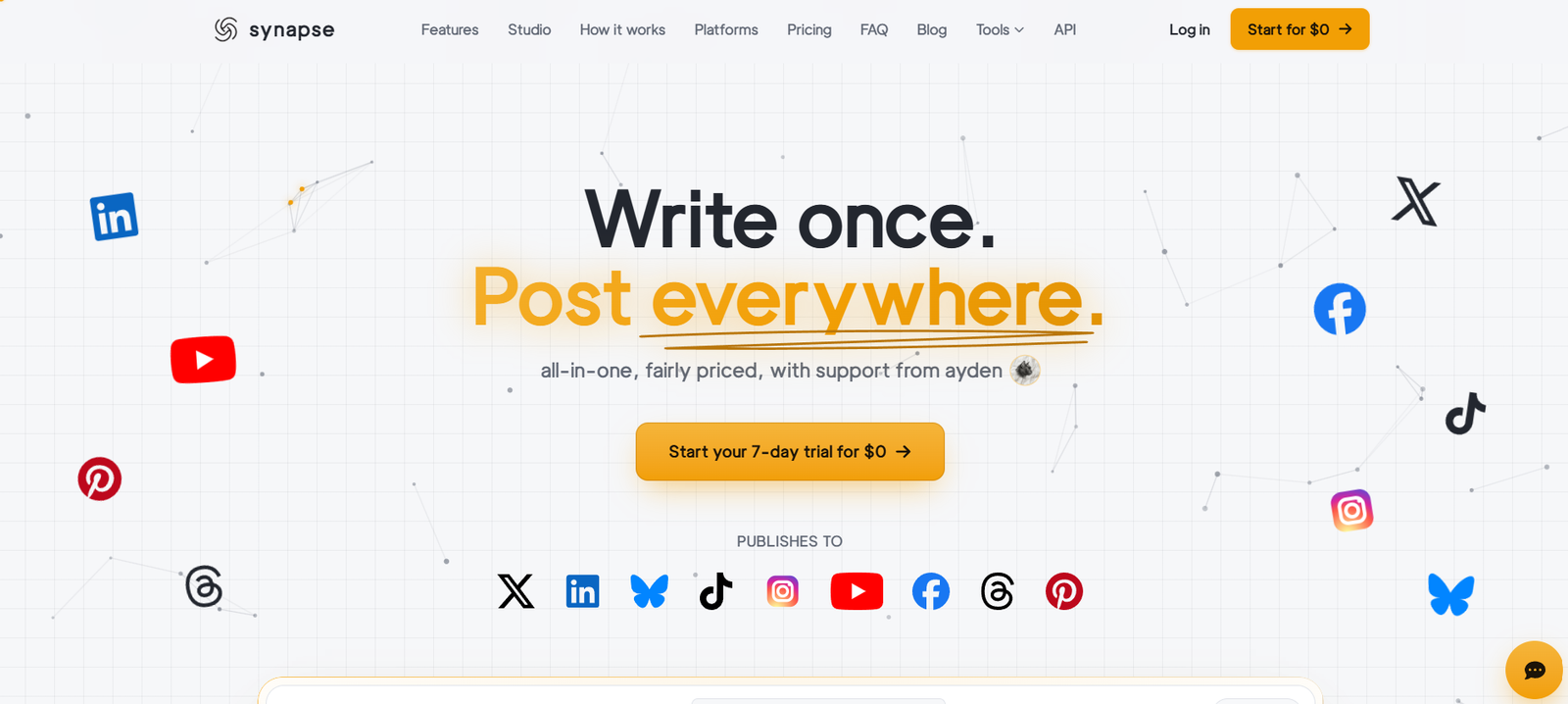
Synapse is an all-in-one social media publishing and content management platform designed for creators, businesses, marketing teams and agencies. It allows users to create a social media post once and publish or schedule it across multiple platforms from a single dashboard.
The platform currently supports nine major social networks: X, LinkedIn, Bluesky, TikTok, Instagram, YouTube, Facebook, Threads and Pinterest.
Synapse combines publishing with AI-assisted content creation. Its AI caption feature can learn a user’s preferred writing style and help generate platform-specific captions. Users can also customize individual captions when the same wording is not appropriate for every social network.
Beyond scheduling, Synapse includes a creative Studio for designing posts and thumbnails, removing image backgrounds, making collages and GIFs, applying filters and adding watermarks. More than 100 ready-made templates are also available.
The platform includes social media analytics, multiple-account management, bulk scheduling and a content calendar. This makes it useful for people who want to reduce the time spent moving between separate social media and design applications.
Features
Multi-Platform Publishing
Synapse lets users create one post and distribute it across multiple social networks. Users choose which connected accounts should receive each post rather than manually uploading the same content several times.
Support for Nine Social Platforms
Synapse currently supports X, LinkedIn, Bluesky, TikTok, Instagram, YouTube, Facebook, Threads and Pinterest.
This broad platform coverage makes it useful for creators and businesses maintaining a presence across several social networks.
AI Captions in Your Writing Style
Synapse includes AI-assisted caption creation. Users answer questions about their preferred writing style, after which the system can generate captions designed to sound more consistent with that style.
Different captions can also be created for individual platforms.
Social Media Scheduling
Users can prepare posts in advance and select when they should be published. Synapse automatically publishes scheduled content at the selected time.
Automatic Posting Time Selection
The Auto-pick feature can help select suitable posting times instead of requiring users to manually determine when each post should go live.
Multiple Social Accounts
Users can connect multiple accounts, including more than one account from the same social network.
For example, an agency or business managing several Instagram profiles can select the specific accounts that should receive each post.
Content Calendar
Synapse provides a calendar for viewing scheduled and previously published content. Users can switch between calendar views to organize their upcoming social media activity.
Built-In Creative Studio
A major feature of Synapse is its integrated design environment. Users can create visuals without leaving the social media management platform.
The Studio includes a thumbnail and post designer, background removal, collage creation, GIF creation, watermarks, filters and effects.
100+ Templates
Synapse provides more than 100 templates that users can customize for social media posts and other visual content.
Background Removal
The Studio includes one-click background removal, helping users prepare product images, portraits and other visual assets without relying on a separate background-removal application.
GIF and Collage Maker
Users can create GIFs and combine multiple images into collages directly within Synapse.
Shorts and Reels
Vertical video content can be distributed in platform-specific formats such as YouTube Shorts and Instagram or Facebook Reels.
Stories
Synapse supports publishing Stories to Instagram and Facebook directly from its composer.
Carousel Posts
The platform supports carousel and multi-image posts, which can be useful for educational, promotional and visual storytelling content.
Platform-Specific Settings
Users can customize content for individual social networks rather than forcing exactly the same configuration across every platform.
This includes platform-specific caption overrides and other posting options.
Drafts
Posts can be saved as drafts and completed later. This is useful when preparing campaigns or content calendars in advance.
Bulk Scheduling
Synapse provides bulk scheduling capabilities for users managing larger amounts of social media content.
Analytics Dashboard
The platform includes an analytics dashboard for monitoring views, engagement and account growth. The analytics functionality is currently identified as being in beta.
API and MCP Access
Paid plans include API and MCP access, giving developers and advanced users additional ways to connect Synapse with other systems and automated workflows.
Secure Account Connections
Synapse uses OAuth to connect supported social media accounts. According to the platform, users do not need to provide their social media passwords directly to Synapse.
How It Works
First, users create a Synapse account and start the available free trial.
They connect the social media profiles they want to manage. Connections use official authorization methods rather than requiring users to give Synapse their social media passwords.
Users then open the composer and create their post.
They can add text, images, videos or other supported content.
If required, users can use AI to help create captions in their preferred writing style.
Individual captions and settings can be adjusted for different social platforms.
Visual content can also be created or modified using the built-in Studio.
Users then choose which connected accounts should receive the content.
The post can be published immediately, saved as a draft or scheduled for a later date and time.
Synapse automatically distributes scheduled content to the selected social networks.
After publication, users can review performance information through the analytics dashboard.
Use Cases
Content Creators
Creators managing several social profiles can prepare content once and distribute it across their channels without repeatedly uploading the same material.
Social Media Managers
Social media professionals can manage multiple accounts, organize scheduled posts and monitor performance from one dashboard.
Digital Marketing Agencies
Agencies can use the higher plans to manage numerous connected accounts and invite team members to collaborate.
Small Businesses
Businesses can schedule promotional content, product announcements, videos and social updates without maintaining separate posting workflows for every platform.
Personal Brands
Professionals building personal brands can maintain activity across LinkedIn, X, Instagram, Threads, YouTube and other networks while reducing repetitive work.
YouTubers
YouTube creators can distribute Shorts and related promotional material across multiple social networks.
Influencers
Influencers working across Instagram, TikTok, YouTube and other networks can centralize their publishing schedule and content creation.
Marketing Teams
Teams can create campaigns, prepare visuals, schedule posts and analyze account performance within the same environment.
Startups
Startups with limited marketing resources can combine social publishing, basic design and AI caption generation rather than maintaining several separate tools.
Agencies Managing Multiple Clients
The ability to connect multiple accounts and invite team members makes Synapse potentially useful for agencies managing social media for several brands.
Pricing
Synapse currently offers a 7-day free trial and three main paid plans. A card is required for the trial, but users can cancel before the trial ends to avoid being charged.
Creator: $19 per Month
The Creator plan costs $19 per month when billed monthly.
It includes up to 15 connected accounts, multiple accounts per platform, unlimited posts, scheduling and automatic publishing, automatic posting-time selection and 200 AI captions per month.
It also provides carousel and multi-image posts, bulk scheduling, the full Studio design suite, beta analytics, API and MCP access, and human support.
Growth: $39 per Month
The Growth plan costs $39 per month when billed monthly.
It includes everything in Creator while increasing the allowance to 50 connected accounts and 500 AI captions per month.
It also adds team member invitations and priority support.
Pro: $79 per Month
The Pro plan costs $79 per month when billed monthly.
It includes unlimited connected accounts and 1,500 AI captions per month.
Users also receive team collaboration, priority and dedicated support, and early access to new platforms in addition to the other core Synapse features.
Annual billing is also available and can reduce the effective cost compared with monthly billing.
Synapse states that users who subscribe without taking the free trial have a seven-day money-back guarantee on their first payment.
Strengths
Synapse brings social media publishing, scheduling, AI caption creation, visual design and analytics into one platform.
Support for nine social networks makes it particularly useful for creators and businesses maintaining accounts across several platforms.
Unlimited posting across the paid plans can be valuable for frequent publishers.
The built-in Studio reduces dependence on separate applications for basic social graphics, thumbnails, background removal, GIFs and collages.
AI-generated captions based on the user’s preferred writing style add a useful content creation element to the publishing workflow.
Multiple accounts per social network are useful for agencies, businesses and creators managing several brands or profiles.
The platform also supports modern social formats such as Shorts, Reels, Stories and carousel posts.
A seven-day trial allows users to evaluate the service before paying for a subscription.
Drawbacks
Synapse is a relatively new platform, so it does not have the same long operating history as established social media management services.
Its analytics dashboard is currently marked as beta, meaning users requiring advanced reporting should evaluate whether it meets their needs.
AI caption limits apply even though regular posting is unlimited. The Creator plan, for example, provides 200 AI captions per month.
The entry-level Creator plan costs $19 per month, so there is currently no permanent free plan listed for users with very basic requirements.
Users managing only one or two social accounts may not need the platform’s broader cross-posting functionality.
As with all third-party social publishing platforms, available features can also be affected by changes to the APIs and policies of individual social networks.
Comparison with Other Platforms
Synapse competes with established social media management platforms such as Buffer and Hootsuite, as well as newer tools focused on cross-platform content publishing.
Its approach is to combine several tasks that creators often perform through separate applications. Users can publish and schedule content, generate AI captions, design visual assets and review analytics from the same platform.
The built-in Studio is an important distinction because it includes design tools such as background removal, thumbnails, GIFs, collages, filters and templates alongside the publishing system.
Its flat account allowances may also appeal to creators and agencies managing multiple profiles.
However, larger established social media management platforms may provide more mature analytics, enterprise administration, integrations and long-standing workflow capabilities.
Synapse may therefore be most attractive to creators, startups and growing teams that value simple cross-platform publishing combined with AI and design tools.
Customer Reviews and Testimonials
Customer reviews and testimonials are not clearly available on the official website.
The founder provides background about why Synapse was created and describes the problems the platform is intended to solve, but this should not be considered independent customer feedback.
Conclusion
Synapse is a useful social media management platform for creators, businesses, marketers and agencies that regularly publish content across multiple networks.
Its main advantage is convenience. Users can create a post once, customize it for different platforms, schedule or publish it across nine social networks and monitor the results from one place.
The addition of AI captions and an integrated creative Studio makes Synapse more than a simple scheduling tool. Users can create graphics, remove backgrounds, prepare thumbnails, generate captions and manage their publishing calendar without constantly switching between applications.
The Creator plan should suit individual creators and smaller businesses, while Growth provides additional capacity and collaboration features for teams and agencies. Pro is better suited to organizations managing a large number of social accounts.
For users who want to simplify multi-platform social media publishing while combining AI writing, scheduling and basic design capabilities in one service, Synapse is worth exploring.


