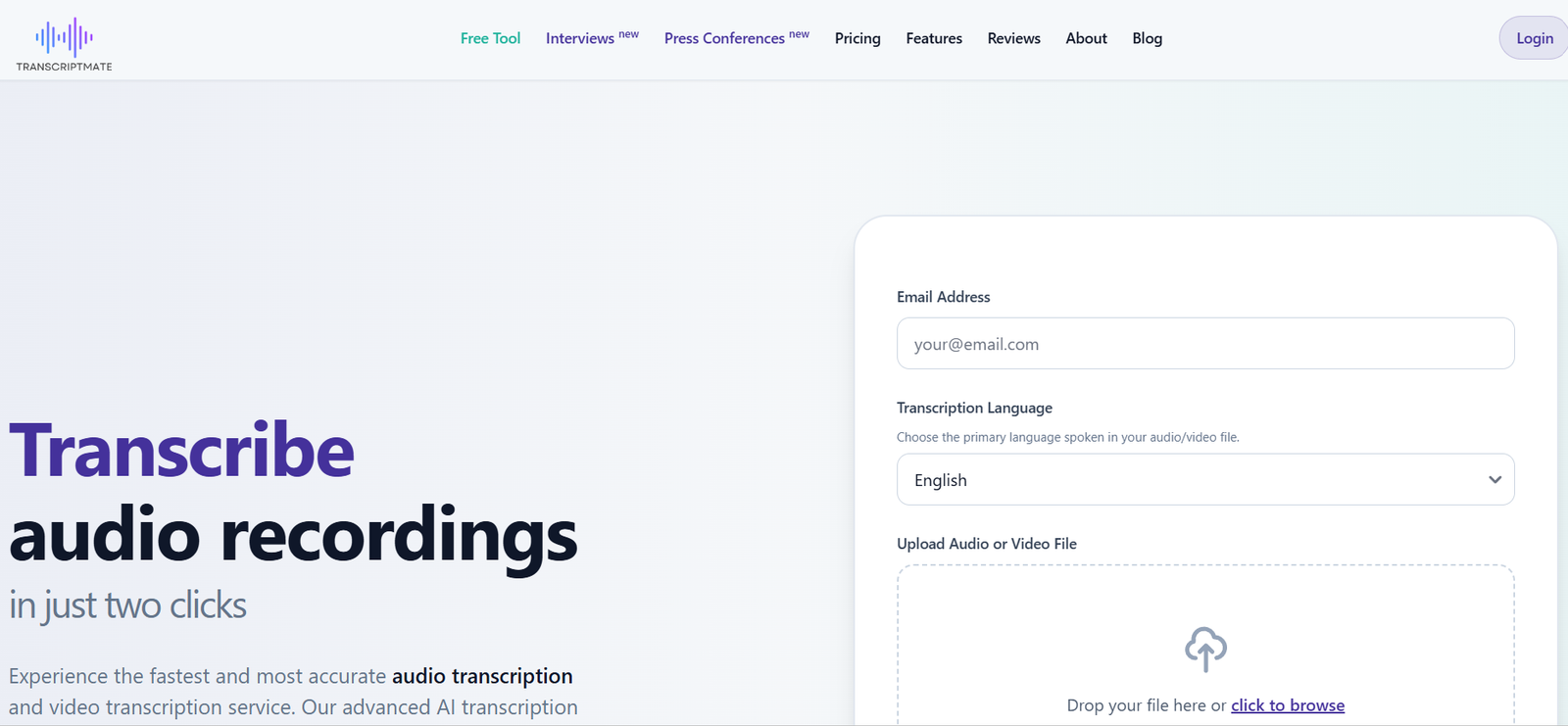
TranscriptMate is an AI powered transcription platform that converts audio and video recordings into editable, searchable text. It is designed for podcasters, YouTubers, journalists, researchers, marketers, businesses and other professionals who regularly work with recorded content.
Users can upload audio or video files and let the AI create a transcript with timestamps and speaker identification. The platform supports more than 30 languages and major media formats including MP3, MP4, WAV, M4A, MOV and AVI.
TranscriptMate goes beyond basic speech to text conversion. Its AI tools can turn a recording into summaries, blog articles, newsletters, social media posts, YouTube descriptions, quotes, highlights, chapters and other reusable content.
An interactive editor allows users to review the transcript while listening to the original recording. Users can jump directly to specific moments, correct text and rename speakers.
The service also provides document and subtitle exports, making it useful for both written content production and video captioning.
Features
AI Audio and Video Transcription
TranscriptMate automatically converts spoken content from audio and video recordings into written text.
The platform states that its AI can achieve up to 98% accuracy when working with clear recordings. Actual results can vary depending on audio quality, accents, background noise and overlapping speakers.
Speaker Identification
The platform can automatically identify different speakers in a recording.
Speakers initially receive labels such as Speaker 1 and Speaker 2. Users can rename a speaker once and apply the name throughout the transcript.
This is particularly useful for interviews, podcasts, meetings and focus group discussions.
Interactive Transcript Editor
TranscriptMate provides an editor that synchronizes the written transcript with the original recording.
Users can click a word or section of the transcript to jump to the corresponding moment in the audio. Corrections can then be made directly within the editor.
Timestamps
Transcripts include timestamps that connect the written content with specific moments in the recording.
This can help journalists, researchers and creators quickly locate quotations or important sections without replaying the complete file.
30+ Languages
TranscriptMate supports transcription in more than 30 languages.
Popular supported languages include English, Polish, German, French, Italian, Spanish, Portuguese, Ukrainian, Russian, Czech, Slovak, Lithuanian, Latvian and Hebrew. The platform also provides support for additional languages.
AI Summaries
TranscriptMate can generate concise AI summaries from recordings.
These summaries can highlight context, important conclusions, decisions and recommendations, helping users understand long recordings more quickly.
AI Content Generation
One of TranscriptMate’s most useful capabilities is transforming a transcript into additional content.
Depending on the selected workflow, users can generate materials such as blog articles, newsletters, social media posts, podcast notes, YouTube descriptions, quotes, highlights and SEO oriented content.
Podcast and YouTube Content
For podcast and video recordings, the AI can generate chapters, topics, summaries and video notes.
This allows creators to reuse a single recording across several content formats.
Interview Analysis
TranscriptMate can process interviews and extract important answers, quotations and summaries.
This can reduce the time journalists and researchers spend manually reviewing lengthy conversations.
Focus Group Transcription
The platform provides dedicated functionality for focus group recordings.
Speaker identification can separate different participants, while AI analysis can help extract insights, themes and relevant observations from group discussions.
Lecture Processing
Recorded lectures can be transformed into summaries, definitions and questions.
This can be useful for educators, students and course creators working with long educational recordings.
Multiple Export Formats
TranscriptMate supports several export formats, including:
DOCX
PDF
TXT
SRT
VTT
This allows the same transcription to be used as a document, research resource, caption file or subtitle track.
Large File Support
The platform supports major audio and video formats and currently states that files of up to 2 GB can be processed in supported workflows.
Specific upload limits can vary between free and paid transcription interfaces.
Data Security
TranscriptMate states that file transfers are protected through HTTPS/TLS encryption.
Uploaded files are stored for processing and then automatically removed from the system after completion.
The platform hosts its infrastructure within the European Union and operates under GDPR requirements.
Anonymization
TranscriptMate can anonymize parts of transcripts upon request, including information such as names and numbers.
This may be useful for researchers and organizations processing recordings that contain identifiable information.
How It Works
Step 1: Upload a recording
Upload an audio or video file to TranscriptMate. The service supports commonly used formats such as MP3, MP4, WAV, M4A, MOV and AVI.
Step 2: Choose the language
Select the primary language spoken in the recording.
Step 3: Start transcription
TranscriptMate processes the recording using its AI transcription system and converts spoken content into text.
Step 4: Review speakers
For supported paid workflows, the AI identifies different speakers. Users can rename speakers to make the transcript easier to understand.
Step 5: Edit the transcript
Use the interactive editor to correct words, names or terminology. Clicking within the transcript can take users directly to the corresponding section of the recording.
Step 6: Generate AI content
Use the available AI templates to create summaries, articles, newsletters, social media content, chapters or other materials from the transcript.
Step 7: Export
Download the completed work in an available format such as TXT, DOCX, PDF, SRT or VTT.
Use Cases
Podcasters
Podcasters can transcribe episodes and then transform the transcript into show notes, articles, newsletters, summaries and social media content.
YouTubers
YouTube creators can generate transcripts, subtitles, chapters, summaries and descriptions from existing videos.
Journalists
Journalists can transcribe interviews and press events, search for quotations and quickly return to relevant sections through timestamps.
Researchers
Researchers can convert recorded interviews and focus groups into searchable text. Speaker identification can make discussions involving several participants easier to analyze.
Students
Students can transcribe recorded lectures and use AI generated summaries, definitions and questions to support study and revision.
Educators
Teachers and course creators can transform recorded lessons into written educational material and subtitles.
Marketers
Marketing professionals can turn interviews, webinars, podcasts and videos into blog posts, newsletters and social media material.
Businesses
Businesses can transcribe interviews, meetings, presentations and other recorded communications and generate summaries for easier internal review.
PR Professionals
Public relations teams can transcribe press conferences, expert conversations and interviews and then use the resulting material when preparing press content.
Content Agencies
Agencies can use one client recording as the source for multiple deliverables, including transcripts, articles, social posts, newsletters and video captions.
Pricing
TranscriptMate provides free transcription as well as a paid Unlimited subscription.
Free Transcription
Users can transcribe the first 15 minutes of each eligible file for free without registering or purchasing a plan.
The free service provides TXT export and uses the same core transcription engine.
However, features such as speaker identification, timestamps, additional export formats, AI summaries and content templates are associated with paid functionality.
Unlimited Monthly
The Unlimited plan is currently listed at $30 per month when paid monthly.
Unlimited Annual
With annual billing, the Unlimited plan is currently listed at an effective price of $15 per month.
The Unlimited plan includes:
Unlimited file transcription subject to a fair usage limit of up to 730 recording hours per month
One user
Transcription history in the dashboard
Interactive editor with audio player
AI functionality
Speaker identification
Content generation tools
DOCX, PDF, TXT, SRT and VTT exports
Automatic VAT invoices for business users
The service’s terms also reference pay as you go and freemium usage models, so users should review the current checkout options for their particular transcription requirements.
Pricing and usage limits can change, so current details should be confirmed before purchasing.
Strengths
TranscriptMate combines transcription with content creation, making it useful for users who want to do more than simply turn speech into text.
The interactive editor makes it easier to check transcription accuracy because users can move directly between written text and the original recording.
Automatic speaker identification is valuable for interviews, podcasts and focus groups.
Support for more than 30 languages makes the platform useful for multilingual transcription.
Its AI templates can turn a single recording into articles, newsletters, social posts, summaries and other content, potentially reducing repetitive content production work.
SRT and VTT exports also make it practical for video subtitles and captions.
The free 15 minute transcription option allows users to test the system without creating an account.
Drawbacks
The free transcription option is limited to 15 minutes per eligible file and provides fewer features than paid transcription.
Users who need regular access to speaker identification, advanced exports and AI content generation will benefit more from the paid service.
The Unlimited plan is described as unlimited, but it remains subject to a fair usage limit, currently stated as up to 730 hours of recordings per month.
AI generated transcription can still contain errors when recordings have background noise, strong accents, overlapping speakers or specialized terminology.
AI generated articles, summaries and other content should also be reviewed and edited before publication.
Users handling confidential, medical, legal or sensitive recordings should independently assess the platform’s privacy arrangements against their professional and regulatory obligations.
Comparison with Other Platforms
TranscriptMate competes with AI transcription services such as Otter, Notta, TurboScribe and other audio to text platforms.
Its strongest distinction is its focus on turning transcripts into additional publishing material.
While basic transcription tools may stop after producing written text, TranscriptMate can continue the workflow by creating summaries, articles, newsletters, social posts, chapters, quotations and other content.
Compared with meeting focused AI assistants, TranscriptMate is more oriented toward processing existing audio and video recordings rather than automatically joining every online meeting.
Its dedicated workflows for interviews, focus groups, podcasts, YouTube videos and lectures also make it relevant for researchers and professional content creators.
Users who mainly need live meeting automation may prefer a meeting focused platform. Users who want to turn recorded content into multiple written and publishing assets may find TranscriptMate’s broader workflow more useful.
Customer Reviews and Testimonials
TranscriptMate displays customer reviews and testimonials on its official website and currently shows a 5 out of 5 rating based on more than 30 reviews.
Published testimonials come from podcasters, journalists, content creators and public relations professionals.
Customer feedback highlights time savings from automated transcription, automatic subtitle creation, conversation summaries and the ability to generate social media and editorial content from recordings.
The official website also states that TranscriptMate has served more than 5,000 clients.
These testimonials and figures are presented by TranscriptMate itself, so they should be treated as company published information rather than independent third party verification.
Conclusion
TranscriptMate is a useful AI transcription and content repurposing platform for people who regularly work with recorded audio and video.
Its core transcription features include multilingual speech recognition, timestamps, speaker identification and an interactive editor. What makes the platform more interesting for creators is what happens after transcription.
A podcast, interview, lecture or video can become the source for summaries, articles, newsletters, social media posts, chapters, quotations and subtitles. This can save considerable manual work for professionals who publish the same ideas across several channels.
TranscriptMate is particularly suitable for podcasters, YouTubers, journalists, researchers, marketers, educators and content agencies. The free transcription option provides an easy way to test the service, while the Unlimited plan is designed for users processing recordings regularly.
Overall, TranscriptMate is worth considering for users who want AI transcription combined with practical tools for turning spoken content into searchable text and reusable publishing material.