
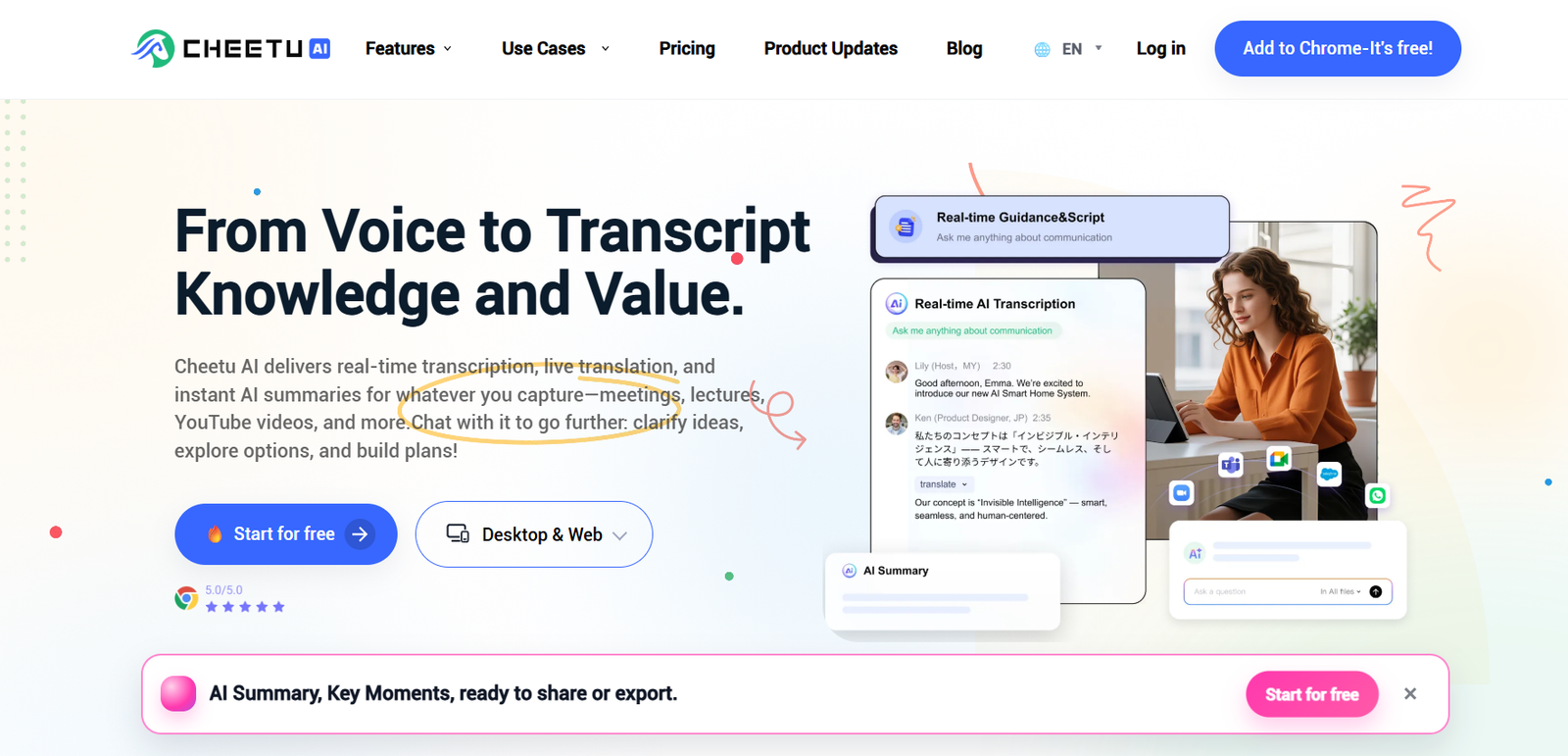
Cheetu AI is an AI powered transcription, translation and note taking platform designed to turn spoken conversations into searchable and reusable information. It can capture meetings, lectures, calls and other spoken content in real time or process previously recorded audio and video.
The platform combines four main capabilities: real time transcription, live translation, AI summaries and AI chat. Instead of manually taking notes during a meeting or lecture, users can allow Cheetu AI to capture the conversation and then review a structured record afterward.
One useful aspect of Cheetu AI is that it does not need an AI meeting bot to join a call. It can capture audio from supported meeting platforms and browser based conversations, making it suitable for services such as Zoom, Google Meet and Microsoft Teams.
Cheetu AI also works with uploaded audio and video files and URL based content. Once content has been transcribed, users can generate summaries, identify key moments, extract decisions and action items, translate the content and ask questions about previous conversations.
It is designed for business teams, sales professionals, students, educators, consultants, researchers, media professionals and multilingual teams that want to spend less time manually documenting conversations.
Features
Real-Time AI Transcription
Cheetu AI converts spoken conversations into text while people are speaking.
The platform provides speaker labels and timestamps, helping users understand who said what and when it was discussed.
No Meeting Bot Required
Cheetu AI does not need to send a visible AI participant into every online meeting.
It can work with meeting and communication platforms while capturing the relevant audio directly through its supported applications and browser tools.
Live Translation
Cheetu AI provides translated captions while a conversation is happening.
Users can view the original speech and translated captions on screen and switch languages when necessary.
This can be particularly useful for international teams, multilingual meetings and students attending classes in another language.
Multilingual Support
Cheetu AI supports multilingual transcription and translation.
The official website currently states that its broader AI system can recognize and translate between up to 39 languages, while individual transcription and translation features may support different language sets depending on the workflow.
AI Meeting Summaries
After a meeting or recording, Cheetu AI can automatically create a structured summary.
The summary can highlight major points, decisions, risks, open questions and other important information.
Action Items
Cheetu AI can identify action items from conversations and organize them according to responsible person and due date where this information is available.
This can make meeting summaries more useful for follow up work.
AI Chat
Users can ask questions about their transcripts using natural language.
Instead of manually searching through a long meeting or lecture, users can ask Cheetu AI to locate relevant information and provide answers based on the conversation.
Search Across Past Conversations
Cheetu AI can turn previous calls, meetings and lectures into a searchable conversation archive.
This can help users recover information that might otherwise be buried inside old recordings or notes.
Audio and Video Uploads
Users can upload previously recorded audio and video for transcription.
The platform supports individual files of up to 12 hours in duration and up to 2 GB in size according to its current pricing information.
Batch Uploading
Users can upload as many as 20 audio or video files in one batch.
This can be valuable for researchers, creators or professionals who need to process several recordings together.
URL Transcription
Cheetu AI supports transcription from URLs, allowing users to process supported online content without relying only on local file uploads.
AI Summaries from Uploaded Content
Uploaded recordings can be converted into transcripts and then processed with AI to produce summaries and key moments.
This extends the platform beyond live meetings into recorded lectures, videos, interviews and other media.
Transcript Translation
Completed transcripts and summaries can be translated into other supported languages.
This can help users share recorded information with colleagues, students or audiences who speak different languages.
Personalized Summaries
Cheetu AI provides personalized summary capabilities, allowing users to create information in a form that better matches their needs.
Export Options
Users can export transcribed text, summaries and audio.
Personalized summaries can also be exported in formats such as DOCX, PDF and TXT.
Sharing
Transcripts and summaries can be shared through a link or email, making it easier to distribute meeting or lecture information.
Chrome Extension
Cheetu AI provides a Chrome extension for capturing browser based audio and conversations.
The extension can capture audio from an active browser tab, helping users transcribe online meetings and other browser based content.
Desktop Applications
Cheetu AI supports desktop applications for both macOS and Windows.
Users can also access the service through the web and mobile web.
Cross Device Synchronization
Transcripts can be synchronized through a Cheetu AI account across the Chrome extension, web application and mobile web interface.
Security
Cheetu AI states that it uses TLS encryption and AES-256 encryption for real time content.
Users also have options to delete their accounts and associated data.
Enterprise users receive additional capabilities such as Single Sign-On.
How It Works
Step 1: Create a Cheetu AI account
Register for an account and choose the web application, desktop application or Chrome extension according to your workflow.
Step 2: Choose the content source
Start a live transcription, upload an existing audio or video recording or provide a supported URL.
Step 3: Select the language
Choose the appropriate transcription and translation languages.
Step 4: Start transcription
Cheetu AI converts the conversation into text in real time or processes the uploaded recording.
Step 5: Use live translation if required
For multilingual conversations, enable translation to view translated captions while people are speaking.
Step 6: Review the transcript
After the conversation finishes, open the transcript and review speaker labels, timestamps and other captured information.
Step 7: Generate an AI summary
Create a structured recap containing important points, decisions, risks, questions and action items.
Step 8: Ask AI questions
Use AI Chat to ask questions about the meeting, lecture or recording and locate specific information.
Step 9: Export or share
Export the transcript, summary or audio, or share the information with others through a link or email.
Use Cases
Business Meetings
Teams can automatically capture discussions and create structured records of meetings without requiring one person to manually take detailed notes.
Sales Teams
Sales professionals can use Cheetu AI during calls to capture customer conversations and prepare follow up summaries.
Important points and action items can be extracted from conversations for later review.
Global Teams
International teams can use live translation and bilingual captions to communicate across language barriers.
Meeting records can then provide a common written reference after the discussion.
Students
Students can transcribe lectures instead of trying to write every important point manually.
After class, they can use AI summaries and chat to review concepts and locate specific information.
Educators
Teachers can turn lectures and recorded educational material into searchable transcripts and summaries that can support learning resources.
Consultants
Consultants conducting client interviews can transcribe discussions and use AI to extract key themes, quotations and relevant findings.
Researchers
Researchers can upload recorded interviews, lectures or discussions and convert them into searchable text for further analysis.
Journalists
Journalists can transcribe interviews and use searchable transcripts to locate relevant statements more efficiently.
Media Professionals
Media professionals can convert interviews and recorded content into complete transcripts and use AI tools to identify useful information for further content development.
Multilingual Meetings
Live translation can help participants understand conversations when team members do not share the same first language.
Pricing
Cheetu AI currently offers Basic, Pro, Business and Enterprise plans.
Basic
The Basic plan is free.
It currently includes:
3 real time transcriptions per month
180 transcription minutes per month
3 URL transcriptions per month
10 file uploads per month
10 offline translations per month
10 AI summaries per month
50 AI Chat interactions per month
Real time translation
Transcript, summary and audio exports
The 180 monthly transcription minutes cover live transcription, uploaded files and URL based transcription.
Pro
The official pricing page currently lists the Pro plan at $4.98 per user per month under the displayed pricing option.
The main Cheetu AI website also advertises Pro pricing starting from approximately $4.15 per user per month, indicating that the effective rate may vary according to billing period or promotion.
Pro currently includes:
Unlimited real time transcription sessions
1,280 transcription minutes per month
60 URL transcriptions per month
200 file uploads per month
200 offline translations per month
200 AI summaries per month
1,000 AI Chat interactions per month
Unlimited real time translation
Transcript, summary and audio exports
Business
The Business plan is currently displayed at $7.98 per user per month under the pricing option shown on the official pricing page.
It includes:
Unlimited real time transcriptions
Unlimited transcription time
Unlimited URL transcriptions
Unlimited file uploads
Unlimited offline translations
Unlimited AI summaries
Unlimited AI Chat interactions
Unlimited real time translation
Transcript, summary and audio exports
Priority support
Enterprise
Enterprise pricing is customized and is not publicly specified.
Organizations need to contact the Cheetu AI sales team for pricing.
Enterprise plans include additional organizational capabilities such as Single Sign-On.
Because Cheetu AI displays different effective rates depending on billing options and promotions, users should confirm the final price on the official checkout page before subscribing.
Strengths
Cheetu AI combines real time transcription, translation, summaries and conversational AI within one platform.
Its bot free approach can be attractive to users who do not want a separate AI participant appearing inside every online meeting.
Live translation makes the platform particularly relevant for international businesses and multilingual teams.
The ability to process both live conversations and existing audio or video files gives users greater flexibility than a tool designed only for meetings.
AI Chat extends the usefulness of transcripts by allowing users to search conversations through natural language questions.
Speaker labels, timestamps, summaries and action item extraction make lengthy meetings easier to review.
The Free plan provides 180 monthly transcription minutes, allowing users to explore the platform before purchasing a subscription.
Desktop support for Windows and macOS, combined with web, mobile web and Chrome extension access, provides several ways to use the service.
Drawbacks
The Basic plan limits users to three real time transcriptions each month, which may not be enough for people attending meetings every day.
The number of supported languages differs across individual features. Users should verify that their required language is supported for the exact transcription or translation workflow they intend to use.
Pro users receive 1,280 transcription minutes per month rather than unlimited overall transcription time.
Some users may not need the combination of transcription, translation and AI chat if their only requirement is occasional audio to text conversion.
As with other automated transcription tools, results can vary with poor microphones, background noise, overlapping speech, accents and specialized terminology.
AI generated summaries and action items should also be reviewed before being treated as an official record of an important business, academic or professional discussion.
Comparison with Other Platforms
Cheetu AI operates in the same broad category as AI meeting and transcription platforms such as Otter, Fireflies, Notta and similar tools.
One of its main differences is its emphasis on combining real time transcription with live multilingual translation.
Its bot free meeting workflow is another notable distinction. Some AI meeting assistants join video calls as an additional participant, while Cheetu AI is designed to capture conversations without requiring a meeting bot.
Compared with simple transcription services, Cheetu AI offers a broader workflow that includes live captions, translation, AI summaries, action items, searchable conversation history and AI Chat.
Compared with dedicated meeting intelligence platforms, it also provides flexible uploaded file and URL transcription for lectures, videos and other recorded material.
Users should choose according to whether their priority is meeting automation, multilingual communication, file transcription, integrations, team analytics or simple audio to text conversion.
Customer Reviews and Testimonials
Cheetu AI publishes user reviews and customer stories through its official website and blog.
The published feedback includes users describing applications in consulting, content creation and international team collaboration.
One consultant describes using Cheetu AI to extract themes and useful quotations from client interviews and move the information into presentation workflows.
Another user describes capturing ideas through voice and using AI to turn those ideas into structured drafts.
Feedback from a global team user highlights bilingual subtitles and instant summaries as useful for reducing confusion during multilingual collaboration.
The Cheetu AI blog also includes customer stories covering sales, global meetings, education, consulting and long lecture analysis.
These testimonials are published directly by Cheetu AI and should therefore be considered company presented customer feedback rather than independent third party reviews.
Conclusion
Cheetu AI is a versatile AI notetaker and interpreter for users who want more than straightforward speech to text conversion.
Its combination of real time transcription, live translation, AI summaries and AI Chat can help turn meetings, lectures, interviews and recorded media into information that is easier to search, understand and reuse.
The platform may be particularly useful for global teams because participants can follow translated captions during conversations. Students and educators can use it for lectures, sales professionals for customer calls, consultants and researchers for interviews, and businesses for meeting documentation.
Its ability to work without sending an AI bot into meetings is another advantage for users who prefer a less intrusive transcription workflow.
The free Basic plan provides a practical starting point, while Pro and Business plans significantly increase transcription and AI usage allowances.
Overall, Cheetu AI is worth considering for professionals, students and teams that want transcription, multilingual communication, summaries and searchable conversation intelligence within one AI platform.


