
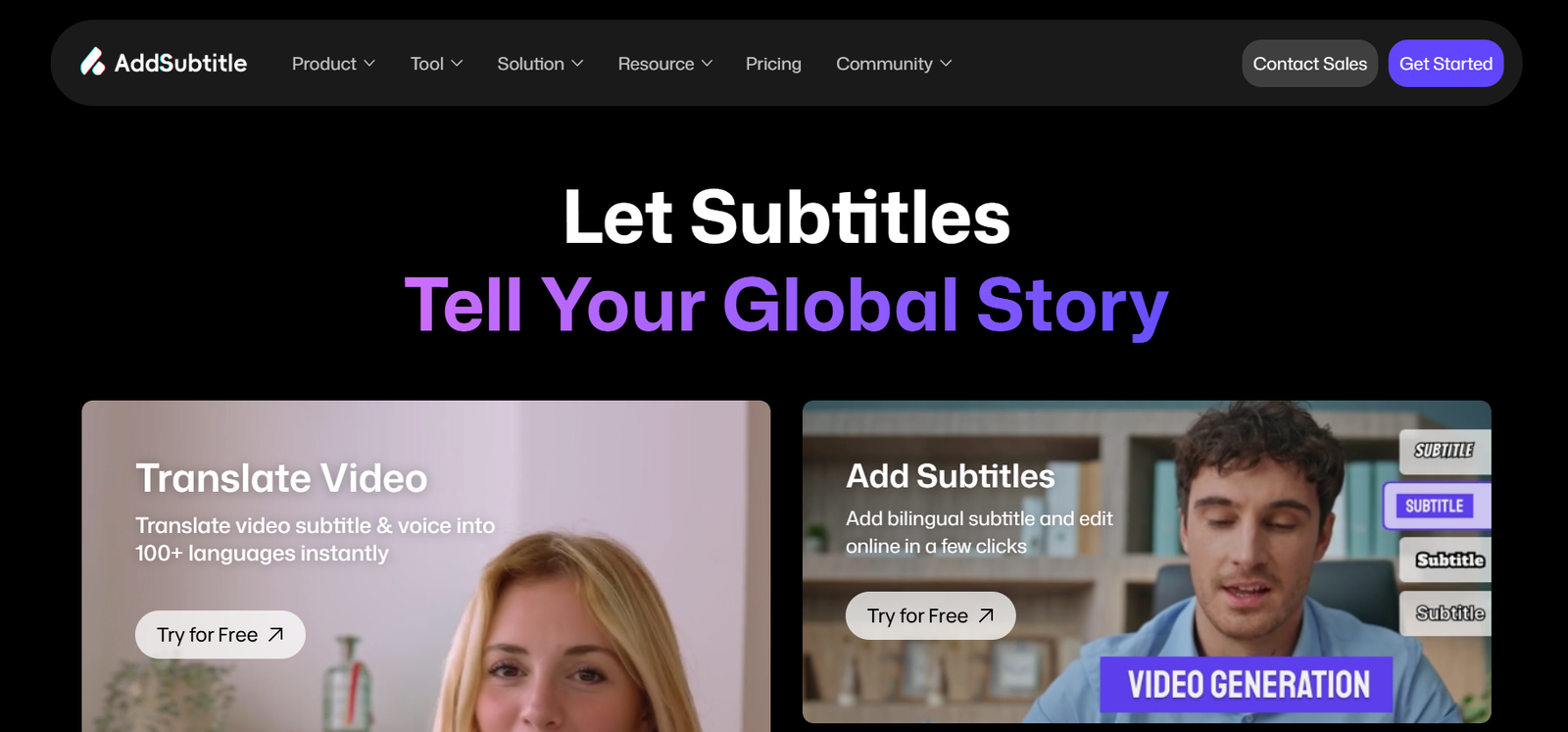
Add Subtitle is an AI-powered video localization and editing platform designed to make videos accessible to audiences speaking different languages. It combines automatic subtitle generation, video translation, AI dubbing, voice cloning and video rewriting in one online platform.
Users can upload a video and automatically generate synchronized subtitles instead of manually transcribing every spoken word. The platform supports subtitles and translation across more than 100 languages, making it particularly useful for creators who want to reach international audiences.
Add Subtitle goes beyond conventional caption generation. Users can translate a video’s spoken content, generate new AI voiceovers, clone voices and use lip synchronization to make translated or rewritten speech fit the original video more naturally.
The platform is designed for YouTubers, social media creators, educators, marketers, businesses and video production teams. It can be used for everything from adding captions to short videos to creating multilingual versions of educational, marketing and social media content.
Features
Automatic AI Subtitles
Add Subtitle automatically recognizes speech in a video and converts it into synchronized subtitles. This can significantly reduce the manual work involved in transcribing and timing captions.
Support for 100+ Languages
The platform supports subtitle creation and video translation across more than 100 languages. This allows creators to prepare multilingual content for viewers in different countries.
Multilingual Video Translation
Users can translate both the spoken content and subtitles of a video. The platform aims to consider context rather than relying only on direct word-for-word translation.
AI Video Dubbing
Add Subtitle can replace the original spoken audio with an AI-generated voice in another language. Its dedicated dubbing functionality supports more than 40 languages and provides a selection of AI voices.
AI Voice Library
The video dubbing feature provides more than 70 AI voices. Users can select different voices according to the style and type of content they are producing.
Voice Cloning
Add Subtitle supports voice cloning, allowing users to create a digital version of a voice for use in video dubbing and voiceover production.
Depending on the plan, users can create a limited number or an unlimited number of voice clones.
Lip Sync
Paid plans provide lip-sync functionality that helps align newly generated speech with the speaker’s visible mouth movements. This can make translated and dubbed videos appear more natural.
Rewrite & Dub
The Rewrite & Dub feature allows users to change the written transcript of a video and generate new speech based on the edited text.
This can be useful for correcting information, modifying a script or creating a different version of an existing video without recording the complete content again.
AI Voiceovers
Users can add AI-generated voiceovers to videos. They can type the required script, select a voice and generate spoken audio without recording it manually.
Subtitle Styling
Add Subtitle provides customizable subtitle designs. Users can change the visual presentation of captions to better match their videos and social media content.
Bilingual Subtitles
The platform supports bilingual subtitle workflows, allowing two languages to appear within the same video. This can be useful for educational content and international audiences.
Online Video Editor
Users can review and edit transcripts, translations, subtitles and dubbing directly through the online editing environment.
A timeline helps manage video, audio and subtitle tracks, while previews allow users to review changes before exporting.
YouTube Video Import
The platform supports importing content through a YouTube link in addition to uploading local video files.
Subtitle Export
Paid plans support exporting subtitle files, which can be useful for creators who want to reuse captions on other platforms or within different editing workflows.
API and SDK Access
Enterprise customers can access API and SDK integration options. This allows businesses to incorporate Add Subtitle’s video localization capabilities into larger production systems.
How It Works
First, users create an account and choose the required function, such as Add Subtitles, Translate Video, Rewrite & Dub or Add Voiceover.
They then upload a video from their device. Supported workflows can also accept a YouTube video link.
Add Subtitle processes the video’s spoken audio and automatically generates a transcript and synchronized subtitles.
Users review the generated transcript and correct any words or sentences if required.
For multilingual content, users choose the target language and allow the AI to translate the subtitles and spoken content.
If dubbing is required, users can select an AI voice or use a cloned voice.
The editor allows users to adjust subtitles, translations, voiceovers and timing. Lip synchronization can also be applied in supported paid plans.
Users preview the completed video and make any final corrections.
Once satisfied, they export the finished video or create a shareable link.
Use Cases
YouTube Creators
YouTubers can add subtitles to their videos and create translated versions for audiences in other countries.
Social Media Creators
Creators producing TikTok, Instagram Reels, YouTube Shorts and other short-form videos can add styled captions and multilingual subtitles.
Online Teachers
Educators can add subtitles and translations to courses, tutorials and recorded lessons, making educational material easier to understand for multilingual students.
Businesses
Companies can translate product demonstrations, presentations, training videos and corporate communications for international employees and customers.
Marketing Teams
Marketers can localize advertisements and promotional videos for campaigns targeting different countries and language groups.
Video Editors
Editors can use automatic transcription, subtitle styling, dubbing and voice generation to reduce repetitive localization work.
Course Creators
Online course producers can create subtitles and translated versions of lessons without manually recreating every video for each language.
Podcasters and Interview Creators
Video podcasts and interviews can be automatically captioned, translated and adapted for viewers speaking different languages.
International Brands
Businesses operating in several countries can create localized versions of the same video while maintaining more consistent visuals and voice presentation.
Pricing
Add Subtitle currently uses a credit-based subscription system with free, paid and enterprise options.
Basic: Free
The Basic plan costs $0 per month and provides 30 credits.
It includes up to 3 voice clones, 7 days of cloud storage, videos up to 20 minutes and files up to 200 MB. Exported videos include an Add Subtitle watermark.
The 30 credits can be used for approximately 6 minutes of subtitle generation, 3 minutes of video translation, 60 voiceover sentences or 300 translated subtitle sentences.
Standard: $9.90 per Month
The Standard plan is listed at $9.90 per month on the current pricing page and provides 200 credits.
It includes up to 5 voice clones, 180 days of cloud storage, videos up to 30 minutes, files up to 300 MB, subtitle export, lip sync and watermark-free output.
The included credits can provide approximately 40 minutes of subtitle generation or 20 minutes of video translation, depending on how the credits are used.
Pro: $19.90 per Month
The Pro plan is listed at $19.90 per month and provides 500 credits.
It supports unlimited voice clones, longer videos of up to 60 minutes and files up to 500 MB. The plan provides significantly larger allowances for subtitles, translation and voiceover creation.
Enterprise: Custom Pricing
Enterprise pricing is available by contacting the company.
The Enterprise option includes unlimited credits, unlimited video duration and file size, watermark-free output, a dedicated account manager, API/SDK integration and private deployment.
Add Subtitle also offers annual billing discounts. Since plan names and prices may change, users should verify current pricing before subscribing.
Strengths
Add Subtitle combines several video localization functions in one platform, reducing the need to use separate tools for transcription, translation, voiceover and dubbing.
Support for more than 100 languages makes it suitable for creators interested in international audiences.
Voice cloning and AI dubbing provide additional options beyond conventional subtitle generation.
The Rewrite & Dub feature is useful for changing spoken video content without completely recording the video again.
Lip synchronization can make translated and rewritten videos look more natural.
Subtitle styling makes the platform useful for social media creators who want captions to be visually integrated into their videos.
A free plan allows users to test the core features before paying for a subscription.
Enterprise API, SDK and private deployment options extend the platform’s usefulness to larger organizations.
Drawbacks
The free plan has relatively limited credits and adds a watermark to exported videos.
Users who regularly process longer videos may consume credits quickly and need a higher subscription tier.
Some advanced capabilities, including lip sync and watermark-free exports, require a paid plan.
AI-generated subtitles can occasionally misinterpret names, accents, technical terminology or unclear speech, so manual proofreading remains important.
AI translation may not always capture cultural context, specialized terminology or subtle meanings correctly.
Voice cloning and dubbing should be used responsibly and with appropriate permission from the person whose voice is being reproduced.
The platform’s pricing and plan naming have changed across some of its help and pricing pages, so users should rely on the live pricing page when making a purchase.
Comparison with Other Platforms
Add Subtitle competes with AI video editing, captioning and localization platforms that provide automatic subtitles and video translation.
Its main advantage is the combination of subtitle generation, translation, video rewriting, dubbing, voice cloning and lip synchronization within a single workflow.
Compared with basic subtitle generators, Add Subtitle provides more advanced localization capabilities because it can modify both the text and spoken audio of a video.
Compared with full professional video editing software, it is more specialized and may not provide the same depth of manual editing controls. However, its AI-driven workflow can be easier for creators whose main objective is captions, translation and multilingual video production.
Users should compare language support, translation quality, voice quality, export limits, credit consumption and pricing when choosing between Add Subtitle and competing platforms.
Customer Reviews and Testimonials
Add Subtitle displays several customer testimonials on its official website.
The published feedback comes from users identified as video bloggers, YouTubers and online teachers. They highlight areas such as caption accuracy, ease of editing, multilingual subtitle creation and the convenience of proofreading translated content.
Some users also describe the platform as helping them speed up their video editing and translation workflows.
These testimonials are displayed by Add Subtitle on its own website and should be considered company-published customer feedback rather than independent third-party reviews.
Conclusion
Add Subtitle is a comprehensive AI video localization tool for creators, educators, marketers and businesses that want to reach audiences across different languages.
Its combination of automatic subtitles, translation, AI dubbing, voice cloning, video rewriting, subtitle styling and lip synchronization makes it useful for producing multilingual videos without relying on several separate applications.
YouTubers, social media creators and online educators may particularly benefit from its simple workflow, while businesses with high-volume requirements can explore its API, SDK and private deployment options.
The free plan provides a practical way to test the platform. Users producing content regularly can then consider the paid plans for larger credit allowances, watermark-free exports, lip sync and more advanced production capabilities.


