
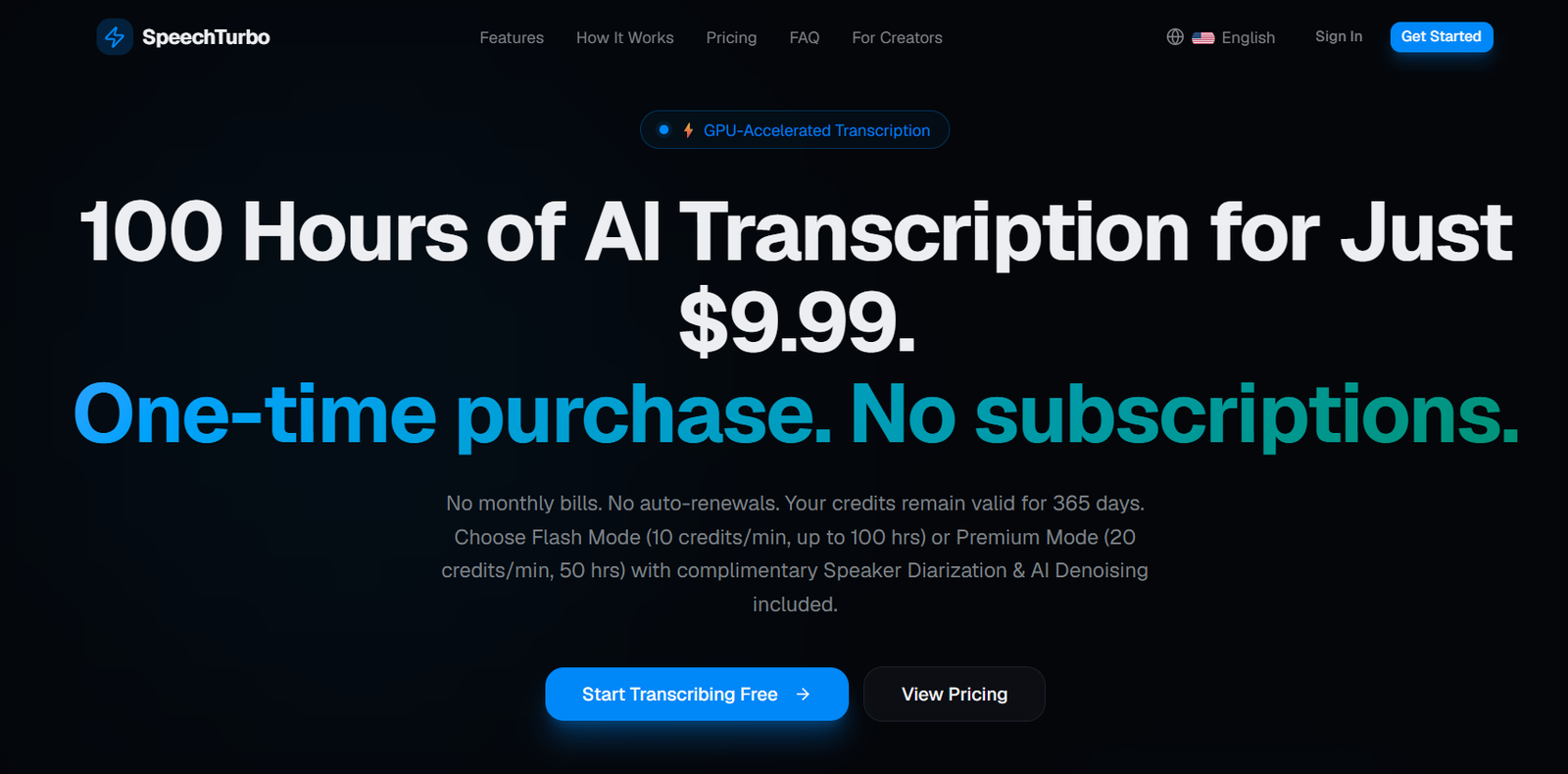
SpeechTurbo is an AI powered transcription platform designed to convert audio and video recordings into accurate, editable text. It focuses on fast processing, multilingual transcription and flexible pay as you go pricing rather than requiring users to maintain a monthly subscription.
The platform uses GPU accelerated speech recognition and supports more than 98 languages. Users can upload common audio and video formats, import media from cloud based workflows or provide an authorized public link for transcription.
SpeechTurbo offers two main processing options. Flash Mode is designed for economical transcription, while Premium Mode uses additional credits and includes speaker diarization and AI denoising. The latter can be useful for interviews, podcasts, meetings and other recordings involving multiple speakers or background noise.
Beyond transcription, paid users receive AI based summaries and translation capabilities. Transcripts can be exported into document, text, data and subtitle formats, making SpeechTurbo suitable for creators, journalists, researchers, students, educators and business professionals.
Features
GPU Accelerated Transcription
SpeechTurbo uses GPU based processing to speed up audio and video transcription. The official website states that the service can process content at up to 50 times real time, with a one hour recording potentially being transcribed in under 80 seconds.
Actual processing time can depend on the selected mode, file complexity and service demand.
98+ Languages
SpeechTurbo supports transcription in more than 98 spoken languages, making it useful for multilingual recordings and international users.
Paid VIP users can also use AI translation to convert transcripts into more than 70 target languages.
Flash Mode
Flash Mode is the lower cost transcription option and consumes 10 credits for every minute of media processed.
It can be suitable for users who mainly need straightforward transcription and want to maximize the number of hours available from their purchased credits.
Premium Mode
Premium Mode consumes 20 credits per minute and includes speaker diarization and AI denoising.
This mode can be useful for recordings involving multiple people or situations where improving speech clarity is important.
Speaker Diarization
Premium transcription can distinguish between different speakers within the recording. This helps make interviews, meetings, podcasts and group discussions easier to read.
AI Denoising
Premium Mode includes AI based noise reduction intended to improve the clarity of speech before or during transcription.
This can be valuable for recordings containing environmental noise or less than ideal audio conditions.
AI Summaries
VIP users can create AI generated summaries from their transcripts.
Available summary styles include brief summaries, outlines, action items and meeting minutes, allowing users to extract different types of information from the same recording.
AI Translation
VIP users can translate completed transcripts into more than 70 target languages without consuming their SpeechTurbo transcription credits.
Registered free users receive one free AI summary or translation attempt per month.
Batch Processing
SpeechTurbo supports uploading as many as 30 files at once for paid users.
This can save considerable time for users processing multiple interviews, podcast episodes, lectures or video files.
Large File Support
Paid credit plans support individual files of up to eight hours in duration and 4 GB in size.
Anonymous users can upload files up to 1 GB, while registered free users receive a higher 2 GB limit.
Multiple Media Formats
SpeechTurbo supports common formats including MP3, MP4, M4A, MOV, AAC, WAV, OGG and FLAC.
This allows users to process both audio and video without converting everything into one specific file format beforehand.
Link and Cloud Import
Users can upload files directly, work with cloud storage workflows such as Google Drive and Dropbox, or paste a public media link that they are authorized to transcribe.
Interactive Transcript Editor
After transcription, users can review their content within an interactive transcript editor before downloading the finished result.
Multiple Export Formats
SpeechTurbo supports exports in formats including:
DOCX
PDF
TXT
CSV
SRT
VTT
This makes the platform useful for documents, research data, captions and video subtitles.
Privacy Controls
SpeechTurbo states that uploaded files are transmitted through HTTPS encryption and that original source files are automatically deleted within 24 hours after transcription.
Core speech recognition is processed using SpeechTurbo’s own GPU infrastructure. The website notes that optional AI summary and translation functions may use third party large language models.
The company also states that it does not use customer data to train its models.
How It Works
Step 1: Open SpeechTurbo
Visit SpeechTurbo and access its online transcription interface.
Step 2: Add an audio or video file
Drag and drop a supported file, select it from your device, use a cloud based workflow or paste an authorized public link.
Step 3: Select the transcription mode
Choose Flash Mode for lower credit consumption or Premium Mode when speaker diarization and AI denoising are needed.
Step 4: Start transcription
SpeechTurbo processes the recording using its GPU accelerated transcription engine.
Step 5: Review the transcript
Open the generated text in the interactive transcript editor and check the transcription for names, technical terminology or other potential errors.
Step 6: Generate additional AI content
Eligible users can create a summary, extract action items, produce meeting minutes or translate the transcript.
Step 7: Export
Download the completed transcript in an available format such as DOCX, PDF, TXT, CSV, SRT or VTT.
Use Cases
Podcasters
Podcasters can transcribe multiple episodes in batches and use speaker diarization for conversations involving hosts and guests. Transcripts can then support show notes, articles and searchable archives.
Journalists
Journalists can convert recorded interviews into text and separate different speakers, reducing the time required for manual transcription.
Content Creators
Creators can turn recorded videos into written transcripts and export SRT or VTT files for subtitles and captions.
Students
Students can transcribe recorded lectures, classes and educational material to create searchable study resources.
Researchers
Researchers can process interviews and recorded discussions. Speaker diarization and batch processing can be particularly useful when working with multiple research recordings.
Educators
Teachers and trainers can convert lectures, webinars and educational videos into written materials and subtitles.
Businesses
Businesses can use SpeechTurbo for recorded meetings, presentations, interviews and other internal communications. AI generated action items and meeting minutes can help users review lengthy discussions.
Video Editors
Video professionals can generate SRT and VTT subtitle files for use in video editing and publishing workflows.
Multilingual Teams
International users can transcribe content in more than 98 languages and use AI translation for supported target languages.
Pricing
SpeechTurbo uses a one time credit purchasing model rather than a recurring subscription. Purchased credits remain valid for 365 days.
The platform currently offers three main credit packages.
Starter
The Starter package costs $9.99 as a one time purchase.
It includes:
60,000 credits
Up to approximately 100 hours using Flash Mode
Up to 8 hours or 4 GB per file
Batch uploads of up to 30 files
Standard GPU processing queue
All export formats
VIP AI summaries and translations
Growth
The Growth package costs $19.99 as a one time purchase.
It includes:
138,000 credits
Up to approximately 230 hours using Flash Mode
Up to 8 hours or 4 GB per file
Batch uploads of up to 30 files
Priority dedicated GPU queue
All export formats
VIP AI summaries and translations
Pro
The Pro package costs $39.99 as a one time purchase.
It includes:
300,000 credits
Up to approximately 500 hours using Flash Mode
Up to 8 hours or 4 GB per file
Batch uploads of up to 30 files
Turbo exclusive GPU queue
All export formats
VIP AI summaries and translations
Credit Usage
Flash Mode uses 10 credits per minute.
Premium Mode, which includes speaker diarization and AI denoising, uses 20 credits per minute.
Therefore, the actual number of transcription hours available from a credit pack depends on which mode is used.
Free Usage
SpeechTurbo can also be tried without purchasing credits.
The free option currently provides up to three transcriptions per day, with a maximum of 30 minutes per file in standard use and 15 minutes in Premium Mode.
Registered free users also receive one free AI summary or translation attempt per month.
Prices and credit allowances can change, so users should check the current official pricing before purchasing.
Strengths
SpeechTurbo’s pay once credit system is one of its main advantages. Users are not automatically charged every month simply to maintain access to unused transcription capacity.
Purchased credits remain valid for 365 days, giving occasional users more flexibility than a traditional monthly subscription.
Support for more than 98 languages makes the service suitable for international transcription needs.
GPU accelerated processing is designed to reduce waiting time, particularly when users are working with long recordings.
Batch processing of up to 30 files can be valuable for podcasters, researchers, journalists and businesses with larger transcription workloads.
Premium Mode combines speaker diarization and denoising without requiring a separate subscription tier.
AI summaries and translations provide additional value after transcription, while multiple export formats support document, research and subtitle workflows.
Drawbacks
Credits expire after 365 days, so users should purchase a package that reasonably matches their expected transcription requirements.
Premium Mode consumes twice as many credits per minute as Flash Mode.
The advertised transcription accuracy and processing speeds represent platform claims. Actual results can vary according to language, audio quality, background noise, accents, overlapping voices and specialized terminology.
Users should therefore review important transcripts rather than assuming that AI generated text is completely error free.
Optional AI summaries and translations may involve third party language models, which is an important consideration for users handling confidential information.
Users requiring permanent source file storage within the transcription platform should also note that SpeechTurbo automatically deletes original uploaded files within 24 hours.
Comparison with Other Platforms
SpeechTurbo operates in the same general category as AI transcription services such as TurboScribe, Otter, Descript, Rev and other audio to text platforms.
Its most noticeable difference is its pricing structure. Instead of requiring a recurring monthly or annual subscription, SpeechTurbo sells transcription credits that remain valid for one year.
It also separates economical transcription from enhanced processing through Flash and Premium modes. Users can therefore spend fewer credits on straightforward recordings and use additional credits when speaker diarization and noise reduction are important.
Compared with meeting focused platforms, SpeechTurbo is more oriented toward uploaded audio and video transcription rather than automatically joining online meetings.
Compared with basic audio to text converters, it offers additional capabilities such as batch processing, speaker diarization, denoising, AI summaries, translation and multiple professional export formats.
For users with irregular transcription needs, its one time credit model may be particularly attractive because they are not paying for months when the service is not being used.
Customer Reviews and Testimonials
SpeechTurbo displays customer testimonials on its official website.
Published testimonials include feedback from a journalist, content creator and researcher. The comments highlight areas such as multi speaker transcription, batch processing, transcription speed and privacy.
One testimonial describes the usefulness of the service for multi speaker interviews, while another discusses using batch uploads for regular podcast transcription.
A researcher testimonial highlights the platform’s privacy approach when working with research information.
These testimonials are selected and published directly by SpeechTurbo, so they should be considered company presented customer feedback rather than independent third party reviews.
Conclusion
SpeechTurbo is a practical AI transcription platform for users who want fast audio and video transcription without committing to another recurring subscription.
Its combination of more than 98 transcription languages, GPU accelerated processing, batch uploads, speaker diarization, AI denoising, summaries, translation and flexible export formats makes it suitable for a broad range of transcription workflows.
Podcasters and journalists can use it for interviews, researchers for recorded discussions, students for lectures, businesses for meetings and creators for video transcripts and subtitles.
Its one time credit model is particularly interesting for users whose transcription needs vary from month to month. Credits remain available for up to 365 days instead of being tied to a recurring monthly allowance.
Overall, SpeechTurbo is worth considering for individuals and professionals who want a flexible, multilingual transcription service with a choice between economical basic processing and enhanced transcription with speaker detection and noise reduction.


