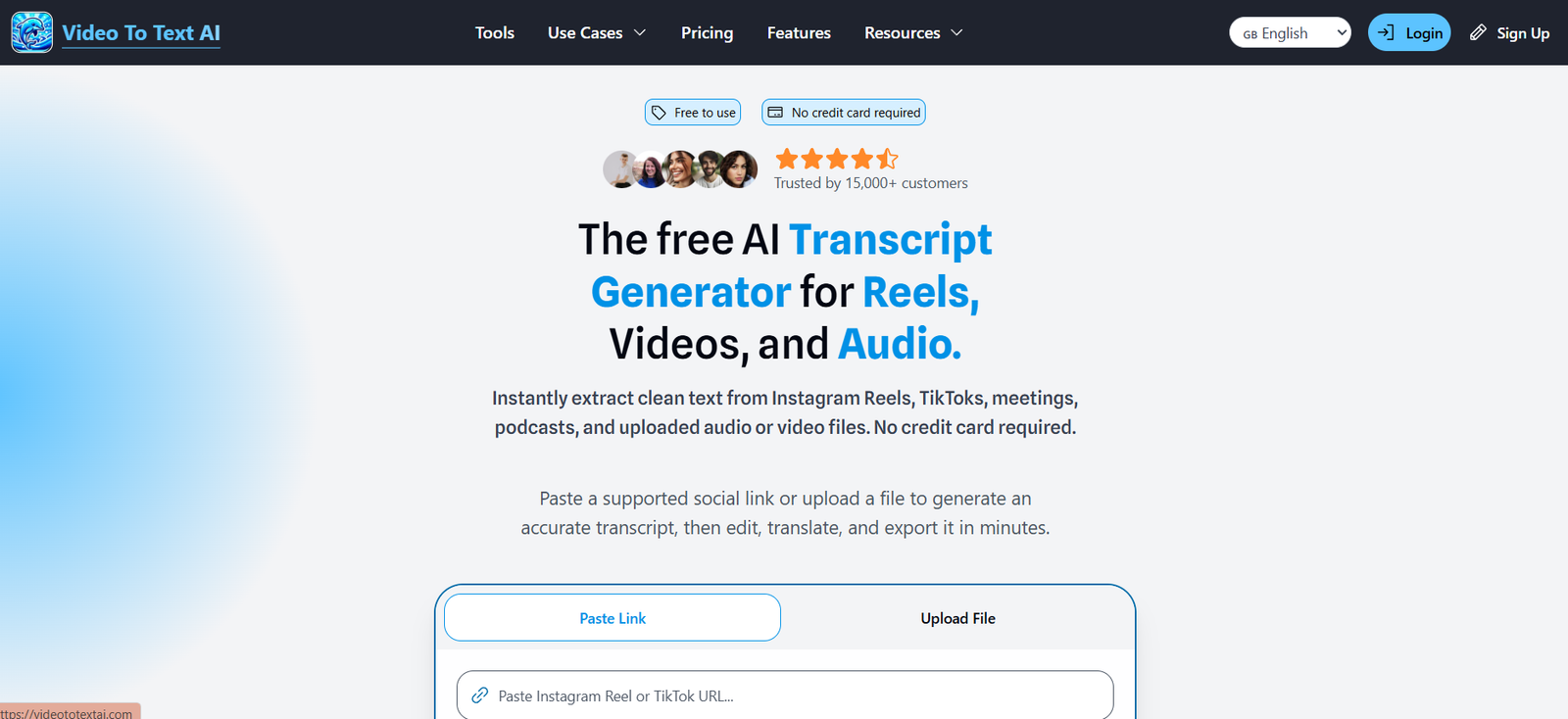
VideoToTextAI is an AI powered transcription platform that converts video and audio content into editable, searchable text. It is designed for creators, podcasters, journalists, students, researchers, marketers and business teams that regularly work with recorded content.
Users can upload audio or video files or paste supported Instagram Reel and TikTok links directly into the platform. The AI processes the spoken content and creates a transcript that can then be edited, translated, analyzed with AI and exported for further use.
VideoToTextAI supports more than 50 languages and dialects for transcription and can translate transcripts into 132 languages. The platform is built on Whisper based speech recognition technology.
Beyond basic transcription, the platform provides tools for speaker identification, timestamps, AI chat and content repurposing. A single transcript can be transformed into summaries, blog content, social media posts, newsletters and other useful formats.
Features
AI Video and Audio Transcription
VideoToTextAI automatically converts spoken content from audio and video recordings into written text. It can handle meetings, podcasts, interviews, voice notes and various types of online video content.
Instagram and TikTok Transcription
Users can paste supported Instagram Reel and TikTok links directly into the platform. This eliminates the need to manually download every social media video before transcription.
Free accounts receive a limited number of social link uploads, while Pro users receive unlimited supported social link uploads.
50+ Transcription Languages
The platform supports more than 50 languages and dialects for transcription, making it useful for users producing or analyzing multilingual content.
Translation into 132 Languages
After generating a transcript, users can translate it into a wide range of languages. This can help creators and businesses repurpose content for international audiences.
Speaker Recognition
The Pro plan provides speaker recognition, helping users identify who said what in recordings containing multiple participants. This is useful for interviews, podcasts, meetings and discussions.
AI Chat
Users can interact with their transcribed content through AI chat. They can ask questions about a recording, obtain summaries or extract useful information without manually reading the complete transcript.
Timestamps
Transcripts can include time coded sections, making it easier to locate a specific statement or topic in the original audio or video.
Transcript Editing
Generated transcripts can be reviewed and edited before downloading. This allows users to correct names, terminology and other transcription errors.
Flexible Exports
Users can export transcripts into useful text and subtitle formats. Available workflows include text, SRT and VTT exports.
AI Content Repurposing
VideoToTextAI goes beyond straightforward transcription with AI tools that can transform transcript material into summaries and other content.
The platform also presents workflows for turning transcripts into LinkedIn posts, newsletters, X threads and other reusable content.
AI Magic Tools
The platform includes tools designed to transform transcripts into different types of output, including summaries, blog posts, social media content and other structured material.
Large File Support
Free users can upload files up to 500 MB. Pro users can upload files up to 10 GB, which can be valuable for users working with longer or higher quality video recordings.
Cloud Storage
VideoToTextAI provides cloud based storage for transcription projects. According to its current pricing information, files on the free plan expire after 10 days, while files under the Pro plan do not expire.
API Access
The platform also offers API access for developers and organizations that want to integrate its transcription capabilities into their own workflows or applications.
How It Works
Step 1: Create an account
Sign in or create a VideoToTextAI account to access the transcription dashboard.
Step 2: Choose your content source
Upload an audio or video file from your computer. Alternatively, paste a supported Instagram Reel or TikTok link directly into the platform.
Step 3: Generate the transcript
Start processing the content. VideoToTextAI analyzes the spoken audio and creates a written transcript.
Step 4: Review and edit
Open the completed transcript and check the text. Users can correct words, names, terminology and formatting where necessary.
Step 5: Use AI features
Users can translate the transcript, interact with it through AI chat or use the available AI tools to summarize and repurpose the material.
Step 6: Export
Download the finished content in an available text or subtitle format such as TXT, SRT or VTT, depending on the selected workflow.
Use Cases
Content Creators
Creators can transcribe Instagram Reels, TikToks and other video content to extract scripts, hooks, quotes and ideas. Existing transcripts can also become the starting point for new social media content.
Podcasters
Podcasters can convert episodes into searchable transcripts and then use the text to prepare show notes, summaries, articles, newsletters and social posts.
Journalists
Journalists can upload recorded interviews and convert them into editable transcripts, reducing the amount of time required for manual transcription.
Students
Students can turn recorded lectures, presentations and educational videos into searchable text that is easier to review while studying.
Researchers
Researchers can transcribe interviews, discussions and other recorded material for analysis and documentation.
Businesses and Teams
Companies can convert Zoom recordings, meetings, calls, presentations and internal voice updates into written information that can be reviewed and archived.
Marketers
Marketers can use transcripts as source material for blogs, newsletters, LinkedIn posts, social media threads and other marketing content.
Social Media Professionals
Social media professionals can transcribe Reels and TikTok videos to study scripts, talking points and content structures. The platform’s repurposing capabilities can also help turn one piece of recorded content into material for several channels.
Developers
Developers can explore the platform’s API capabilities when transcription needs to be integrated into another application or workflow.
Pricing
VideoToTextAI currently offers Free and Pro plans.
Free Plan
The Free plan costs $0 per month and provides 60 credits each month, equivalent to approximately one hour of transcription because one credit represents one minute of transcription.
Free users can transcribe and translate files, edit and download text, use AI chat and upload individual files up to 500 MB.
The Free plan also allows up to two Instagram or TikTok link uploads every 24 hours. Free plan files expire after 10 days.
Pro Plan
The Pro plan provides 1,200 credits per month, equivalent to approximately 20 hours of transcription.
At the time reviewed, the official pricing page displayed annual billing at $20 per month, with annual billing providing two months free compared with the displayed regular monthly price of $40.
Pro users receive everything in the Free plan plus uploads of up to 10 GB, unlimited supported Instagram and TikTok link uploads, bulk link uploading, speaker recognition, access to additional credits at a discounted rate and priority customer support.
The pricing page also states that files under the Pro plan do not expire.
Users should check the official pricing page before subscribing because prices, credits and plan conditions may change.
Strengths
VideoToTextAI combines transcription, translation and content repurposing in a single platform.
Its direct Instagram Reel and TikTok link support can be particularly convenient for creators and social media professionals because they do not always need to download the video before processing it.
Support for more than 50 transcription languages and translation into 132 languages makes the platform suitable for multilingual workflows.
AI chat provides a convenient way to explore longer transcripts and locate useful information.
Speaker recognition is valuable for podcasts, interviews and meetings involving several participants.
The platform also provides useful content repurposing options, allowing users to turn spoken material into summaries, posts, newsletters and other written content.
A free plan with 60 monthly credits gives new or occasional users an opportunity to test the platform before considering a paid subscription.
Drawbacks
The Free plan provides only 60 transcription credits per month, which may be insufficient for users processing several long recordings.
Files uploaded under the Free plan expire after 10 days.
Speaker recognition is reserved for the Pro plan, so free users working with interviews or multi speaker recordings may have fewer options for automatically organizing conversations.
Some of the platform’s strongest benefits are aimed at social media and content repurposing. Users who only require occasional basic transcription may not need all of these additional capabilities.
As with most automated transcription systems, results can require manual review when recordings contain poor audio, background noise, overlapping speakers, strong accents or specialized terminology.
Comparison with Other Platforms
VideoToTextAI competes with AI transcription platforms that convert meetings, podcasts, interviews and videos into text. Its distinguishing focus is the combination of file based transcription with direct social video workflows and AI content repurposing.
Traditional transcription tools often concentrate primarily on converting recordings into text. VideoToTextAI extends this workflow by allowing users to translate transcripts, chat with their content and transform transcripts into material for social media, newsletters and blogs.
Compared with meeting focused AI assistants, VideoToTextAI is more oriented toward uploaded media, podcasts and creator content rather than automatically joining online meetings.
For creators and marketers who want to reuse existing video and audio across multiple content channels, this broader transcription and repurposing workflow may be particularly useful.
Customer Reviews and Testimonials
The official website includes customer review information on some of its transcription pages. Its podcast transcription page displays an overall rating of approximately 4.8 out of 5 based on 850+ reviews.
Testimonials displayed on the website describe positive experiences related to transcription speed, podcast transcription and the usefulness of the service for journalistic interviews.
Since these testimonials are presented by VideoToTextAI itself, users looking for independent opinions may also want to evaluate external review platforms before purchasing a paid plan.
Conclusion
VideoToTextAI is more than a basic video to text converter. It combines AI transcription with translation, transcript editing, speaker recognition, AI chat and content repurposing.
Its ability to work directly with supported Instagram and TikTok links makes it especially interesting for creators, marketers and social media professionals. Podcasters, journalists, researchers, students and businesses can also use it to convert recorded material into searchable and reusable text.
The free plan is suitable for testing the service and handling occasional transcription tasks, while the Pro plan is designed for users who need significantly more transcription time, larger file uploads, speaker recognition and unlimited supported social link processing.
Overall, VideoToTextAI is worth considering for users who want to turn audio and video into text and then continue using that transcript for subtitles, research, summaries, translations and new content.