
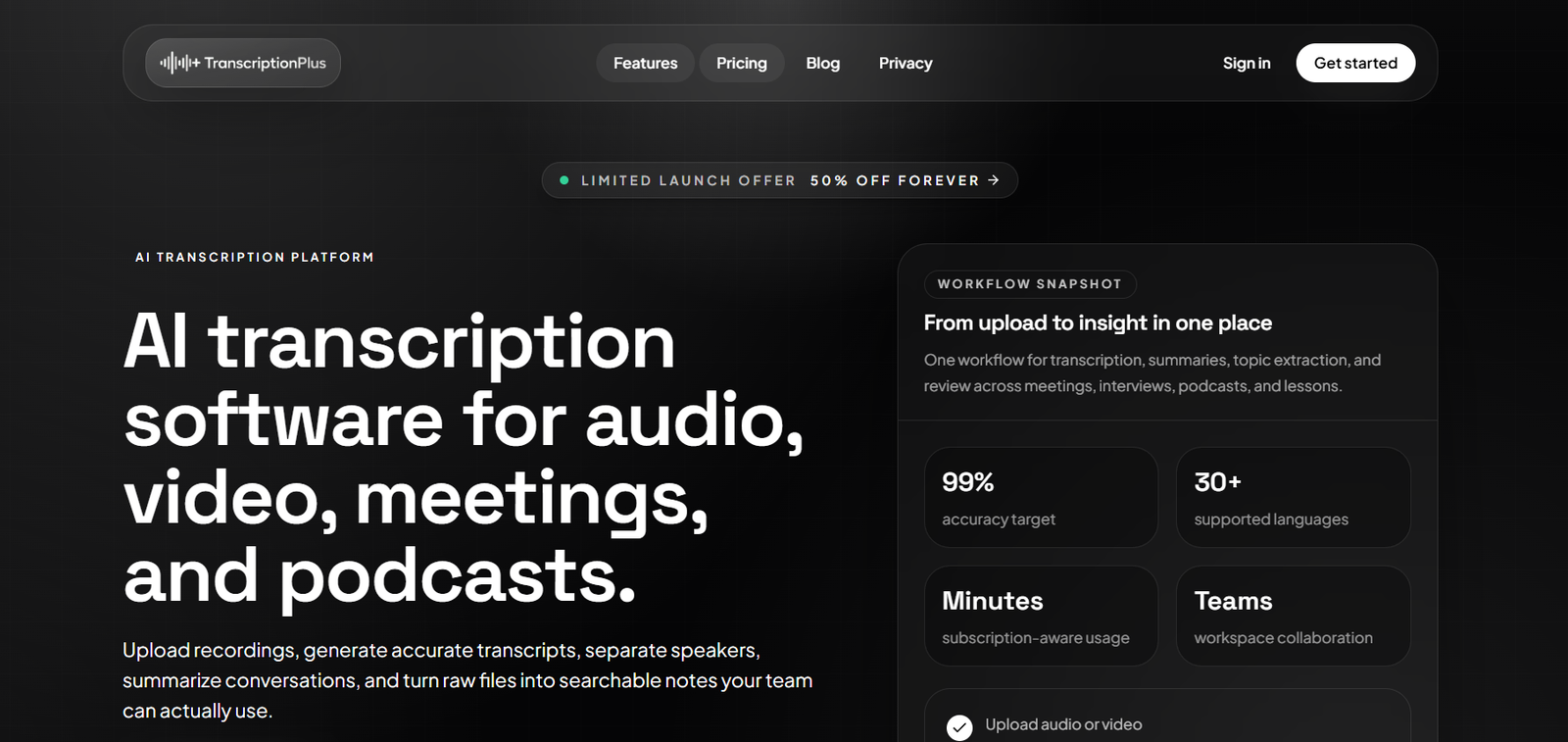
TranscriptionPlus is an AI powered transcription platform designed to convert audio and video recordings into clean, searchable and structured text. It is suitable for meetings, interviews, podcasts, lessons, research recordings and other spoken content.
Users can upload audio or video files or provide supported source links. The platform processes the content, creates a transcript, separates different speakers and provides AI generated summaries and topic extraction.
TranscriptionPlus supports more than 30 languages and targets transcription accuracy of up to 99 percent. Actual accuracy can vary depending on recording quality, accents, background noise and the complexity of the conversation.
The platform is designed for both individual and team workflows. Shared workspaces allow collaborators to organize recordings and transcripts in one place, making it useful for researchers, creators, consultants, journalists and operational teams.
Features
AI Transcription
TranscriptionPlus automatically converts spoken audio into written text. Users can process both audio and video recordings without manually typing the conversation.
Speaker Identification
The platform includes speaker identification, also known as speaker diarization. It detects different voices and labels speakers separately within the transcript.
This is particularly useful for meetings, interviews, podcasts, focus groups and other recordings involving multiple participants.
AI Summaries
TranscriptionPlus can create concise AI generated summaries of longer recordings. This helps users understand the main discussion without reading the entire transcript.
Topic Extraction
The AI can identify important topics discussed in a recording. This provides another way to understand and organize longer conversations.
30+ Languages
TranscriptionPlus supports more than 30 languages, making it suitable for multilingual transcription requirements.
Audio and Video Uploads
Users can upload both audio and video content for transcription.
Supported formats include MP3, WAV, AAC, M4A, MP4, WEBM and FLAC, along with additional commonly used formats.
Transcription from Links
Instead of downloading every file manually, users can paste supported links from social platforms and schedule the content for transcription.
Export Ready Transcripts
Completed transcripts can be prepared for export, allowing users to move the resulting text into other documentation and content workflows.
Searchable Content
Turning recordings into text makes conversations easier to search and reference compared with repeatedly replaying long audio or video files.
Team Workspaces
TranscriptionPlus provides team ready spaces where users can invite collaborators and maintain shared transcription libraries.
Collaboration
Teams can divide transcription work, review content and keep related files organized within shared spaces.
Mobile Friendly Interface
The platform provides a responsive interface designed to work across different screen sizes, including mobile devices.
Secure Accounts
TranscriptionPlus provides protected account workflows and privacy controls for uploaded and processed information.
How It Works
Users first create a TranscriptionPlus account.
They can start with the available free tier before choosing a paid subscription when additional transcription minutes are required.
The user uploads an audio or video file or pastes a supported source link.
Next, the appropriate transcript language is selected.
TranscriptionPlus processes the recording and converts the spoken content into text.
When several people are speaking, the speaker identification system separates and labels their contributions.
The platform then applies its AI capabilities to create a summary and identify important topics.
Users review the transcript, speaker segments, summary and extracted information.
Completed transcripts can then be exported or shared with collaborators according to the user’s workflow.
Use Cases
Business Meetings
Businesses can turn recorded meetings into searchable transcripts and summaries for later reference.
Podcasters
Podcast creators can transcribe episodes and use the resulting text for show notes, articles and other content.
Journalists
Journalists can convert recorded interviews into structured text and use speaker identification to distinguish between participants.
Researchers
Researchers can process interviews and focus group recordings and separate the contributions of different speakers.
Content Creators
Creators can turn video and audio content into written material that can later be adapted for blogs, newsletters and social content.
Consultants
Consultants can maintain written records of client conversations and use AI summaries to review important points.
Students
Students can transcribe permitted recordings of lessons, lectures and study discussions.
Educators
Educators can convert recorded lessons and educational material into searchable text.
Operations Teams
Operational teams can create shared libraries of recordings and transcripts and collaborate on information extracted from conversations.
Multilingual Teams
Support for more than 30 languages can help international users process recordings created in different languages.
Pricing
TranscriptionPlus currently provides a free tier along with Basic, Standard and Pro paid plans.
Free Tier
The official website states that users can create an account and begin with a free tier before upgrading when additional transcription minutes are required.
Detailed limits of the free tier are not clearly presented on the public pricing section.
Basic
The Basic plan costs $4.90 per month.
It includes:
300 transcription minutes per month
Maximum 1 GB file size
30+ languages
Core AI features
1 team member
This plan is designed primarily for individual users with moderate transcription requirements.
Standard
The Standard plan normally lists at $15 per month but is currently advertised at a promotional price of $7.50 per month.
It includes:
2,000 transcription minutes per month
Maximum 2 GB file size
Priority processing
Advanced AI features
2 team members
The Standard plan is positioned for creators, consultants and growing teams.
Pro
The Pro plan normally lists at $30 per month but is currently advertised at $15 per month as a limited time offer.
It includes:
4,000 transcription minutes per month
Unlimited file size
Highest processing priority
All AI features
Unlimited team members
The Pro plan is intended for agencies and teams processing larger transcription volumes.
The discounted pricing is promotional and may change, so users should check current pricing before subscribing.
Strengths
TranscriptionPlus combines transcription, speaker identification, summaries and topic extraction within one workflow.
Support for both audio and video makes it useful for different types of recorded content.
Speaker identification is especially valuable when processing interviews, meetings and podcasts involving multiple participants.
Support for more than 30 languages provides flexibility for international users.
The ability to upload from supported links can also save time when processing online content.
Team workspaces make TranscriptionPlus more useful for organizations than basic single user transcription utilities.
The Standard and Pro plans provide relatively large monthly transcription allowances for users processing substantial amounts of content.
Drawbacks
The Basic plan provides only 300 minutes per month, which may be insufficient for users processing several long recordings.
The current Standard and Pro prices are promotional. Users should therefore consider the regular listed prices when evaluating long term costs.
The platform states an accuracy target of 99 percent, but this should not be interpreted as guaranteed accuracy for every recording.
Poor microphones, background noise, overlapping speakers, accents and specialized terminology can reduce transcription quality.
The public website also provides limited detail about some advanced AI features included within each subscription tier.
Users dealing with highly confidential recordings should carefully review the platform’s privacy policy and data handling practices before uploading sensitive information.
Comparison with Other Platforms
TranscriptionPlus competes with AI transcription platforms such as Otter.ai, Notta, TurboScribe and other speech to text services.
Its main advantage is the combination of transcription, speaker identification, AI summaries, topic extraction and team collaboration within one platform.
Compared with dedicated AI meeting assistants, TranscriptionPlus focuses more broadly on uploaded audio and video rather than only automatically attending live online meetings.
Its support for podcasts, interviews, lessons and research recordings makes it relevant to users beyond conventional business meetings.
Compared with simple speech to text converters, its summaries, speaker separation and collaborative workspaces provide a more complete workflow.
Users who need advanced live meeting automation or extensive CRM integrations may prefer a dedicated meeting intelligence platform. Those who primarily need to process existing audio and video recordings may find TranscriptionPlus more straightforward.
Customer Reviews and Testimonials
The official website states that TranscriptionPlus is trusted by more than 1,000 users and highlights researchers, creators and operations teams among its users.
The website also displays organization names and logos including Microsoft, Oxford University, Moreland University and AMD.
However, detailed customer reviews and individual testimonials are not clearly available on the official website. These displayed organization references should not automatically be interpreted as formal endorsements or verified customer partnerships.
Conclusion
TranscriptionPlus is a practical AI transcription platform for people who regularly need to convert audio and video into organized written information.
Its combination of automated transcription, speaker identification, AI summaries, topic extraction and support for more than 30 languages makes it useful for meetings, interviews, podcasts, research recordings and educational content.
Individual users can begin with the free tier or Basic plan, while Standard provides substantially more transcription capacity for creators and consultants. Pro is better suited to agencies and larger teams requiring higher limits and collaboration.
For users who want more than basic speech to text and need AI analysis and speaker separation alongside their transcripts, TranscriptionPlus provides a useful all in one transcription workflow.


