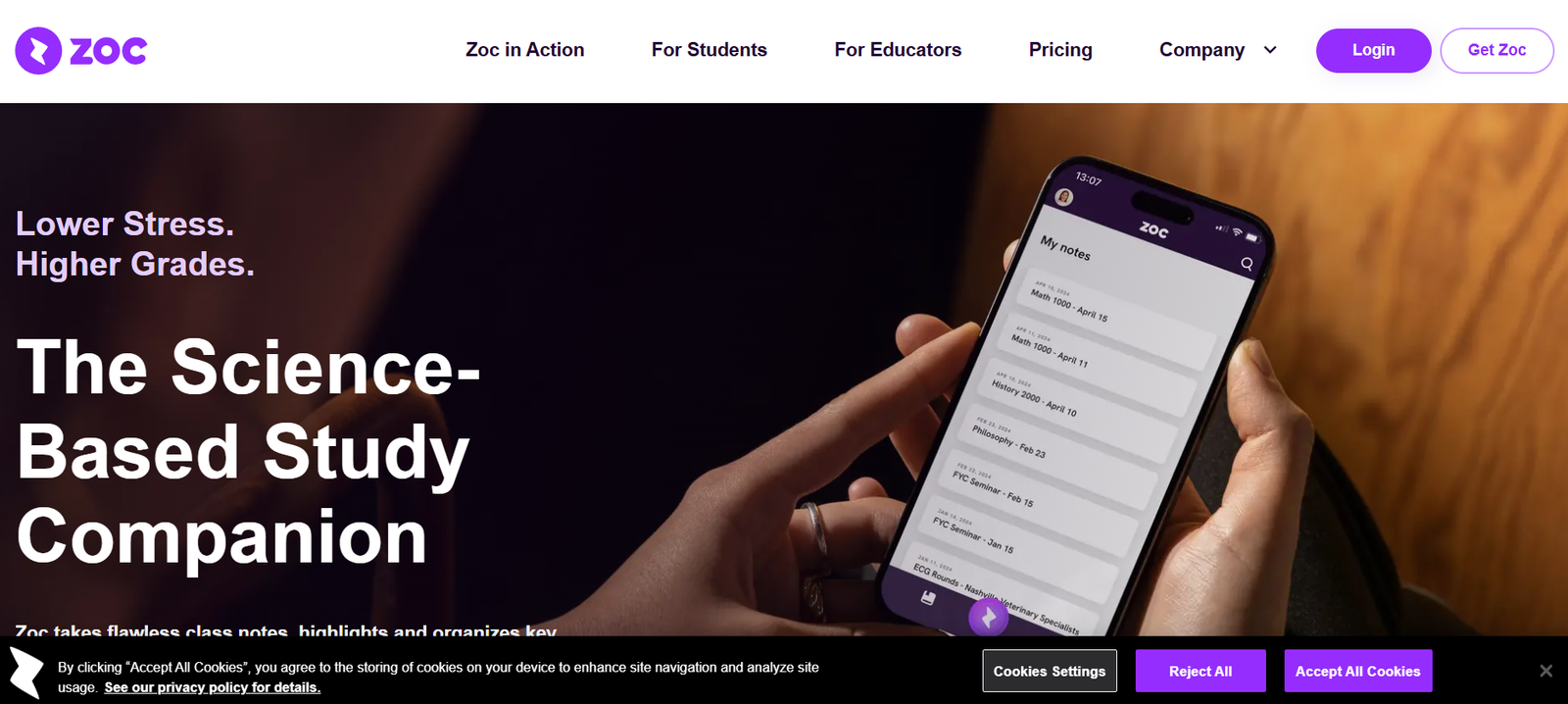
Zoc is an AI powered study companion designed primarily for students who want to capture lectures, organize class information and study more effectively. It combines automatic lecture transcription, structured note creation, translation and interactive tutoring within one learning platform.
Instead of requiring students to spend an entire class typing or writing everything the instructor says, Zoc can transcribe the lecture while the student focuses on listening and understanding. Afterward, the platform organizes important topics into structured study materials that can be reviewed during revision.
Zoc is built around established educational concepts, including Bloom’s Taxonomy. Its interactive tutor provides questions at different difficulty levels, helping students move beyond simply reading their notes and actively test their understanding.
The platform can also translate transcripts, notes and quizzes into 29 languages. This makes it particularly relevant for international students and learners studying in a language that is not their first language.
Zoc is available through web and mobile experiences, with information synchronized so students can access their study materials across supported devices.
Features
AI Lecture Transcription
Students can open Zoc during a class and automatically generate a transcript of the lecture. This allows them to concentrate more fully on what the instructor is explaining rather than attempting to manually capture every sentence.
Automatic Note Generation
Zoc processes lecture transcripts and converts the information into organized notes. This helps students move from a lengthy transcript to material that is easier to review.
Multiple Note Formats
The platform organizes lecture information into different formats, helping students approach the same material in ways that may better suit their preferred study and revision methods.
Lecture Summaries
Zoc prepares summaries of class material so students can quickly revisit important concepts without rereading an entire transcript.
Topic Organization
Important lecture topics are extracted and organized, helping students identify the major concepts covered during a class.
Interactive AI Tutor
Zoc transforms lecture notes into an interactive tutoring experience. Instead of simply reading material repeatedly, students can actively test what they have learned.
Three Difficulty Levels
The interactive tutor provides three difficulty levels. This can help students progress from basic recall toward more challenging questions as their understanding improves.
Bloom’s Taxonomy
Zoc incorporates established educational frameworks such as Bloom’s Taxonomy into its learning tools. This provides a more structured approach to quizzes and learning activities than simply generating random questions.
AI Quiz Generation
The platform creates quizzes from lecture information, allowing students to check their understanding and identify topics requiring additional study.
29 Language Translation
Zoc can translate transcripts, notes and quizzes into 29 languages. This can help international students and multilingual learners study complex academic material in a language they understand more comfortably.
Web and Mobile Access
Students can access Zoc through both web and mobile environments. The official FAQ states that information is accessible across both devices.
Responsible AI Approach
Zoc deliberately limits its AI functionality to learning related features such as notes, translations and tutoring. Students do not receive direct access to a general purpose AI system for generating essays or other academic submissions.
Lecture Privacy
According to Zoc, lecture content is not used to train its AI or mined for other purposes.
How It Works
First, students create a Zoc account and access the platform through their laptop or phone.
When a lecture begins, the student opens Zoc and starts the transcription process.
Zoc converts the instructor’s speech into a written lecture transcript.
After the class, the platform processes the transcript and extracts important topics.
The information is transformed into organized notes, summaries and other study friendly formats.
Students can then use the interactive Tutor feature to test their understanding.
Quiz questions are generated using educational principles, including Bloom’s Taxonomy, with different difficulty levels available.
If the student prefers another language, the transcript, notes and quizzes can be translated into one of 29 supported languages.
Students can return to their study materials later through supported web or mobile access for revision and exam preparation.
Use Cases
College Students: Students can automatically capture lectures and turn them into organized study materials.
University Students: Zoc can help students manage information from multiple lectures and prepare for examinations using summaries and quizzes.
International Students: Students studying in a second language can translate transcripts, notes and quizzes into another supported language.
Students with Learning Differences: Zoc is designed with accessibility in mind and may help students who find traditional classroom note taking difficult.
Student Athletes: Students who balance academic commitments with sports can use organized study materials to make revision more efficient.
Working Students: Students with jobs and other responsibilities can use summaries and structured notes to review class information more efficiently.
Students Who Struggle With Note Taking: Learners who find it difficult to listen and write simultaneously can allow Zoc to capture the lecture while they focus on the instructor.
Exam Preparation: Students can use automatically generated quizzes and different difficulty levels to test their knowledge before assessments.
Educators: Teachers and educational institutions can explore Zoc as a learning support tool for students.
Universities: Educational institutions can work with Zoc on broader access and discounted subscription arrangements.
Pricing
Zoc offers a free trial for new users. The length of the free trial is presented during the account registration process.
The official pricing information currently lists Zoc at $14.99 per month.
An annual subscription is listed at $99.99 per year, which provides a lower effective monthly cost compared with maintaining the monthly subscription for a full year.
Zoc also works with educators and institutions to provide discounted subscriptions for students. Educational organizations interested in these arrangements need to contact Zoc directly.
Subscriptions renew automatically on a monthly or annual basis unless cancelled.
Pricing may change, so users should confirm the current subscription amount during registration before purchasing.
Strengths
One of Zoc’s biggest strengths is its strong focus on education rather than general AI content generation.
The platform covers several important stages of the learning process, including capturing a lecture, organizing the information, translating it and testing the student’s understanding.
Its use of educational frameworks such as Bloom’s Taxonomy gives the tutoring and quiz features a more structured learning foundation.
Support for 29 languages is particularly useful for international students and learners studying in a language that is not their first language.
Automatic lecture transcription can also help students pay more attention to the instructor instead of concentrating primarily on typing notes.
Another advantage is Zoc’s approach to responsible AI. Its AI functionality is designed around learning rather than allowing students to automatically generate papers or other academic submissions.
Drawbacks
Zoc is primarily designed for students and educational environments, so professionals looking for business meeting transcription may find other AI note takers more appropriate.
The platform’s AI is intentionally restricted. Students cannot use it as a general purpose AI assistant for generating essays or unrelated content.
The monthly subscription may be relatively expensive for students who only need occasional lecture transcription.
AI generated transcripts are not guaranteed to capture every word perfectly. Background noise, accents, technical terminology and recording conditions can affect accuracy.
Students should still review generated notes and transcripts against their course materials, particularly when preparing for important examinations.
Recording rules also vary between educational institutions and jurisdictions. Students should obtain appropriate permission before recording lectures where required.
Comparison with Other Platforms
Compared with general AI transcription applications, Zoc is more specifically designed around student learning. It does not stop after converting speech into text but transforms lecture information into notes, summaries and interactive learning material.
Compared with general purpose AI assistants, Zoc takes a more controlled approach. Its AI is built into specific educational functions rather than providing unrestricted access that could be used to generate academic assignments.
Compared with basic AI note takers, Zoc’s integration of Bloom’s Taxonomy and three levels of tutoring difficulty provides a more structured approach to active learning.
Translation into 29 languages also makes it useful for international and multilingual students.
Its main distinction is therefore the complete progression from lecture transcription to organized notes to interactive study and testing, rather than transcription alone.
Customer Reviews and Testimonials
Zoc features testimonials from students at several universities on its official website.
Nicole from Stanford University highlights the usefulness of having different forms of notes for different learning and revision approaches.
Judy from Washington University describes the voice to text functionality as particularly useful for simplifying note taking.
Kevin from St. Thomas University highlights the ability to capture notes without manually writing throughout the lecture.
Oliver from Columbia University reports positively on comparing Zoc generated lecture notes with his own notes.
Shrikar from the University of Nevada, Las Vegas comments positively on the platform’s interface and note taking experience.
Manav from Kent State University also describes the concept positively and comments on the quality of the application.
These testimonials are presented by Zoc itself and should be considered alongside a student’s own experience during the free trial.
Conclusion
Zoc is a focused AI learning companion for students who want to spend more time understanding lectures and less time trying to manually capture everything being said.
Its workflow combines lecture transcription, organized notes, summaries, topic extraction, translation and interactive quizzes. The inclusion of three tutoring difficulty levels and educational frameworks such as Bloom’s Taxonomy makes it particularly interesting for students who want AI to support active learning rather than simply provide answers.
Zoc can be especially useful for university students, international learners, working students and people who have difficulty taking detailed notes while simultaneously following a lecture.
Students looking for an unrestricted AI writing assistant should consider other platforms. However, those who want a purpose built AI tool for capturing classes, reviewing material and testing their understanding may find Zoc a useful study companion.