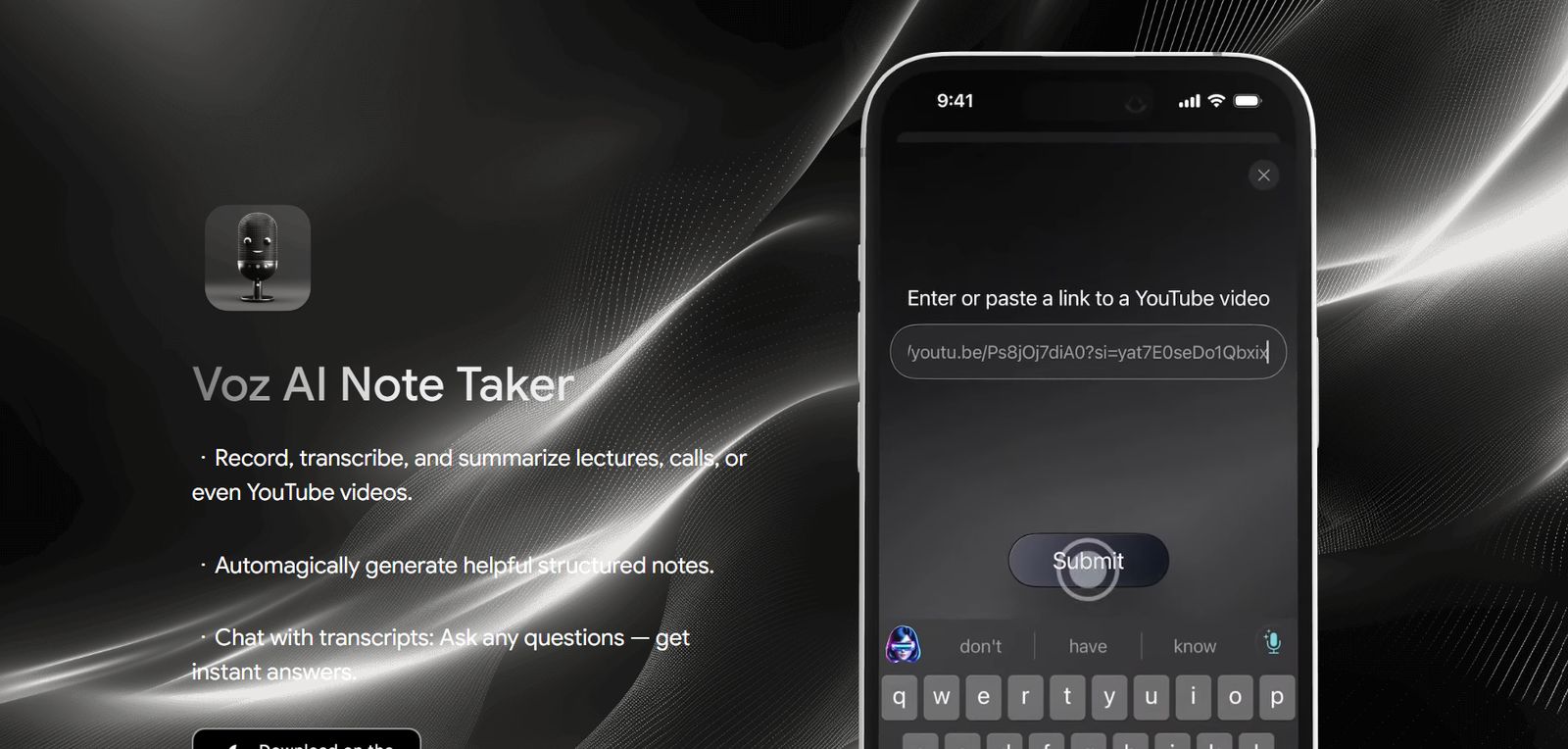
Voz AI Note Taker is an AI powered recording, transcription and note taking application designed to turn spoken content into organized written information. It is particularly useful for students and other users who want to capture lectures, conversations, calls or online video content without manually writing detailed notes.
The platform can record and transcribe spoken information and then automatically transform the transcript into structured notes and summaries. Instead of working with a long block of raw transcription, users can obtain more organized material that is easier to review later.
Another important capability is transcript based AI chat. Once content has been transcribed, users can ask questions about it and receive answers based on the transcript. This can help students locate information from a lecture or allow professionals to revisit important points from recorded conversations.
Voz AI also places considerable emphasis on privacy. According to its privacy policy, user data is end to end encrypted and stored in the user’s personal iCloud account rather than being directly accessible to the company operating the service, Feanor Labs.
Features
AI Recording
Voz AI allows users to record spoken content that they want to preserve and review later. It is designed for situations such as lectures and calls where manually taking complete notes can be difficult.
Automatic Transcription
Recorded speech can be converted into written text using AI. This gives users a readable version of the original conversation or lecture.
Lecture Transcription
Students can record lectures and turn them into transcripts, reducing the need to type every important point while simultaneously listening to the instructor.
Call Transcription
Voz AI can also be used with calls, helping users preserve spoken discussions as written information for later reference.
YouTube Video Processing
The platform supports working with YouTube videos. Users can turn spoken information from video content into text and use AI tools to better understand the material.
AI Generated Structured Notes
Voz AI goes beyond raw transcription by automatically creating structured notes. This helps organize lengthy spoken material into a more useful format.
AI Summaries
Long lectures and conversations can be summarized, allowing users to review the important information without rereading the complete transcript.
Chat With Transcripts
Users can ask questions about their transcripts. Voz AI uses the transcribed content as context and provides answers based on the recorded material.
Search Through Recorded Knowledge
The ability to interact with transcripts can make it easier to locate specific information within long lectures or discussions rather than manually scanning the entire transcript.
Privacy Focused Storage
Voz AI states that all user data is end to end encrypted.
Personal iCloud Storage
According to the official privacy policy, personal data is stored in the user’s own iCloud account. Feanor Labs states that it does not have access to users’ personal data stored there.
Mobile Focus
Voz AI is available through Apple’s App Store, making it particularly suited to users working within the Apple ecosystem.
How It Works
First, users install Voz AI Note Taker from the Apple App Store.
They open the application when they want to capture a lecture, call or other spoken content.
Voz AI records the relevant audio and converts the speech into written text.
After transcription, the AI processes the content and generates structured notes.
Users can also obtain summaries to quickly review the main information contained in the recording.
If they need to locate something specific, they can interact with the transcript through the AI chat feature.
For example, a student can ask about a concept discussed during a lecture rather than manually searching through the complete transcript.
The generated information can then be used for revision, research, documentation or personal reference.
Use Cases
Students: Students can record lectures and create structured notes without trying to manually write every sentence during class.
University Students: Long lectures can be transcribed and summarized for examination preparation and revision.
Online Learners: Educational YouTube videos can be converted into written information that is easier to study and revisit.
Professionals: Calls and discussions can be recorded and transformed into searchable written information where recording is permitted.
Researchers: Recorded conversations can be converted into transcripts for easier review and analysis.
Content Creators: Creators can work with spoken content and turn recordings into structured written notes.
Self Learners: People learning from YouTube videos can use transcripts and AI chat to explore information discussed in the content.
Apple Users: People already using iCloud may appreciate the platform’s approach to storing personal information within their own iCloud environment.
Pricing
Pricing details are not clearly mentioned on the official website.
The official Voz AI website directs users to the Apple App Store to access the application, but detailed subscription prices, free usage limits or in app purchase information are not clearly provided on the public website.
Users should therefore check the current App Store listing before downloading or subscribing, as pricing and in app purchase options may change.
Strengths
One of Voz AI’s main strengths is its combination of recording, transcription and AI generated note creation. Users do not have to stop after obtaining a raw transcript.
Structured notes and summaries can make lengthy lectures and conversations easier to review.
The ability to chat with transcripts adds another useful learning layer. Instead of manually searching through long documents, users can ask questions about recorded content.
Its support for lectures and YouTube content makes the application particularly relevant to students and self directed learners.
Privacy is another notable advantage. Voz AI states that user data is end to end encrypted and that personal data is stored in the user’s personal iCloud account.
The focused interface may also appeal to users who want an AI note taking application without the complexity of a larger business meeting platform.
Drawbacks
The official website provides relatively limited information about the application’s complete feature set compared with larger AI note taking platforms.
Public pricing is not clearly displayed, making it difficult for prospective users to compare costs before accessing the App Store.
The application appears to be strongly focused on Apple’s ecosystem. Users looking for Windows or Android support should confirm current platform availability before choosing it.
As with any AI transcription tool, accuracy can be affected by background noise, unclear speech, accents, multiple speakers and specialist terminology.
AI generated summaries and answers based on transcripts should also be reviewed carefully because important context can occasionally be missed.
Users should obtain appropriate permission before recording lectures, calls or conversations, particularly when other people are involved.
Comparison with Other Platforms
Compared with basic voice recorders, Voz AI adds automatic transcription, structured notes, summaries and AI based interaction with recorded content.
Compared with standalone transcription services, Voz AI is more focused on helping users understand and revisit the resulting information rather than simply converting speech into text.
Compared with business oriented AI meeting assistants, Voz AI appears more streamlined and particularly suited to students, personal learning and individual note taking.
Its privacy approach is also notable. Storing personal data in the user’s own iCloud account can appeal to people who prefer greater control over where their information is kept.
Users requiring extensive team collaboration, centralized organizational dashboards or broad cross platform support should compare Voz AI with larger meeting and transcription platforms before deciding.
Customer Reviews and Testimonials
Customer reviews and testimonials are not clearly available on the official website.
Users can check the application’s current Apple App Store listing for available ratings and user feedback before installing it.
Conclusion
Voz AI Note Taker is a focused AI productivity tool for people who want to turn spoken information into useful, organized knowledge.
Its combination of recording, transcription, structured notes, summaries and transcript based AI chat makes it particularly attractive for students. Instead of concentrating on writing everything during a lecture, students can capture the session and return to an organized version afterward.
Professionals, researchers and online learners can also benefit from converting calls, recordings and YouTube content into searchable text and summaries.
Its privacy focused approach, including end to end encryption and personal iCloud storage, provides another reason for Apple users to consider the application. For users primarily interested in personal AI assisted note taking rather than complex team meeting management, Voz AI offers a simple and useful approach.