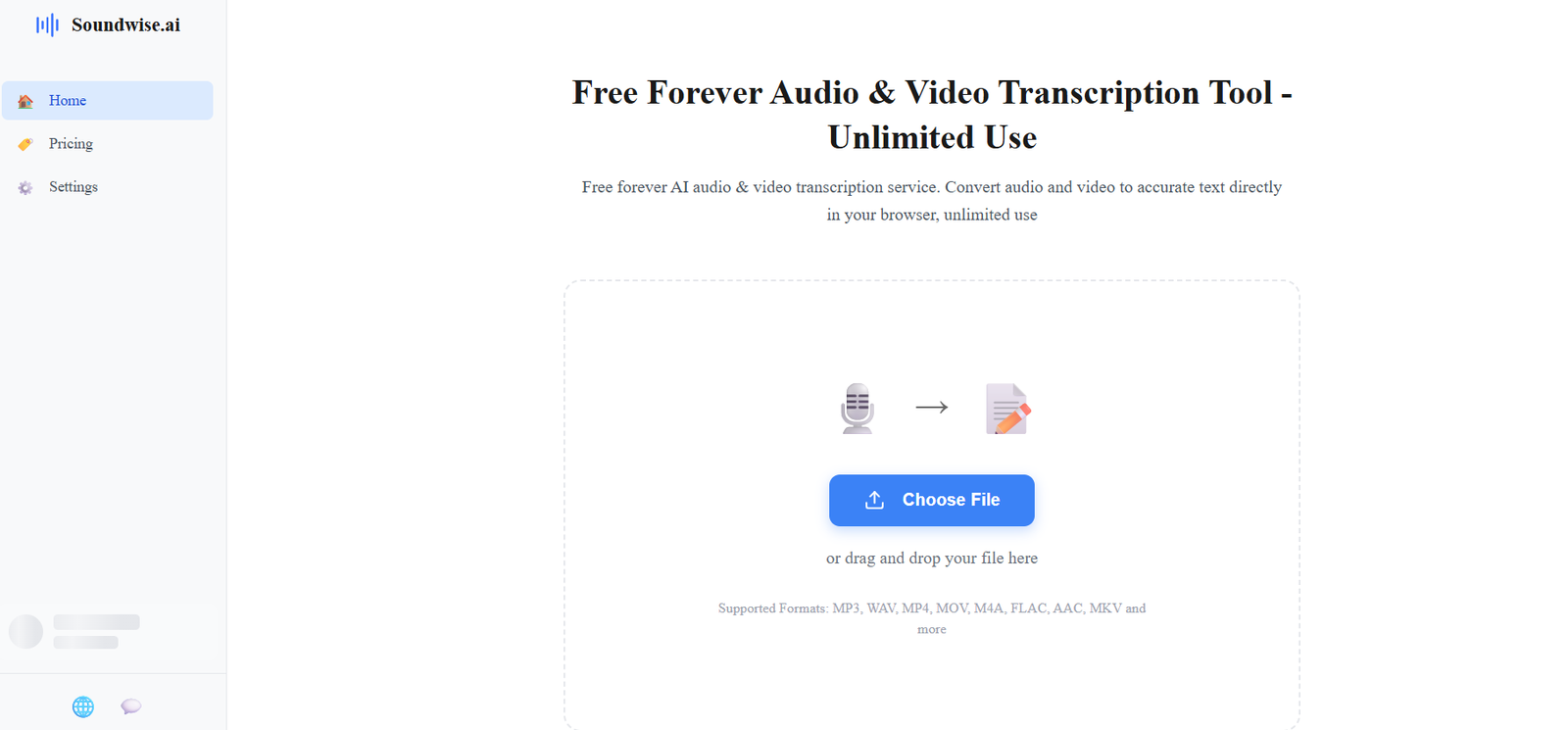
SoundWise.ai is an AI powered transcription platform that converts audio and video files into editable text. It is designed for students, journalists, researchers, podcasters, content creators, professionals and anyone who regularly needs to turn spoken content into written material.
The platform is powered by OpenAI’s Whisper speech recognition technology and supports more than 98 languages. Users can transcribe recordings such as interviews, lectures, podcasts, meetings, voice notes and videos.
One of SoundWise.ai’s most distinctive features is its free local transcription option. Instead of uploading recordings to a remote server, the free version can process transcription directly in the user’s browser using the computing resources of the device. This provides an additional level of privacy for users who prefer to keep their recordings on their own computer.
SoundWise.ai also offers a paid Pro plan with unlimited cloud transcription. Cloud processing is considerably faster and allows transcription to continue even when the browser is closed.
In addition to speech to text, SoundWise.ai provides a free text to speech tool with more than 20 AI voice styles.
Features
AI Audio Transcription
SoundWise.ai converts recorded speech into written text using AI. Users can upload audio files and receive an editable transcript without manually typing the conversation.
Video to Text
The platform can extract spoken content from video files and convert it into text. This can be useful for interviews, webinars, lectures, presentations and online video content.
98+ Languages
SoundWise.ai supports more than 98 languages. Languages with strong support include English, Spanish, French, German, Portuguese, Chinese, Japanese, Arabic, Hindi, Korean and several others.
Free Unlimited Local Transcription
The Free plan provides unlimited local transcription. Processing takes place using the user’s own computer rather than relying on cloud processing.
There are no overall transcription usage limits for this local option, although processing speed depends on the performance of the user’s device.
Cloud Transcription
SoundWise Pro provides unlimited cloud based transcription. This allows files to be processed remotely and means users do not need to keep their browser open while transcription is taking place.
Fast Cloud Processing
According to SoundWise.ai, cloud transcription can process one hour of audio in around 30 seconds under suitable conditions, making it considerably faster than typical local processing.
Speaker Identification
The transcription technology can identify different speakers within recordings. This is useful for interviews, meetings, discussions and other multi speaker recordings.
Timestamps
Generated transcripts can include timestamps, making it easier to locate specific parts of the original recording.
Interactive Audio and Transcript Playback
SoundWise.ai connects the transcript with the original recording. Users can click on text and move directly to the corresponding section of the audio, which can make proofreading easier.
Multiple File Formats
The platform supports popular audio and video formats including MP3, WAV, MP4, MOV, M4A, FLAC, AAC and MKV.
Multiple Export Options
Depending on the transcription workflow, users can export or work with formats such as TXT, PDF, DOCX and SRT. Availability can vary between individual SoundWise tools and features.
Voice to Text
Users can record their voice directly through the browser and convert the recording into written text. This can be useful for capturing ideas, notes and dictated content.
AI Text to Speech
SoundWise.ai also provides text to speech functionality. Users can enter text, choose from more than 20 AI voice styles and generate spoken audio.
Privacy Focused Processing
Free local transcription is performed directly on the user’s device. This means recordings processed locally do not need to be uploaded to SoundWise.ai’s servers.
Cloud based services operate differently because files need to be uploaded for remote processing.
Unlimited Cloud Storage for Pro Users
SoundWise Pro includes unlimited cloud storage alongside its cloud transcription capabilities.
How It Works
Users can visit SoundWise.ai and choose or drag an audio or video file into the transcription interface.
The platform supports common formats such as MP3, WAV, M4A, FLAC, AAC, MP4, MOV and MKV.
Free users can process recordings locally using the computing resources available on their device. The browser needs to remain open while local transcription is taking place.
The AI analyzes the spoken content and converts it into written text. Depending on the recording and feature being used, the resulting transcript can contain speaker identification and timestamps.
Users can review the transcript alongside the original recording. The synchronized playback functionality helps users check particular words or passages against the source audio.
The completed text can then be copied, edited or exported in supported formats.
Users who need faster processing can subscribe to SoundWise Pro and use cloud transcription. Cloud processing continues even if the user closes the browser.
Use Cases
Students
Students can convert recorded lectures into searchable notes. This can make it easier to locate important concepts when studying or preparing assignments.
Journalists
Journalists can transcribe recorded interviews and use synchronized playback to check quotations and important details against the original audio.
Researchers
Researchers can convert interviews, discussions and other recorded qualitative material into text for further analysis.
Podcasters
Podcast creators can generate transcripts of episodes for show notes, articles, accessibility or content repurposing.
Content Creators
Creators can turn spoken video content into text that can later be adapted into captions, subtitles, articles or social media content.
Businesses
Businesses can use SoundWise.ai to transcribe recorded meetings, interviews, presentations and other professional conversations.
Voice Notes
Users can record spoken thoughts and convert them into searchable written notes instead of storing large collections of audio recordings.
Video Transcription
Teachers, marketers and video creators can convert spoken content from videos into editable text.
Subtitle Creation
Support for SRT output can help creators prepare subtitles for compatible video workflows.
Multilingual Users
Support for more than 98 languages makes the platform useful for users working with recordings from different countries and language groups.
Pricing
SoundWise.ai currently provides Free and Pro plans.
SoundWise Free
The Free plan costs $0 and provides unlimited local transcription.
Transcription takes place on the user’s own device. The browser must remain open while processing is underway, and closing the relevant tab can cancel the transcription.
Processing speed depends on the computer’s performance. SoundWise.ai indicates that one hour of audio may take approximately 10 minutes on average with local processing, although actual performance can vary.
SoundWise Pro
SoundWise Pro costs $20 per month when billed monthly.
Users choosing annual billing pay $10 per month, billed as $120 annually.
The Pro plan includes unlimited cloud transcription, faster cloud based processing, multiple export formats, unlimited cloud storage and early access to new features.
SoundWise.ai states that there are no overall transcription usage limits, although accounts are intended for individual legitimate use and cannot be shared or used for unauthorized resale or automated abuse.
Strengths
One of SoundWise.ai’s strongest advantages is the availability of unlimited free local transcription.
Local processing can also provide meaningful privacy benefits because recordings do not need to leave the user’s device when using this mode.
Support for more than 98 languages makes the platform useful for multilingual transcription.
The combination of speaker identification, timestamps and synchronized audio playback can simplify transcript review and proofreading.
Its support for both audio and video files gives users flexibility when working with interviews, lectures, podcasts and other media.
The paid Pro option provides much faster cloud transcription for professionals who prioritize processing speed.
SoundWise.ai also offers text to speech alongside transcription, expanding its usefulness beyond basic speech recognition.
Drawbacks
The free local transcription option depends heavily on the performance of the user’s computer. Older or less powerful devices may process recordings more slowly.
Users must keep their browser open while local transcription is taking place. Closing the tab can interrupt the task.
Cloud transcription requires a paid Pro subscription.
Although SoundWise.ai promotes very high transcription accuracy, actual accuracy will naturally depend on recording quality, background noise, accents, overlapping speakers and technical terminology.
Users should therefore review important transcripts rather than assuming every AI generated word is correct.
Some information across the official site’s individual transcription pages uses slightly different descriptions of language counts, accuracy and available export formats. Users should check the specific feature they intend to use.
Comparison with Other Platforms
SoundWise.ai competes with AI transcription platforms such as Otter.ai, Notta, TurboScribe and other speech to text services.
A major difference is its emphasis on unlimited local transcription. Many competing transcription platforms primarily process recordings in the cloud and place usage limits on free accounts.
SoundWise.ai’s local approach may therefore be particularly attractive to privacy conscious users or people who regularly transcribe large amounts of audio without wanting a recurring subscription.
The Pro plan provides an alternative for users who prefer cloud processing and faster transcription.
Compared with meeting focused platforms, SoundWise.ai is more centered on general audio and video file transcription. Users primarily looking for automated meeting attendance, extensive team collaboration or sophisticated meeting management may prefer a platform designed specifically around meetings.
For students, journalists, researchers and creators who mainly need straightforward audio or video transcription, SoundWise.ai’s free local processing can be a compelling advantage.
Customer Reviews and Testimonials
Customer reviews and testimonials are not clearly available on the official website in a form suitable for presenting as independently verified customer feedback.
Conclusion
SoundWise.ai is a useful AI transcription platform for users who want to convert audio and video recordings into searchable, editable text without facing restrictive free transcription limits.
Its biggest attraction is the free unlimited local transcription option. By processing recordings on the user’s own device, SoundWise.ai combines transcription accessibility with a privacy focused approach.
Students can use it for lectures, journalists for interviews, researchers for recorded conversations, podcasters for episodes and creators for video transcription and subtitle workflows.
Users who are comfortable waiting for local processing can use the platform without paying, while professionals requiring faster transcription can choose SoundWise Pro for unlimited cloud processing.
Overall, SoundWise.ai is particularly worth considering for people who value unlimited transcription, multilingual support, local processing and a straightforward audio and video to text workflow.