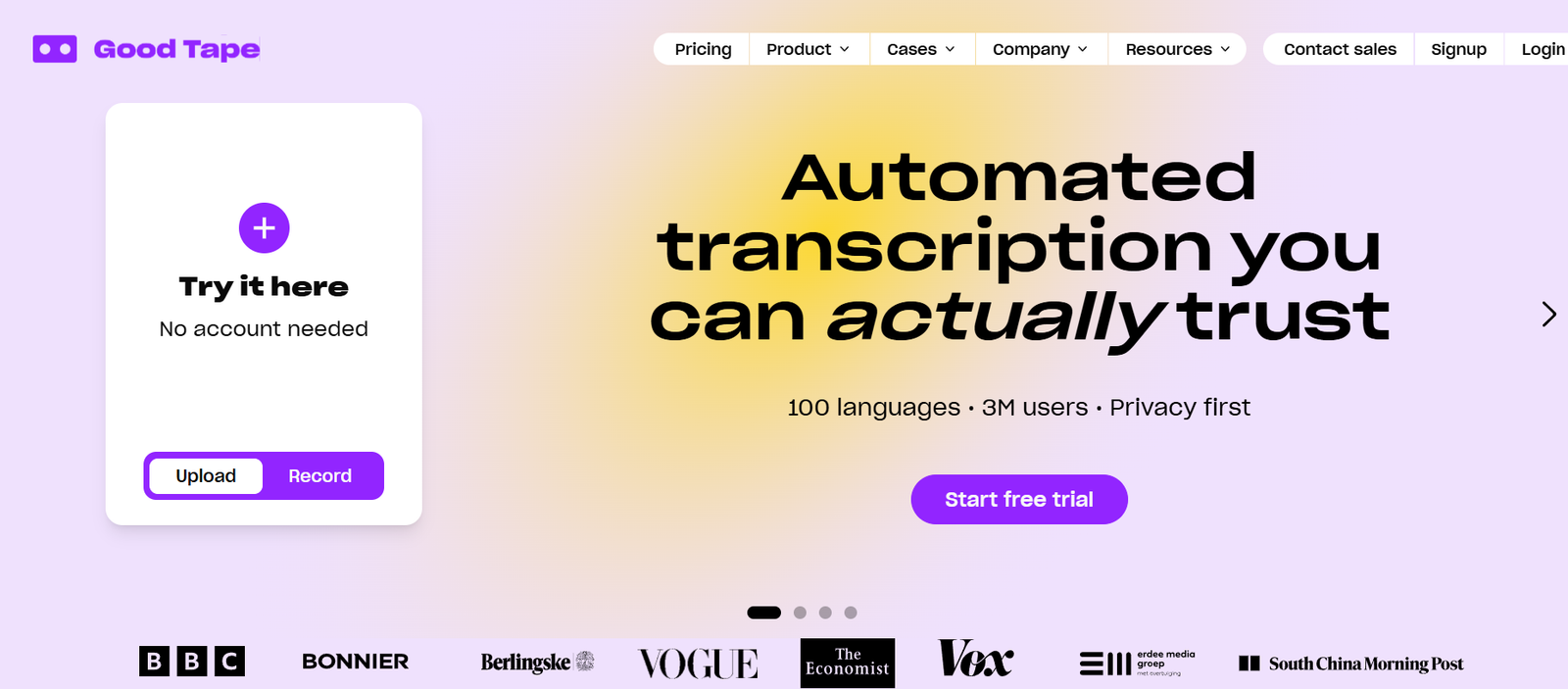
Good Tape is an AI powered transcription platform designed to convert spoken audio and video into accurate, usable text. Developed in Copenhagen, Denmark, the platform was originally built with journalists and has expanded to serve researchers, academics, lawyers, consultants, content creators, podcasters, newsrooms and professional teams.
Users can upload audio or video recordings and have them automatically converted into searchable transcripts. Good Tape supports more than 100 languages and is designed to handle different accents, dialects, fast speakers and multilingual recordings.
Beyond basic speech to text conversion, Good Tape provides AI summaries, speaker identification, audio synchronized transcripts, projects, notes, bulk uploads, subtitle exports and smart search. A mobile recording app is also available for iOS and Android.
Privacy is an important part of the platform. Good Tape states that it is GDPR compliant and ISO 27001 certified, processes data on EU based infrastructure and does not use customers’ recordings to train its AI models.
Features
AI Transcription
Good Tape automatically converts recorded speech into written transcripts. Users can upload common audio and video files and receive transcripts without manually typing conversations.
100+ Languages
The platform supports more than 100 languages, including English, Hindi, Arabic, French, Spanish, Mandarin and many others. It is also designed to recognize different accents and dialects.
Speaker Labels
Good Tape can identify different speakers in a recording and organize the transcript accordingly. This is especially useful for interviews, meetings, podcasts and conversations involving several participants.
AI Summaries
AI summaries help users understand the main points of longer recordings without reading the complete transcript. This can save time when reviewing interviews, meetings and research material.
Smart Search
Users can search through transcripts to quickly locate important information instead of manually scanning long documents.
Audio Playback
Each transcript remains connected with its original recording. Users can select words within a transcript and listen to the corresponding section of the audio.
Projects
The Projects feature allows users to organize recordings and transcripts into separate folders. Files can be grouped according to clients, research projects, topics or other categories.
Notes
Users can highlight a particular word, sentence or section of a transcript and attach notes to it. This helps researchers, journalists and other professionals preserve observations alongside the relevant conversation.
Bulk Uploads
Professional users can upload multiple audio and video files together rather than processing every recording individually.
Mobile Recorder App
Good Tape provides recording apps for iOS and Android. Users can record interviews, meetings, lectures and conversations directly from a smartphone and synchronize recordings with their Good Tape account for transcription.
Subtitle Export
Transcripts can be used to create subtitle files, making the platform useful for video creators, media professionals and podcast producers working with video content.
MCP Integration
Good Tape provides an MCP connector that allows users and teams to connect transcription information with compatible AI and large language model tools.
API
Good Tape offers API access for organizations and developers that want to integrate transcription directly into their own applications or workflows. API billing is handled separately from regular subscriptions.
Security and Privacy
Good Tape uses AES 256 encryption for stored data and TLS 1.3 for data in transit. The company states that it is ISO 27001 certified, GDPR compliant and uses EU based subprocessors.
Good Tape also states that customer recordings and files are not used to train its AI models.
How It Works
Users first create a Good Tape account or start the available free trial.
They can then upload an existing audio or video recording. Good Tape supports many commonly used formats, including MP3, M4A, MP4, MOV, WAV, AAC, OGG, FLAC, AVI, MKV and WEBM.
Alternatively, users can record audio directly through the Good Tape mobile application.
Good Tape processes the recording using AI and converts the spoken content into text.
Once transcription is completed, users can review the text while listening to the synchronized original audio.
Professional users can take advantage of speaker labels, AI summaries, smart search, notes and Projects to analyze and organize their transcripts.
Completed transcripts can then be used for articles, research, meeting records, subtitles, content production or other professional purposes.
Teams can use Business features for shared access, administration, centralized billing and organizational management.
Use Cases
Journalists
Journalists can transcribe interviews, press conferences and recorded conversations, reducing the amount of time required for manual transcription.
Researchers and Academics
Researchers can convert interviews, focus groups, lectures and qualitative research recordings into searchable text for further analysis.
Podcasters
Podcast creators can turn recorded episodes into transcripts that can be used for show notes, articles, research and repurposed content.
Content Creators
Video and audio creators can generate transcripts and subtitle files for their content.
Legal Professionals
Legal teams working with recorded conversations and interviews may find Good Tape’s transcription and security features useful. Users should still review AI generated transcripts carefully when legal accuracy is important.
Consultants
Consultants can transcribe client meetings, interviews and research conversations and organize them into separate Projects.
Newsrooms
Media organizations can process larger quantities of interviews and recorded material while allowing journalists to focus more time on reporting and writing.
Students
Students can use transcription for recorded lectures, interviews and study material where recording is permitted.
Businesses and Teams
Organizations can convert meetings, customer interviews and internal discussions into searchable written records.
Developers
Developers can use the Good Tape API to add transcription functionality to their own applications and workflows.
Pricing
Good Tape currently provides Free Trial, Pro and Business options.
Free Trial
The Free Trial costs €0 and includes one hour of transcription with access to Pro features. No credit card is required to begin the trial.
Pro
Good Tape Pro is listed at €16 per month when billed annually.
The plan includes up to 20 hours of transcription per month, unlimited file length, speaker labels, AI summaries, smart search, bulk uploads, Projects, Notes, audio playback, unlimited storage and support for more than 100 languages.
Business
The Business plan uses custom pricing and is intended for teams and organizations.
It includes the Pro features plus 20 hours of transcription per seat, team management, an administrative overview, centralized billing, enterprise security, tailored onboarding, a Service Level Agreement, SSO, API integration, organization wide DPA support and priority customer service.
Businesses should check the official pricing page before subscribing because plans and prices may change.
Strengths
Good Tape combines straightforward AI transcription with professional tools for organizing and analyzing recordings.
Support for more than 100 languages makes it useful for international journalists, researchers and organizations working with multilingual material.
Speaker labels, AI summaries, smart search and synchronized audio playback make transcripts easier to review.
Its Projects, Notes and bulk upload features are useful for professionals managing many recordings rather than occasional individual files.
The mobile recording application provides a convenient workflow for interviews, lectures and meetings because recordings can be synchronized directly with the user’s account.
Security is another notable strength. GDPR compliance, ISO 27001 certification, EU based processing and the company’s policy of not training AI models on customer recordings may be particularly relevant to professionals working with confidential material.
Drawbacks
The free option is primarily a limited trial, so users who regularly transcribe audio will need a paid subscription.
The Pro plan includes a monthly transcription allowance, which may not be sufficient for professionals processing very large quantities of audio.
AI generated transcription is not guaranteed to be completely accurate. Poor audio quality, background noise, overlapping speakers, technical terminology and unusual accents can still require manual corrections.
Some advanced organizational features, including SSO, team administration and enterprise level support, are reserved for the Business plan.
API access is also billed separately from standard individual subscriptions.
Users dealing with legal, medical or other high importance material should manually verify important parts of AI generated transcripts before relying on them.
Comparison with Other Platforms
Good Tape competes with AI transcription services such as Otter, Happy Scribe, Rev and other speech to text platforms.
Its main focus is professional transcription rather than providing a broad collection of unrelated AI productivity features. This can make it attractive to users who want a relatively focused workspace for recordings, transcripts and related analysis.
Good Tape also places considerable emphasis on multilingual transcription and European privacy requirements. Its GDPR compliance, ISO 27001 certification and EU based data processing may be important differentiators for organizations concerned about handling confidential recordings.
Compared with meeting focused transcription tools, Good Tape is useful for a wider variety of recorded material, including interviews, podcasts, research recordings, lectures, videos and uploaded audio files.
The right platform ultimately depends on factors such as language requirements, transcription volume, collaboration needs, integrations, security requirements and budget.
Customer Reviews and Testimonials
Good Tape presents testimonials from professional users on its official website.
Journalist Fie Dandanell describes using Good Tape regularly for interviews, while journalist and producer Mads Hansen highlights how transcription automation gives teams more time to concentrate on developing stories and other important work.
The official website also features Lea Korsgaard, Editor in Chief at Zetland, discussing how automated transcription supports newsroom work.
Good Tape additionally states that organizations and media brands including Zetland use its transcription technology. These testimonials are presented by Good Tape itself and should therefore be understood as company published customer experiences rather than independent reviews.
Conclusion
Good Tape is a practical AI transcription platform for anyone who regularly works with recorded speech. It is particularly suitable for journalists, researchers, academics, podcasters, consultants, content creators and professional teams that need to convert large amounts of audio or video into searchable text.
Its combination of multilingual transcription, speaker identification, AI summaries, smart search, audio playback, Projects, Notes and mobile recording provides more than basic speech to text conversion.
The platform’s strong focus on privacy and European data protection is also valuable for organizations working with confidential interviews, meetings or research material.
For occasional transcription, the free trial provides an easy way to test the platform. Professionals handling recordings regularly may find the Pro plan more suitable, while larger organizations can explore the Business plan for collaboration, administration, API integration and enterprise security features.