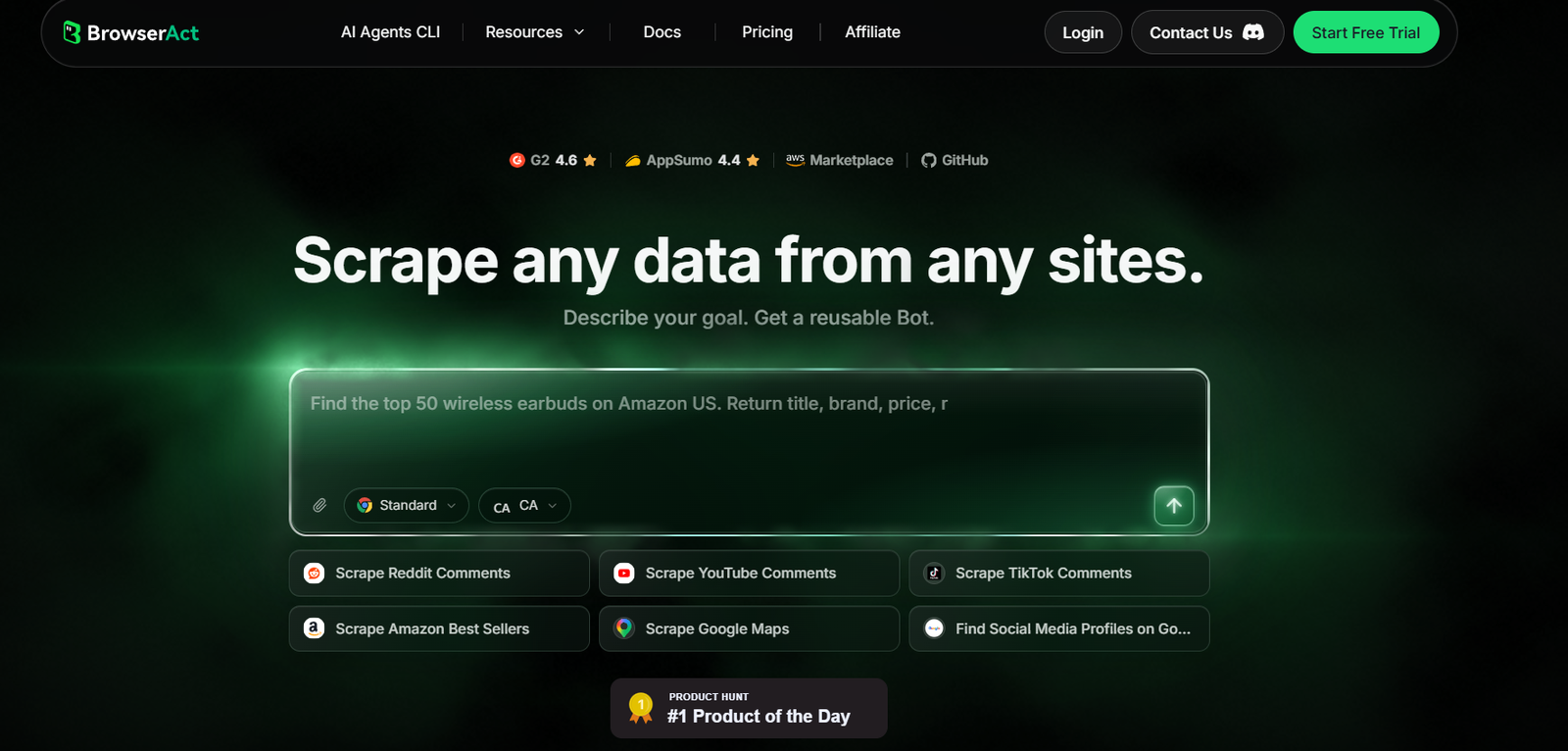
BrowserAct is an AI-powered web scraping and browser automation platform designed to help users collect structured information from websites and automate repetitive browser tasks. Users can describe the data or task they need in natural language, and BrowserAct can build a reusable bot to perform the work.
The platform is designed to reduce the technical complexity traditionally associated with web scraping. Instead of manually writing selectors and maintaining browser infrastructure, users can create bots that navigate websites, collect information and return structured results.
BrowserAct runs its cloud automations through real Chromium browsers and manages important infrastructure such as browser identities, proxies, CAPTCHA handling and execution capacity. It can also detect changes to webpages and attempt to recover automation paths when website layouts change.
There are two main ways to use BrowserAct. Users can run reusable bots through BrowserAct Cloud, or developers can give their own local AI agents browser capabilities. The local agent approach works with tools such as Claude Code, Cursor, Codex, Gemini CLI, Windsurf and other command-line AI agents.
BrowserAct is suitable for web scraping, ecommerce monitoring, competitor research, lead generation, creator research, job-market analysis and AI agents that need to interact with real websites.
Features
Natural Language Bot Creation
Users can describe the information they want to collect or the browser task they want completed in ordinary language.
BrowserAct can explore the target website, build the required automation and turn the process into a reusable bot. This reduces the need to manually configure selectors for every scraping project.
AI-Powered Web Scraping
BrowserAct combines AI with browser automation to extract structured information from websites.
The system is designed to adapt better to changing webpages than scraping workflows that depend entirely on fixed CSS or XPath selectors.
Reusable Bots
Once an automation has been created and verified, users can save it as a bot and run it again.
This is useful for recurring tasks such as monitoring product prices, collecting competitor information or checking new listings.
Real Chromium Execution
BrowserAct runs cloud bots using real Chromium environments rather than relying only on basic HTTP requests.
This allows it to interact with dynamic websites where content, forms and other elements depend on JavaScript and browser behavior.
Automatic CAPTCHA Handling
The platform includes automated handling for common website verification systems such as reCAPTCHA, Turnstile and DataDome.
This can reduce the number of scraping workflows interrupted by browser verification challenges.
Residential Proxies
BrowserAct provides access to rotating and persistent residential IPs with country-level targeting.
Businesses can use geographical routing when data or website experiences differ according to location.
Browser Identity Management
Users can work with fresh private browser sessions or persistent identities.
Persistent identities can be useful for workflows that require login sessions, cookies or consistent browser profiles across repeated runs.
Recovery When Websites Change
BrowserAct can detect changes to webpages and attempt to recover broken automation paths.
This can reduce some of the maintenance associated with traditional scraping scripts when website layouts are updated.
Cloud Browser Automation
Bots can run through BrowserAct’s managed cloud infrastructure.
Users therefore do not need to maintain their own browser servers, proxy infrastructure or execution environments for every automation.
Local AI Agent Browser
BrowserAct can also give local AI agents access to real browser functionality.
It works with command-line agents including Claude Code, Cursor, Codex, Gemini CLI, Windsurf and other agents capable of executing shell commands.
Existing Chrome Session Access
BrowserAct can connect to an existing Chrome session when used with local agents.
This allows an agent to work with existing login states, cookies and browser extensions rather than requiring authentication from the beginning for every workflow.
Scheduling
Cloud bots can be scheduled to run automatically.
This is useful for recurring activities such as daily price monitoring, weekly competitor tracking or regularly collecting new listings.
Structured Data Extraction
BrowserAct can return information as structured datasets instead of only providing raw webpage content.
This makes extracted information easier to analyze, export or send into another application.
CSV and JSON Export
Results can be downloaded in common formats such as CSV and JSON.
These formats make it easier to work with extracted information in spreadsheets, databases and analytical systems.
API and Webhooks
Developers can connect BrowserAct with their own applications through APIs and webhooks.
This allows scraping bots to become part of larger automated data pipelines.
Automation Integrations
BrowserAct supports workflows involving automation platforms such as Make, n8n and Zapier.
Extracted information can therefore trigger additional processes after a bot finishes its task.
How It Works
Step 1: Describe the Task
Tell BrowserAct what information you want to collect or what browser action should be performed.
For example, a user could request the top products from an ecommerce search along with their prices, ratings and stock status.
Step 2: Select Browser Settings
Choose relevant browser and geographical settings according to the target website and workflow.
Step 3: Let BrowserAct Explore the Website
BrowserAct examines the website and determines how to perform the requested task.
Step 4: Build the Bot
The platform creates a reusable browser automation based on the user’s instructions.
Step 5: Verify the Workflow
BrowserAct runs and verifies the bot to check that it can collect the requested information.
Step 6: Run the Bot
The bot executes through a real browser and collects the requested information.
Step 7: Handle Website Challenges
BrowserAct manages supported CAPTCHA challenges, proxies and browser identity requirements during execution.
Step 8: Review Structured Results
The collected information is returned in a structured format.
Step 9: Export or Integrate
Results can be downloaded as CSV or JSON or delivered through APIs, webhooks, Make, n8n or Zapier.
Step 10: Schedule Recurring Runs
Reusable bots can be scheduled when the same information needs to be collected regularly.
Use Cases
Ecommerce Price Monitoring
Retailers and analysts can track product prices, ratings, promotions, stock status and sellers across ecommerce websites.
Product Research
Businesses can collect information about competing products and compare pricing, ratings and market positioning.
Supplier Research
Procurement teams can collect supplier information, product details, minimum order quantities and other publicly available commercial data.
Competitor Monitoring
Businesses can track competitor pricing, products, reviews, updates and other publicly accessible information.
Lead Generation
Users can build business lists containing information such as company names, categories, locations, ratings, websites and publicly available contact details.
Customer Research
Marketing and product teams can collect reviews, comments and other publicly available customer feedback for analysis.
Creator Research
Brands and agencies can collect public creator information when researching potential influencers or content partnerships.
Job Market Research
Businesses can track job listings and hiring activity to understand employment trends or identify relevant commercial signals.
AI Agents
Developers can give AI agents browser access so they can navigate websites, interact with pages and retrieve live information.
Recurring Data Collection
Researchers and businesses can schedule bots to repeatedly collect updated information rather than performing the same manual research every day.
Pricing
BrowserAct uses a credit-based pricing model for its managed infrastructure and automation services.
The platform provides free local browser automation capabilities, while paid credits are used for infrastructure and higher-scale requirements.
Local Fingerprint Browser
BrowserAct lists local fingerprint browsers at 100 credits per browser, with pricing as low as approximately $0.064 per browser depending on the plan.
These browsers provide unique browser profiles, session and cookie isolation and proxy assignment.
Dynamic Proxy
Dynamic proxy usage is listed at 5,000 credits per GB, with pricing as low as approximately $3.20 per GB.
The service includes worldwide residential IP coverage, country-level targeting, rotation and sticky sessions.
Static Proxy
Static proxies are charged in credits per proxy per month. Pricing varies according to location and service tier.
Workflow Steps
Workflow execution costs 5 credits per step, with the official website showing costs as low as approximately $0.0032 per step depending on the subscription level.
Cloud Browser
BrowserAct currently states that Cloud Browser access is free for a limited time.
The official website also offers monthly and yearly subscription options, with yearly billing providing approximately 20% savings.
Users should check the current pricing page before purchasing because credit rates, free allowances and cloud browser availability can change.
Strengths
BrowserAct’s natural-language approach makes browser automation more accessible to users who do not want to manually write and maintain scraping scripts.
The ability to create reusable bots is particularly useful for recurring data collection.
Real Chromium execution allows the platform to work with dynamic websites that may be difficult to process using simple HTTP scraping.
Built-in browser identities, proxies and CAPTCHA handling reduce the number of separate infrastructure services developers may need to manage.
Website-change recovery can reduce maintenance when target pages change their structure.
The ability to use BrowserAct through either cloud bots or local AI agents gives developers flexibility in how they build automation workflows.
CSV, JSON, APIs, webhooks and integrations with Make, n8n and Zapier provide several ways to use the extracted information elsewhere.
Drawbacks
Credit-based pricing requires users to understand how browser profiles, proxies and workflow steps consume credits before estimating costs at scale.
More complicated websites may still require additional configuration or human intervention despite AI-assisted automation.
Websites continuously change their layouts and anti-automation systems, so no browser automation platform can guarantee that every workflow will run indefinitely without maintenance.
The platform’s broad set of browser, proxy and agent capabilities may also require some learning for users who only need very basic web scraping.
Users are responsible for ensuring that automated data collection complies with applicable laws, privacy requirements, intellectual property rules and the terms of the websites they access.
Comparison with Other Platforms
BrowserAct competes with web scraping APIs, browser automation frameworks, no-code scraping platforms and browser infrastructure designed for AI agents.
Compared with traditional frameworks such as Puppeteer or Playwright, BrowserAct manages more of the operational infrastructure. Users do not necessarily need to separately configure browsers, proxies and CAPTCHA services for every project.
Compared with simple scraping APIs, BrowserAct focuses on real browser execution and multi-step website interactions rather than only retrieving webpage HTML.
Its natural-language bot creation also distinguishes it from tools that require users to manually define every selector and browser action.
BrowserAct is particularly relevant to the emerging AI agent ecosystem. Local AI agents can use its browser capabilities to navigate real websites, interact with pages and complete web-based tasks.
Developers who only need basic scraping from simple websites may prefer lightweight open-source tools. Users dealing with dynamic websites, recurring workflows or AI agents may find BrowserAct’s managed infrastructure more useful.
Customer Reviews and Testimonials
BrowserAct displays customer feedback from AppSumo and social platforms on its official website.
Users highlighted on the website mention benefits such as easier web scraping, AI-assisted adaptation when websites change, successful browser automation, real Chrome session reuse, CAPTCHA handling and reduced selector maintenance.
BrowserAct’s homepage currently displays ratings of 4.6 on G2 and 4.4 on AppSumo.
These reviews provide useful examples of customer experiences, although individual results will depend on the websites being automated and the complexity of each workflow.
Conclusion
BrowserAct is a flexible AI web scraping and browser automation platform for users who want to collect structured web data without building and maintaining the complete browser infrastructure themselves.
Its combination of natural-language bot creation, real Chromium execution, CAPTCHA handling, residential proxies, persistent browser identities, website-change recovery and scheduled cloud runs makes it particularly useful for complex or recurring web data workflows.
The platform can serve both non-technical users creating reusable scraping bots and developers building AI agents that need reliable browser access.
BrowserAct is worth considering for ecommerce monitoring, competitor intelligence, lead generation, research and AI agent applications where simple webpage requests are not sufficient and real browser interaction is required.