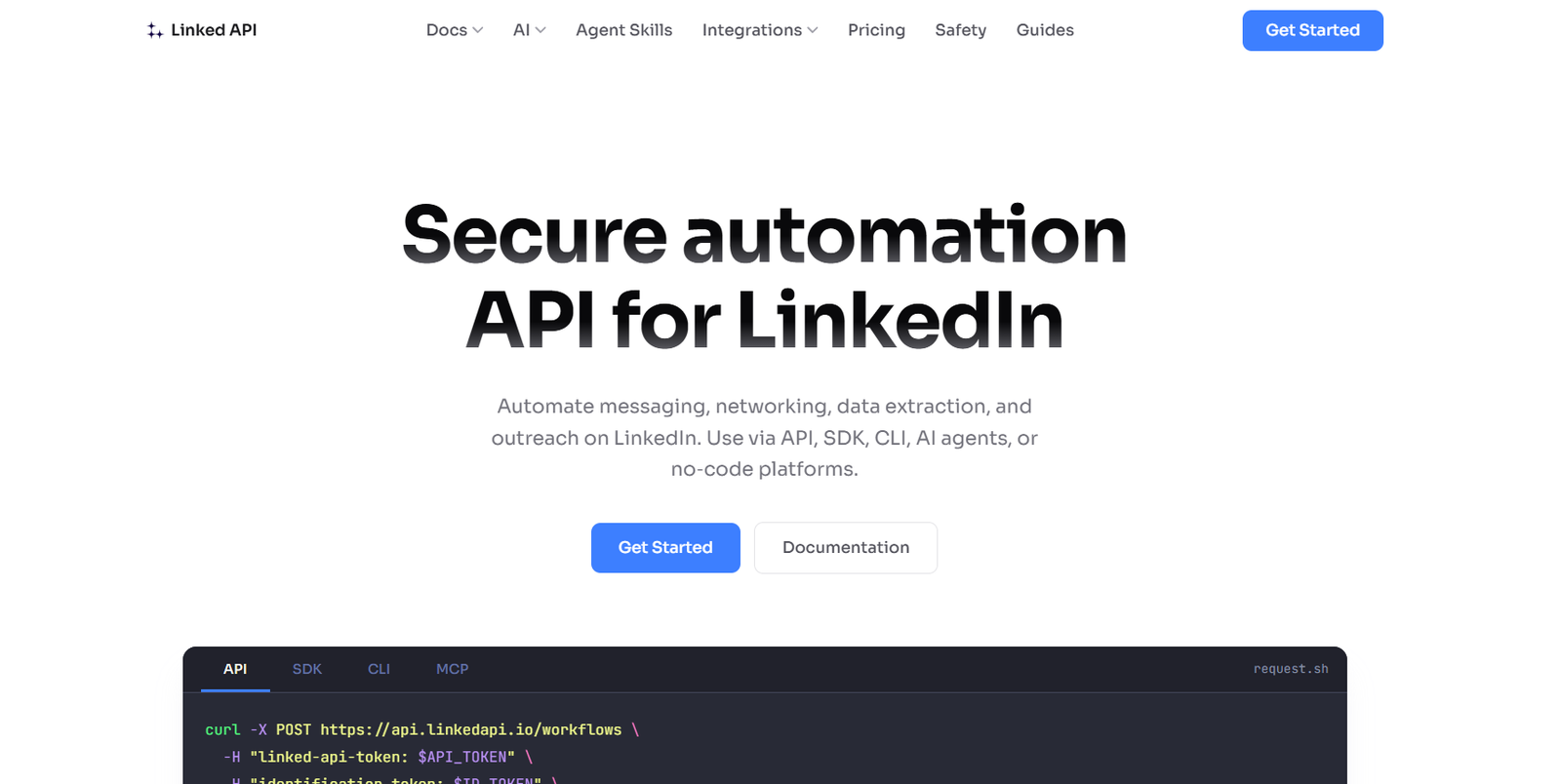
Linked API is a developer-focused LinkedIn automation platform that allows businesses, developers and AI agents to automate LinkedIn activities through APIs, SDKs, command-line tools, MCP, agent skills and no-code integrations.
The platform supports more than 50 LinkedIn actions covering messaging, networking, search, engagement and data extraction. Developers can use it to search for people and companies, retrieve profile information, send connection requests, manage conversations, create posts, react to content and build multi-step LinkedIn workflows.
A major focus of Linked API is AI agent integration. Its MCP server and agent tools allow compatible AI environments to interact with LinkedIn as part of larger automated workflows. For example, an AI agent could search for founders matching specific criteria, analyze their profiles, create a shortlist and prepare the results for further sales or research activity.
Linked API uses a dedicated cloud browser for each connected account. The company states that actions are performed through a real browser with natural pacing rather than through basic headless scripts or direct LinkedIn HTTP requests.
Linked API is an independent service and is not affiliated with, authorized by, endorsed by or sponsored by LinkedIn.
Features
50+ LinkedIn Actions
Linked API supports more than 50 standard actions covering LinkedIn messaging, connections, searches, profile information, company information, posts and engagement.
These actions can be combined to create more sophisticated workflows.
LinkedIn Messaging Automation
Developers can automate LinkedIn messaging through the API. Applications can send messages and work with conversations programmatically.
This can be useful for sales outreach, recruitment and other professional communication workflows.
Connection Request Automation
The platform can send and withdraw connection requests and retrieve pending requests.
Users can also check connection status and manage existing LinkedIn connections.
People Search
Linked API can search LinkedIn profiles according to specified criteria. Businesses can use this capability to identify potential prospects, candidates or professional contacts.
Company Search
Users can search for companies using criteria such as industry, location and company size.
This can support account-based sales, competitor research and B2B lead generation.
Employee Discovery
Linked API can retrieve employees associated with selected companies. Businesses can then identify relevant decision-makers according to job titles and other profile information.
Profile Data Extraction
The platform can retrieve available professional profile information such as experience, education, skills, languages, posts, comments and reactions.
Company Data Extraction
Developers can retrieve information associated with company pages, including employees, posts and other supported company data.
Job Search and Data
Linked API includes actions for searching jobs and retrieving job-related information, making it potentially useful for recruitment and employment applications.
LinkedIn Post Automation
Users can create posts programmatically and automate selected content-publishing workflows.
Engagement Automation
The platform supports activities such as reacting to posts, commenting and retrieving post comments and reactions.
Workflow Engine
Linked API is built around workflows rather than isolated API endpoints.
Developers can combine multiple actions into a sequence. Conditional actions can also be chained into workflows, allowing more complex automation logic.
Structured JSON Results
Results are returned as structured data, making them easier to use inside applications, databases, CRM systems and AI workflows.
Dedicated Cloud Browser
Each connected LinkedIn account operates through a dedicated cloud browser instance.
According to Linked API, this approach allows actions to behave more like normal browser activity than conventional scraping scripts.
Configurable Action Limits
Users can configure limits for actions such as profile views, company views, connection requests, messages, searches, reactions, comments and posts.
Limits can be defined across daily, weekly and monthly periods.
API Access
The REST-style interface allows developers to execute LinkedIn workflows from applications written in virtually any programming language capable of making HTTP requests.
Node.js SDK
Linked API provides an official Node.js SDK for developers who want a more convenient way to incorporate the platform into JavaScript and TypeScript applications.
CLI
A command-line interface allows developers and AI coding environments to execute LinkedIn-related actions from terminal-based workflows.
MCP Server
Linked API provides a Model Context Protocol server designed for AI assistants and agents.
This makes it possible for compatible AI systems to use LinkedIn capabilities as tools within larger agentic workflows.
Agent Skills
Agent Skills provide another way to equip AI coding and automation agents with LinkedIn capabilities.
AI Agent Support
Linked API is designed to work with AI environments such as ChatGPT, Claude, Codex, Cursor and Windsurf through its available agent interfaces.
n8n Integration
Users can integrate Linked API with n8n to build visual automated workflows connecting LinkedIn activity with other business applications.
Make Integration
Make integration allows businesses to create no-code or low-code automation connecting LinkedIn actions with other services.
Sales Navigator Actions
The Plus plan provides Sales Navigator functionality for teams that need more advanced LinkedIn prospecting and sales workflows.
Admin API
Linked API provides administrative endpoints for programmatically managing subscription information, connected accounts, seats and rate limits.
Webhook Events
Webhook support enables applications to react to relevant Linked API events as part of larger automated systems.
How It Works
Step 1: Create a Linked API Account
Users start by registering with Linked API and selecting a suitable subscription or free trial.
Step 2: Connect a LinkedIn Account
A LinkedIn account is connected through Linked API’s cloud browser environment.
Step 3: Obtain Authentication Tokens
Developers receive the tokens required to authenticate API requests.
Step 4: Choose an Action
Select an action such as searching for people, retrieving company information, sending a message or creating a connection request.
Step 5: Build a Workflow
Multiple actions can be combined when a process requires more than one step.
For example, a workflow could search companies, retrieve employees, filter relevant professionals and return information for further processing.
Step 6: Send the Request
The workflow can be initiated through the API, SDK, CLI, MCP, AI agent or supported no-code integration.
Step 7: Cloud Browser Executes the Actions
Linked API carries out the requested LinkedIn actions through the dedicated browser associated with the connected account.
Step 8: Receive Structured Results
The platform returns results in structured form so they can be used by the calling application or AI agent.
Step 9: Connect Other Business Tools
Results can be transferred into CRM systems, sales workflows, databases or other applications through custom integrations and automation platforms.
Use Cases
B2B Lead Generation
Sales teams can search companies and professionals, identify relevant decision-makers and build targeted prospect lists.
Sales Outreach
Businesses can combine prospect discovery, connection requests and messaging into structured sales workflows.
AI Sales Agents
Developers can create AI agents capable of researching prospects and carrying out supported LinkedIn actions through MCP and other agent interfaces.
Recruitment
Recruiters can search for professionals, analyze profile information and create workflows around candidate research.
CRM Enrichment
LinkedIn profile and company information can be used to enrich existing prospect records and sales databases.
Account-Based Marketing
Marketing and sales teams can search target companies and identify relevant professionals within those organizations.
LinkedIn Inbox Management
Applications can interact with LinkedIn conversations, allowing businesses to incorporate inbox activity into broader communication workflows.
Networking
Professionals can automate selected parts of connection management and professional networking.
Content Engagement
Users can create workflows for posting, reacting to content and commenting within configured limits.
Market Research
Companies can search LinkedIn companies and professionals to research industries, organizations and professional markets.
Developers
Developers can integrate LinkedIn functionality into SaaS applications, internal systems and business automation products.
No-Code Users
Teams can connect Linked API with platforms such as n8n and Make to create workflows without developing every integration from scratch.
Pricing
Linked API uses per-seat pricing, where one seat represents one connected LinkedIn account.
A 7-day free trial is available for new customers.
Core: $49 per Seat per Month
The Core plan is designed for individuals and small teams starting with LinkedIn automation.
It includes unlimited workflow execution, API and SDK access, standard LinkedIn actions, n8n and Make integrations, and access to CLI, MCP and Agent Skills.
Plus: $74 per Seat per Month
The Plus plan is intended for teams that also require Sales Navigator actions.
It includes the Core capabilities along with Sales Navigator functionality.
Linked API also offers annual billing with advertised savings compared with monthly billing.
Organizations requiring higher volumes or customized arrangements can contact the company about volume discounts or custom plans.
Pricing may change, so users should verify the latest rates before subscribing.
Strengths
One of Linked API’s strongest advantages is the number of interfaces available. Developers can use the API, SDK or CLI, while AI applications can connect through MCP and Agent Skills. Non-technical teams can also work through supported automation platforms.
Its workflow-based architecture allows multiple LinkedIn actions to be combined instead of requiring developers to manage every step separately.
The platform covers a broad range of activities, including messaging, networking, data extraction, search and engagement.
Its focus on AI agents makes Linked API particularly relevant for businesses developing autonomous or semi-autonomous prospecting and research workflows.
Dedicated cloud browsers and configurable activity limits provide additional controls around automation behaviour.
The per-seat pricing model is relatively easy to understand, and the 7-day trial allows businesses to test the platform before maintaining a subscription.
Drawbacks
Linked API is an independent service and is not an official LinkedIn API or a service endorsed by LinkedIn.
Automation of LinkedIn activity can carry account and platform-policy risks. Users should carefully review LinkedIn’s current terms, their organization’s policies and Linked API’s safety guidance before deploying automated workflows.
The platform requires a connected LinkedIn account for account-based automation, and one subscription seat is required for each connected account.
The LinkedIn account interface currently needs to be set to English for proper integration, according to Linked API’s FAQ.
Workflow actions are not always instantaneous. Some actions can take seconds, while more complex workflows can take several minutes because the platform operates through browser-based interactions.
Sales Navigator actions require the Plus plan.
Comparison with Other Platforms
Linked API operates in the LinkedIn automation and developer API market and can be compared broadly with services such as Unipile, PhantomBuster, Dripify and Expandi.
Some LinkedIn automation platforms are primarily designed around ready-made sales campaigns and visual interfaces. Linked API is more developer and AI-agent oriented, providing APIs, SDKs, CLI access, MCP and workflow-building capabilities.
Compared with conventional browser automation, Linked API removes much of the need for developers to maintain their own browser infrastructure and automation scripts.
Its MCP and Agent Skills capabilities also make it particularly relevant for teams building AI agents that need LinkedIn functionality as part of a larger toolset.
Businesses should compare platforms based on required LinkedIn actions, developer experience, AI integration, automation controls, account requirements, pricing and platform-policy considerations.
Customer Reviews and Testimonials
Customer reviews and testimonials are not clearly available on the official website.
Conclusion
Linked API is a specialized LinkedIn automation platform for developers, sales technology teams and businesses that want to integrate LinkedIn functionality into applications, workflows and AI agents.
Its combination of more than 50 actions, workflow automation, structured data retrieval, API and SDK access, CLI tools, MCP, Agent Skills and no-code integrations provides several ways to build LinkedIn-based automation.
The platform may be particularly useful for B2B lead generation, prospect research, sales outreach, recruitment, CRM enrichment and AI-powered sales workflows.
Its strongest appeal is likely to be for developers and AI teams that need programmable LinkedIn capabilities rather than a conventional standalone outreach dashboard. However, because Linked API is an independent service rather than an official LinkedIn API, users should carefully consider LinkedIn’s current platform rules and the risks associated with account automation before using it at scale.