
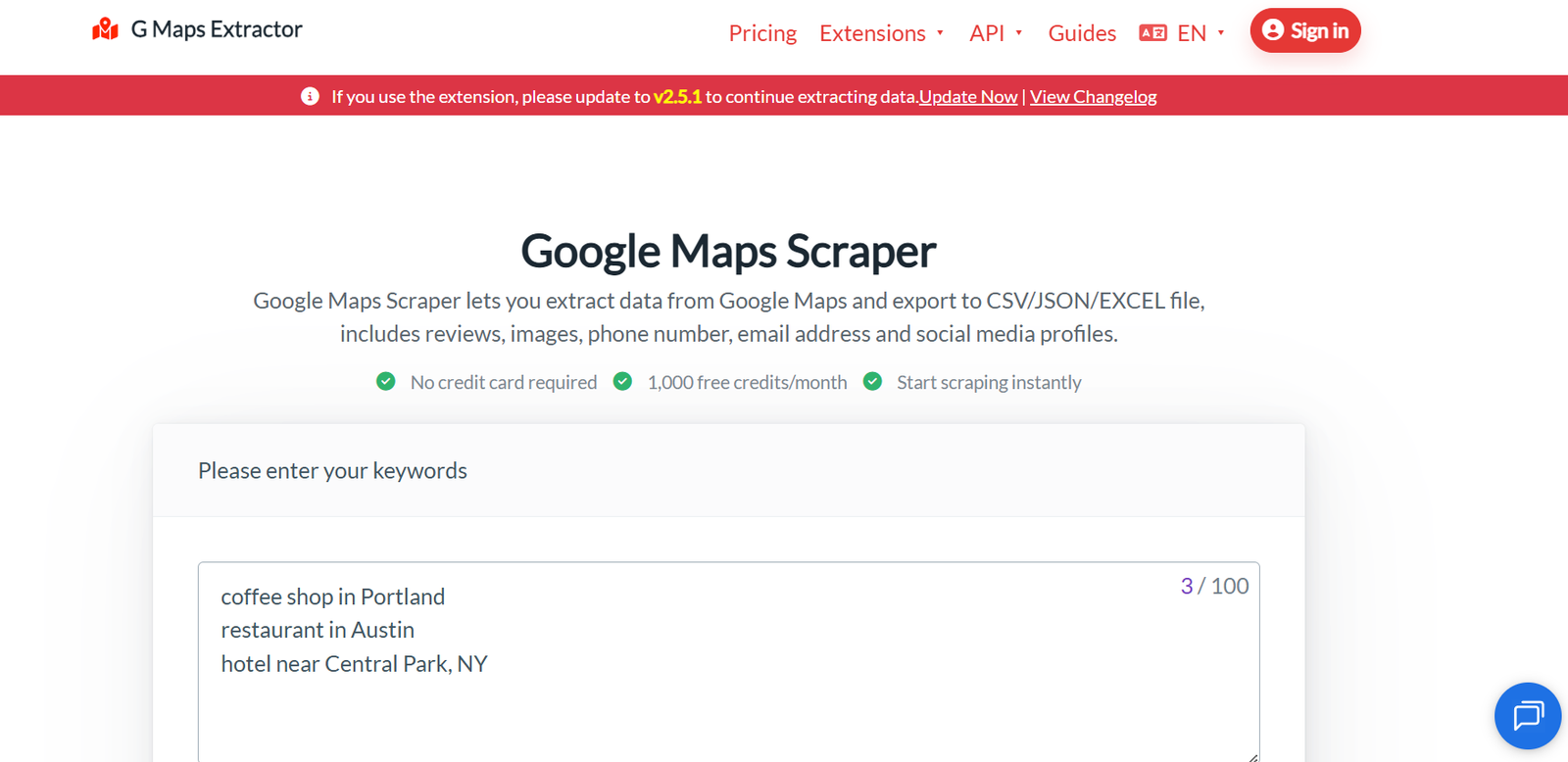
G Maps Extractor is a Google Maps scraping and business data extraction platform designed for lead generation, market research, sales prospecting and local SEO. It helps users collect publicly available business information from Google Maps and convert it into structured data that can be used in spreadsheets, CRM systems and other business workflows.
Users can search for businesses by keyword and location and extract details such as business names, addresses, phone numbers, websites, categories, ratings, reviews, opening hours, geographic coordinates and Google Maps links. The platform can also find publicly available email addresses and social media profiles associated with businesses.
G Maps Extractor provides three main ways to collect data: a cloud-based Online Scraper, a browser extension and a developer API. The cloud scraper is suitable for users who want to process keywords without keeping their browser open, while the extension provides browser-based extraction and support for saved place lists. Developers can use the API to incorporate Google Maps data extraction into applications and automated workflows.
The platform also provides an MCP server that allows compatible AI agents and development environments to access Google Maps business, review and photo data.
Features
Google Maps Business Data Extraction
G Maps Extractor collects structured information from Google Maps business listings. Available fields can include business name, address, phone number, website, category, rating, review count, opening hours, latitude, longitude and Google Maps URL.
Email Address Extraction
The tool can identify publicly available email addresses associated with businesses. This can be useful for B2B research and prospecting.
Social Media Discovery
G Maps Extractor can locate publicly available social media profiles connected with businesses, including platforms such as Facebook, Instagram, LinkedIn, YouTube, X and TikTok.
Reviews Extraction
Users can collect public Google Maps reviews along with relevant review information. This can support reputation research, customer sentiment analysis and competitor analysis.
Photo Extraction
The platform can retrieve publicly available photos associated with Google Maps listings, depending on the selected product and plan.
Online Cloud Scraper
The Online Scraper runs extraction jobs in the cloud. Users can submit keywords and allow the system to process the search without keeping a local browser session running.
Bulk Keyword Scraping
Multiple keywords can be processed as part of larger scraping jobs. Higher subscription plans increase the number of keywords that can be included in each task.
Chrome and Edge Extensions
G Maps Extractor provides browser extensions for extracting Google Maps information directly while browsing. The extension can also extract information from saved place lists.
No-Code Operation
The cloud scraper provides a point-and-click interface, allowing non-developers to extract business information without writing scraping scripts.
CSV, Excel and JSON Export
Extracted information can be exported to CSV, Excel and JSON. This makes it easier to use the results in spreadsheets, CRM systems, databases and analytical applications.
Google Maps Scraper API
Developers can access Google Maps extraction capabilities programmatically through an API. This is useful for applications requiring recurring or automated business-data collection.
Reviews and Photos APIs
Separate API capabilities are available for collecting public Google Maps reviews and photos.
MCP Server for AI Agents
G Maps Extractor provides a remote Model Context Protocol server that connects Google Maps data with compatible AI tools and development environments.
The MCP server supports business searches, public reviews and public business photos. It can be connected with compatible environments such as Claude Code, Cursor, VS Code and Codex.
Location-Based Research
Businesses can search Google Maps using combinations of business categories, keywords and locations. This can help create targeted datasets for particular markets.
Geographic Information
Extracted information can include latitude, longitude, Plus Codes, municipality information and other available geographic fields.
Business Identifiers
The platform can collect identifiers such as Google Place ID, CID and FID, which can be useful for developers and structured data workflows.
Anti-Blocking Infrastructure
The cloud service uses rotating proxies and request-management techniques designed to maintain scraping reliability during larger extraction jobs.
How It Works
Step 1: Choose the Extraction Method
Users can select the Online Scraper, browser extension or API depending on their requirements.
Step 2: Enter a Business Keyword
Enter a search such as “dentists in London,” “restaurants in Delhi” or another business category and location.
Step 3: Start the Scraping Task
G Maps Extractor searches relevant Google Maps listings and begins collecting available public business information.
Step 4: Collect Business Details
The system extracts available information such as names, addresses, websites, phone numbers, categories, ratings and coordinates.
Step 5: Enrich the Results
Depending on the product and settings, additional information such as emails, social profiles, reviews and photos can also be collected.
Step 6: Review the Data
Users can inspect the extracted results before using them for their business requirements.
Step 7: Export the Results
Data can be downloaded in CSV, Excel or JSON format for further processing.
Step 8: Import into Other Systems
Businesses can use the extracted information in spreadsheets, CRM systems, lead-management tools or internal databases.
Developers can alternatively use the API or MCP server to automate this process inside applications and AI workflows.
Use Cases
B2B Lead Generation
Sales teams can search for businesses within specific industries and locations and create targeted prospect lists using publicly available business information.
Local Market Research
Companies can research how many relevant businesses operate within a particular city or market and analyze their public listing information.
Sales Prospecting
Sales professionals can collect business websites, phone numbers, emails and social profiles to support prospect research and outreach planning.
Local SEO Research
SEO professionals can study local businesses, categories, ratings, review counts and other Google Maps listing information.
Competitor Analysis
Companies can collect competitor information within selected locations and compare ratings, reviews, categories and visible business information.
Reputation Research
Public Google Maps reviews can be collected and analyzed to identify recurring customer feedback about businesses or competitors.
Marketing Agencies
Agencies can build targeted business datasets for client research, local marketing campaigns and prospecting.
Recruitment Businesses
Recruitment agencies can identify companies operating in selected industries and geographic markets for business development research.
CRM Enrichment
Publicly available business information can be added to CRM records to improve prospect and company profiles.
AI Agents
Developers can connect the MCP server to compatible AI environments and allow agents to search businesses, retrieve reviews and access public business photos.
Developers
The API allows developers to integrate Google Maps business data extraction into applications, dashboards and internal business tools.
Pricing
G Maps Extractor has separate pricing for its Online Scraper, browser extension and API.
Online Scraper
Free: $0 per month
Includes up to 1,000 records per month, a maximum of two keywords per task, CSV, Excel and JSON exports, email and social media data, and one seat.
Basic: $29 per month
The currently displayed promotional price provides up to 80,000 records per month and a maximum of 10 keywords per task.
Professional: $149 per month
Includes up to 300,000 records per month and a maximum of 50 keywords per task.
Business: $359 per month
Includes up to 1,000,000 records per month and a maximum of 100 keywords per task.
Advanced: $799 per month
Includes up to 3,000,000 records per month and a maximum of 200 keywords per task.
Custom Enterprise options are also available.
Browser Extension
A free extension plan provides up to 1,000 records per month.
The Professional extension plan is currently listed at $39 per month and provides up to 100,000 records per month.
The Business extension plan is listed at $99 per month and provides up to 500,000 records per month.
API
Free: $0 per month
Includes 20 requests per month.
Basic: $15 per month
Includes 1,000 requests per month, with additional requests priced separately.
Professional: $65 per month
Includes 5,000 requests per month.
Business: $115 per month
Includes 10,000 requests per month.
A Scale option starts at $365 per month for 50,000 requests, while custom Enterprise options are available for larger requirements.
Pricing and promotional discounts can change, so users should check the official pricing page before purchasing.
Strengths
G Maps Extractor provides cloud, browser extension and API options, allowing users to select an extraction method suited to their technical skills and data volumes.
It extracts a broad range of Google Maps information rather than limiting results to basic business names and addresses.
Email and social profile discovery can make the extracted data more useful for B2B prospecting.
CSV, Excel and JSON exports provide flexibility for both non-technical and technical users.
The free plans allow users to test the service before purchasing a subscription.
Its API and MCP server make the platform useful for developers building automated applications and AI-powered business research workflows.
Drawbacks
The Online Scraper, browser extension and API are separate products with separate subscription structures, which users need to consider when estimating total costs.
Large extraction projects may require one of the higher-priced plans because monthly record and request limits apply.
Not every Google Maps listing contains complete information, so fields such as emails, websites, social profiles, reviews or photos may not always be available.
The browser extension is generally slower than the cloud-based Online Scraper for larger keyword-based projects.
Businesses using extracted information for sales and marketing remain responsible for following applicable privacy, data-protection, communication and marketing regulations.
Comparison with Other Platforms
G Maps Extractor competes with Google Maps scraping and business data platforms such as Outscraper, Apify-based scrapers, Octoparse and other lead-extraction services.
Compared with general web scraping platforms, G Maps Extractor has a more focused purpose. It is specifically designed around Google Maps business data, which can make setup simpler for users whose primary goal is local business research.
Its Online Scraper is suitable for no-code users, while the browser extension offers direct extraction during Google Maps browsing. The API serves developers requiring automated access.
The addition of MCP support also makes G Maps Extractor relevant to newer AI workflows where agents need structured local business information.
Businesses should compare alternatives based on extraction volume, required fields, accuracy, geographic requirements, integrations, pricing and compliance needs.
Customer Reviews and Testimonials
The official website displays several customer testimonials. Users describe the platform as useful for Google Maps scraping, B2B lead generation and saving time compared with manual business research.
Some testimonials also mention ease of use and positive experiences with customer support.
The website states that G Maps Extractor has more than 12,500 customers. These testimonials and usage figures are published by the company itself and should not be treated as independent third-party ratings.
Conclusion
G Maps Extractor is a specialized data extraction tool for businesses and professionals who regularly use Google Maps for lead generation, market research, competitor analysis and local SEO.
Its ability to collect business names, phone numbers, websites, addresses, ratings, reviews, coordinates and other listing information can significantly reduce the manual work involved in building local business datasets. Email and social media discovery add further value for prospecting workflows.
The availability of a no-code cloud scraper, browser extension, API and MCP server makes the platform accessible to both business users and developers.
For sales teams, marketers, agencies, researchers and developers who need structured public Google Maps business data at scale, G Maps Extractor provides a practical set of extraction and automation options.


