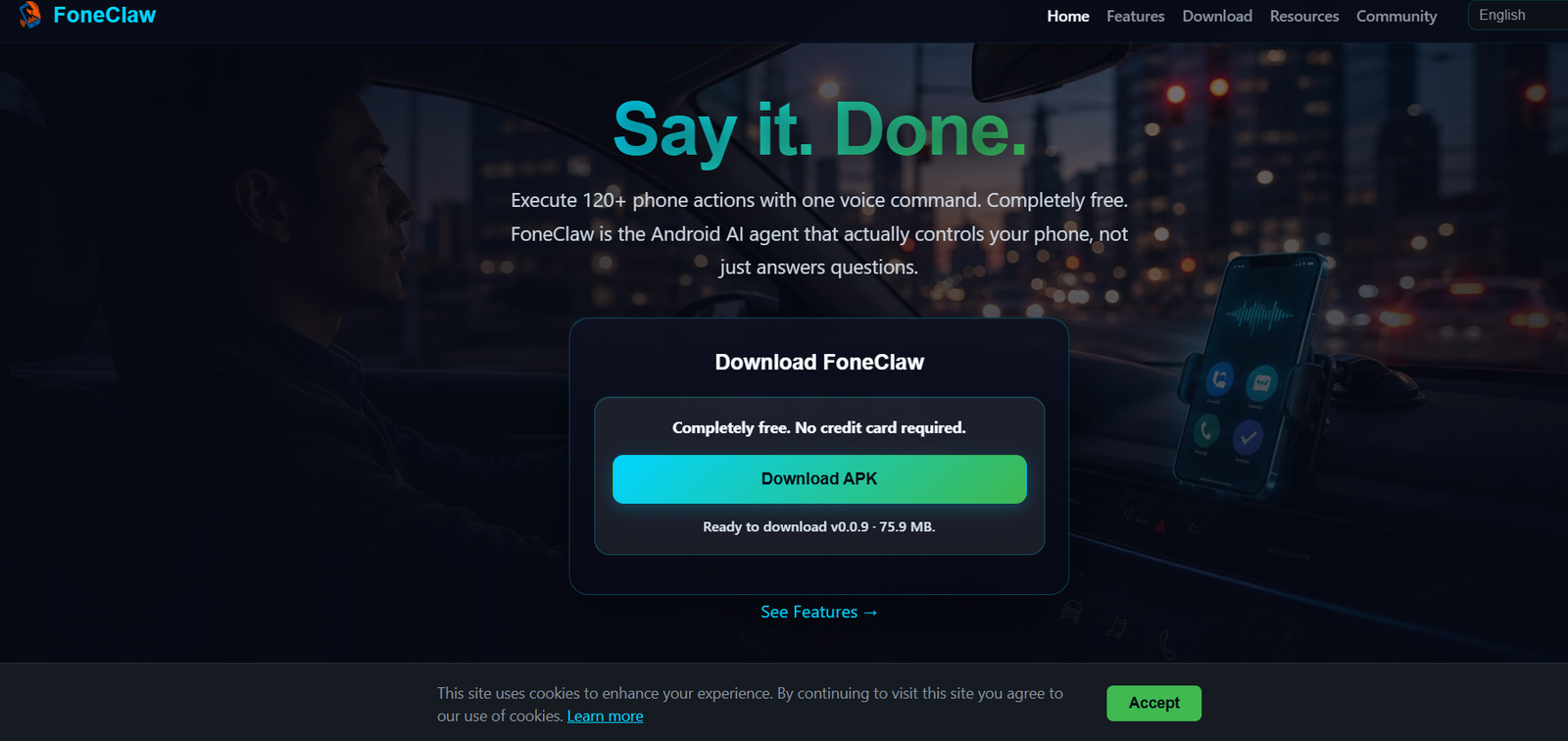
FoneClaw is an AI-powered Android phone agent that allows users to control their smartphones using natural voice commands. Unlike traditional voice assistants that mainly answer questions or perform basic tasks, FoneClaw can execute over 120 real phone actions across multiple Android features. It helps users manage device settings, notifications, SMS, calls, navigation, emails, screenshots, notes, and more through conversational commands.
Designed for Android 9.0 and above, FoneClaw focuses on simplifying everyday phone interactions by reducing manual navigation through menus. The platform emphasizes transparent permissions and user confirmation for sensitive operations, giving users greater control over how the AI interacts with their device.
Features
Voice-Controlled Phone Actions
FoneClaw supports more than 120 Android actions through natural voice commands. Users can control phone functions without manually navigating settings or applications.
Daily Brief
The AI summarizes SMS messages, notifications, and system information, helping users quickly review important updates without opening multiple apps.
Phone Health Reports
Users can request a complete overview of battery status, storage, memory usage, network health, and permission risks through a single voice command.
Android Settings Control
FoneClaw can adjust supported Android settings such as brightness, screen timeout, rotation, volume levels, silent mode, Do Not Disturb, and flashlight using simple voice instructions.
SMS and Call Management
The platform summarizes messages, drafts SMS, assists with calls, and helps users manage communications while requiring confirmation before performing sensitive actions.
Email and Calendar Support
Users can access configured email accounts, review recent emails, manage calendars, create notes, and interact with alarms through voice commands after completing the required setup.
Navigation and Location
FoneClaw can identify the user’s location, search nearby places, and launch navigation using installed map applications.
Screenshot and Image Summaries
The AI detects screenshots and supported photos, analyzes visible content, and provides quick summaries through a floating overlay.
Wi-Fi and Bluetooth Management
Users can scan, connect, disconnect, pair, and manage wireless devices using voice commands instead of manually opening Android settings.
Transparent Permission Management
The platform clearly explains why Android permissions such as accessibility, notifications, microphone, overlay, and location are required before users enable them.
How It Works
Step 1: Download and install the FoneClaw APK on an Android device running Android 9.0 or later.
Step 2: Grant only the permissions required for the features you want to use.
Step 3: Open the app and begin interacting using natural voice commands.
Step 4: Ask FoneClaw to perform supported actions such as checking phone health, summarizing notifications, changing settings, or navigating to a destination.
Step 5: Confirm sensitive actions such as sending messages or making calls before execution.
Step 6: Continue using voice commands to automate everyday Android tasks more efficiently.
Use Cases
Busy professionals can manage notifications, emails, and daily phone tasks hands-free.
Drivers can launch navigation and perform supported phone actions using voice commands.
Students can organize notes, alarms, and reminders more efficiently.
Older adults can simplify smartphone usage through conversational voice control.
Accessibility users can perform Android actions with fewer manual interactions.
Android power users can automate routine device management tasks.
Remote workers can quickly manage calls, emails, and notifications while multitasking.
Pricing
FoneClaw is completely free to download and use. The official website states that there are no subscription fees or credit card requirements for accessing its supported Android phone actions.
Strengths
Supports more than 120 Android phone actions.
Works with natural voice commands.
Provides practical automation beyond standard voice assistants.
Offers detailed phone health reports.
Supports notifications, SMS, email, navigation, and system settings.
Transparent permission system improves user trust.
Completely free to use.
Drawbacks
Currently available only for Android devices.
Some features require additional permissions or manual setup.
Email functionality requires IMAP/SMTP configuration.
Certain actions depend on compatible Android versions and installed applications.
Sensitive operations require user confirmation, which may add extra steps for some workflows.
Comparison with Other Platforms
Unlike general-purpose voice assistants that mainly answer questions or launch apps, FoneClaw is designed to perform real Android phone actions through natural language. It offers deeper interaction with system settings, notifications, messaging, navigation, screenshots, and device management. While traditional assistants often provide information, FoneClaw focuses on executing practical phone tasks while maintaining user control through transparent permissions and confirmation for sensitive actions.
Customer Reviews and Testimonials
Customer reviews and testimonials are not clearly available on the official website.
Conclusion
FoneClaw is a capable AI-powered Android phone assistant for users who want more than a traditional voice chatbot. With support for over 120 voice-controlled phone actions, device health reporting, notification summaries, navigation, communication management, and Android automation, it provides a practical solution for improving productivity and simplifying everyday smartphone use. Its free availability and transparent permission model make it an attractive option for Android users seeking a more capable AI phone agent.