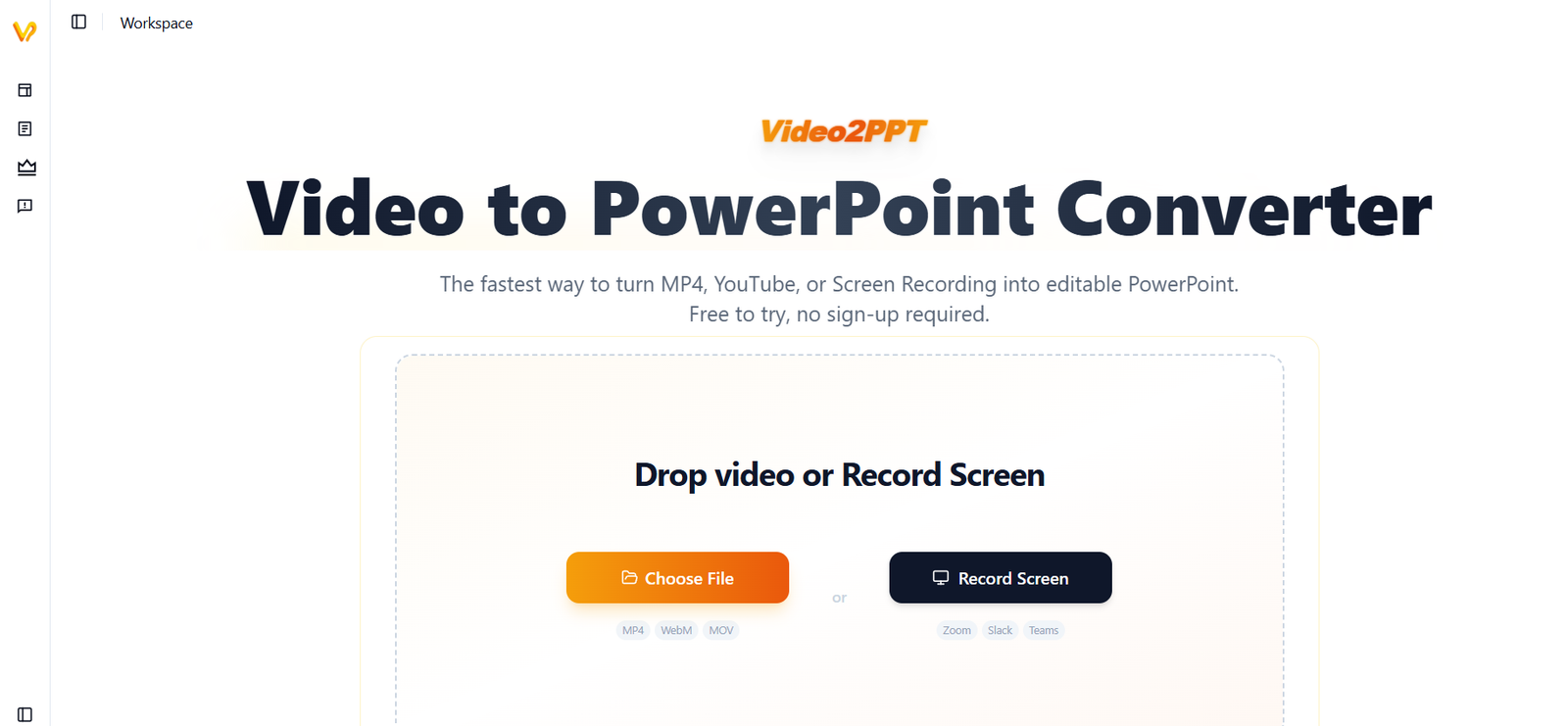
Video2PPT is an AI-powered presentation conversion tool that transforms videos into fully editable PowerPoint presentations. Users can upload MP4 files, paste YouTube links, or record their screens, and the platform automatically detects presentation slides, extracts key frames, and recreates them as editable PowerPoint slides. Unlike simple screenshot tools, Video2PPT preserves text, layouts, and formatting, making the exported presentation easy to modify.
The platform is designed for educators, students, business professionals, trainers, researchers, and content creators who want to convert lectures, webinars, meetings, tutorials, or presentation videos into editable slide decks. Video2PPT also supports offline processing through its desktop application, helping users keep sensitive content private while handling long videos efficiently.
Features
AI Video-to-PowerPoint Conversion
Automatically extracts presentation slides from videos and recreates them as editable PowerPoint presentations instead of static screenshots.
Multiple Video Sources
Supports local video uploads, YouTube links, Vimeo videos, screen recordings, webinars, online courses, and meeting recordings.
Editable PowerPoint Output
Generated PPTX files contain editable text, layouts, and design elements, allowing users to customize presentations after conversion.
Screen Recording
Record Zoom meetings, Microsoft Teams sessions, Google Meet presentations, and webinars directly within the platform before converting them into slides.
Video Transcription
Generate timestamped transcripts from video audio and export them for documentation, note-taking, or study purposes.
Batch Processing
Convert multiple videos simultaneously to save time when processing large collections of presentations.
Multiple Export Formats
Export presentations as PowerPoint, Google Slides, PDF, or HTML depending on project requirements.
Local Offline Processing
The desktop version processes videos entirely on the user’s device, improving privacy while allowing offline use.
Privacy-Focused Workflow
Video processing occurs locally, ensuring uploaded content remains private and is not transferred to cloud servers for processing.
How It Works
Visit the Video2PPT website or install the desktop application.
Upload a video, paste a YouTube link, or record your screen.
Allow the AI to identify presentation slides and important frames.
Review the extracted presentation.
Download the editable PowerPoint presentation or export it in another supported format.
Modify the presentation in Microsoft PowerPoint or Google Slides if needed.
Use Cases
Students can convert lecture recordings into editable study slides.
Teachers can create classroom presentations from recorded lessons.
Corporate trainers can turn webinars into reusable training materials.
Business professionals can extract presentation decks from meetings.
Researchers can organize conference recordings into presentation slides.
Content creators can repurpose educational videos into downloadable presentations.
Consultants can build editable client presentations from recorded demos.
Pricing
Free Plan
- Free forever
- No sign-up required
- Up to 10-minute videos
- Three video conversions per month
- Supports YouTube links and screen recording
Pro Plan – $10/month
- Unlimited video duration
- 100 video conversions per month
- 100 editable PowerPoint pages
- 600 minutes of video transcription
- Batch processing
- Watermark removal
Lifetime Plan – $129 (discounted from $199)
- One-time payment
- Unlimited video conversions
- Unlimited editable PowerPoint exports
- Unlimited video transcription
- Offline desktop access
- Future feature updates included
Strengths
- Converts videos into fully editable PowerPoint presentations.
- Supports YouTube, local videos, and screen recordings.
- Fast AI-powered slide extraction.
- Offline desktop processing for enhanced privacy.
- Built-in video transcription.
- Batch conversion support.
- No registration required for the free plan.
- Multiple export formats available.
Drawbacks
- Free plan limits video duration and monthly conversions.
- Advanced features require a paid subscription.
- Complex presentations may still need minor manual adjustments.
- Desktop application support varies by operating system.
Comparison with Other Platforms
Unlike traditional video-to-image converters that only capture screenshots, Video2PPT rebuilds presentations as editable PowerPoint files with editable text and layouts. It also combines AI slide extraction, video transcription, screen recording, batch processing, and offline desktop conversion, making it more comprehensive than standard presentation extraction tools.
Customer Reviews and Testimonials
Customer reviews and testimonials are not clearly available on the official website.
Conclusion
Video2PPT is a practical AI presentation tool for educators, students, businesses, consultants, and professionals who need to convert videos into editable PowerPoint presentations quickly. Its combination of AI slide extraction, editable PPT generation, video transcription, offline processing, and privacy-focused design makes it an efficient solution for repurposing educational, business, and meeting content into professional presentations.