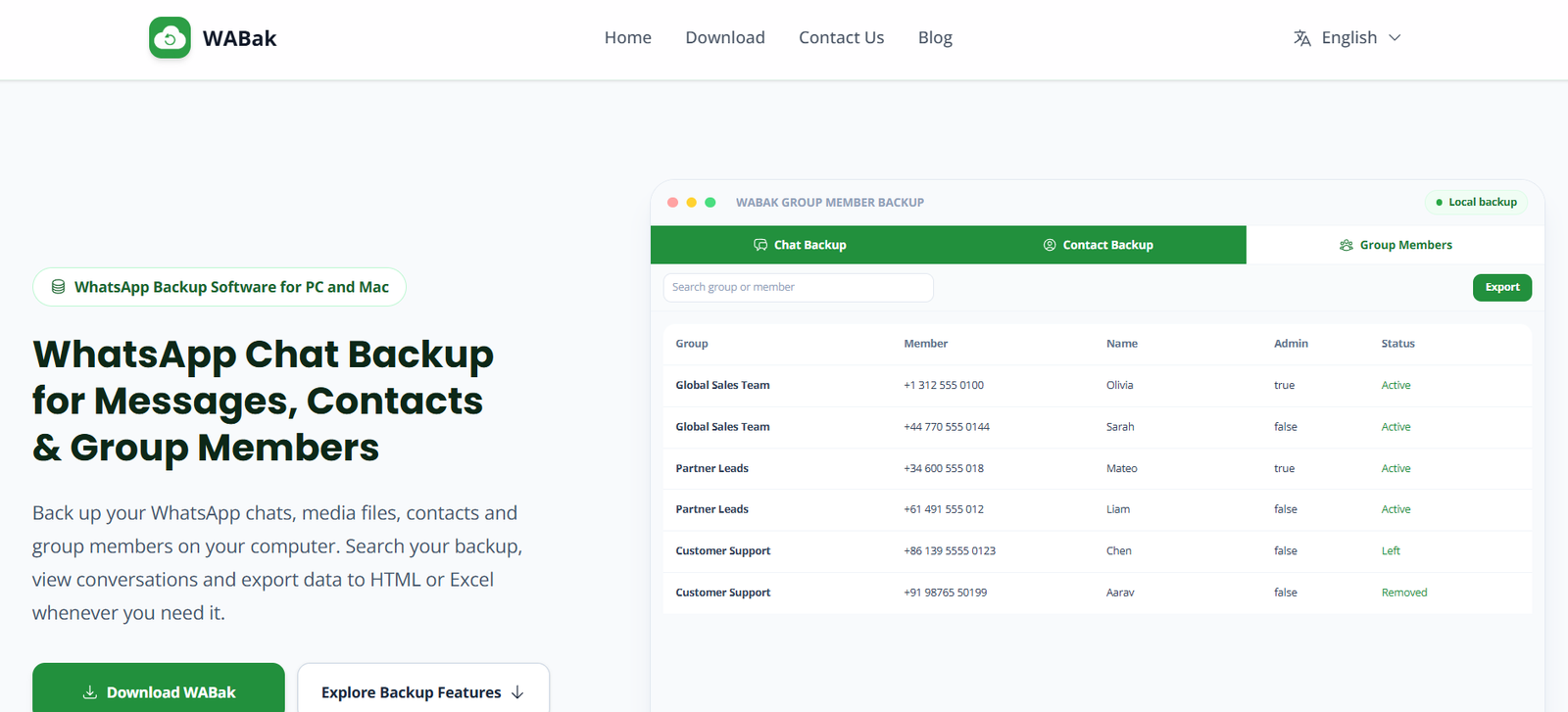
WABak is a desktop WhatsApp backup solution designed to help users securely save chats, contacts, media files, and group member information on their own computers. The software provides a local backup environment, allowing users to search, organize, preview, and export WhatsApp data without relying on cloud storage.
Built for Windows and macOS, WABak is suitable for businesses, customer support teams, sales professionals, and individual users who want to preserve important WhatsApp conversations and maintain offline access to their communication history. The platform emphasizes local storage, giving users greater control over their backed-up data.
Features
Local WhatsApp Backup
WABak stores WhatsApp chats, contacts, media files, and group information directly on your computer instead of uploading them to cloud servers, providing greater control over your data.
Chat Search and Preview
Users can quickly search, filter, and preview backed-up conversations, making it easy to locate specific messages or files when needed.
Export in Multiple Formats
The platform supports exporting chats and related data in formats such as HTML, Excel, CSV, and media files, making it convenient for reporting, documentation, and record keeping.
Contact Backup
In addition to conversations, WABak backs up both saved and unsaved WhatsApp contacts, helping users preserve important customer or personal contact information.
Group Member Backup
The software captures WhatsApp group member details, including administrator information and membership data, which can be useful for business communities and team management.
Offline Data Access
Because backups are stored locally, users can browse previously saved conversations even if they are no longer available on their mobile device.
How It Works
- Download and install WABak on a Windows or macOS computer.
- Connect the WhatsApp account that you own.
- Select the chats, contacts, media, or groups you want to back up.
- Start the backup process.
- Browse, search, and filter the saved data in the Backup Center.
- Export conversations or contacts in your preferred format for future use.
Use Cases
Businesses can archive customer conversations for future reference.
Customer support teams can retain communication records for quality monitoring.
Sales professionals can preserve client interactions and contact information.
Organizations can maintain records of WhatsApp group members before membership changes.
Individuals can create local backups to protect important personal conversations and media files.
Compliance teams can export records for reporting and audit purposes.
Pricing
Pricing details are not clearly mentioned on the official website.
Strengths
- Stores backups locally for greater data control.
- Supports chats, media, contacts, and group members.
- Offers fast search and filtering capabilities.
- Exports data in multiple widely used formats.
- Compatible with both Windows and macOS.
- Useful for business record keeping as well as personal backups.
Drawbacks
- Limited to desktop operating systems.
- Pricing information is not publicly available.
- Primarily focused on backup and export rather than communication or CRM features.
- Users must have access to the WhatsApp account they wish to back up.
Comparison with Other Platforms
Unlike cloud-based messaging management platforms, WABak focuses on creating local backups of WhatsApp data. Its emphasis on offline storage, searchable archives, and flexible export options makes it well suited for users who prioritize data ownership and long-term record preservation. It is designed for backup and archival purposes rather than customer messaging automation or CRM workflows.
Customer Reviews and Testimonials
Customer reviews and testimonials are not clearly available on the official website.
Conclusion
WABak is a practical WhatsApp backup solution for users who need secure local copies of chats, contacts, media, and group information. Its searchable archive, multiple export formats, and offline storage make it a useful tool for businesses, customer support teams, sales professionals, and individuals looking to safeguard important WhatsApp data while maintaining full control over their backups.