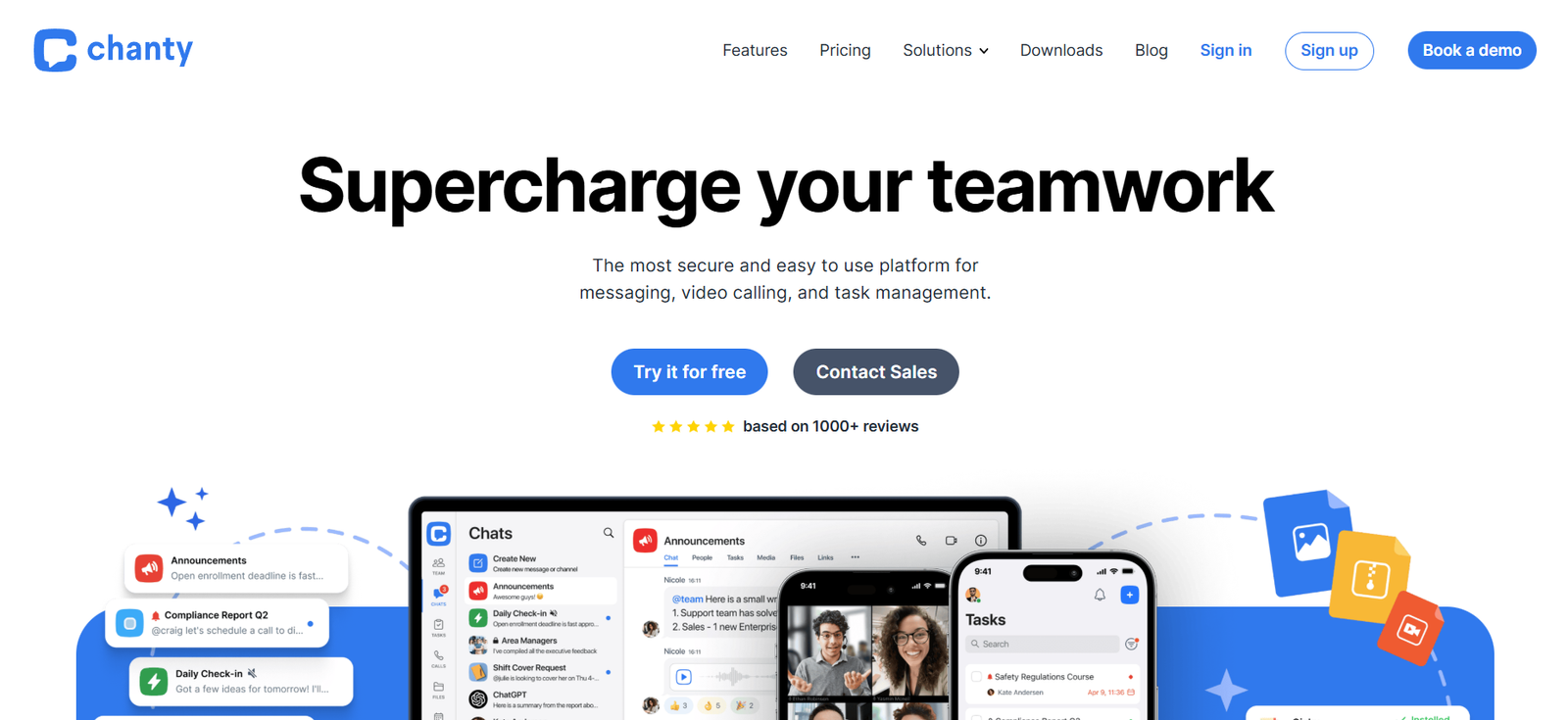
Chanty is an all-in-one team communication and collaboration platform that combines real-time messaging with task management. Designed for small to mid-sized teams, Chanty streamlines team discussions, project planning, and productivity in a single unified workspace.
Unlike traditional messaging apps that focus solely on chat, Chanty offers integrated features for managing tasks, organizing workflows, and centralizing information, all while maintaining a clean and user-friendly interface.
With support for instant messaging, audio and video calls, file sharing, and Kanban-style task boards, Chanty positions itself as both a Slack alternative and a lightweight project management tool. It is ideal for teams seeking simplicity without sacrificing core collaboration features.
Features
Chanty offers a robust set of communication and task management features designed to improve team productivity.
The platform supports private and public conversations through one-on-one messaging, group chats, and topic-specific channels known as “Teambook conversations.” These allow teams to keep discussions organized and accessible.
Users can turn any message into a task, assign it to a team member, set deadlines, and track progress—all from within the chat interface.
Chanty’s built-in task management includes a visual Kanban board, where users can organize tasks into stages and update their status with drag-and-drop ease.
Audio and video calls are supported for real-time communication, with screen sharing included in paid plans. This helps remote teams collaborate more effectively during meetings, demos, or troubleshooting sessions.
The Teambook feature acts as a centralized hub for all conversations, tasks, shared files, and pinned messages. It simplifies navigation and improves information retrieval.
Chanty also supports file sharing with previews, unlimited message history, and searchable archives, ensuring nothing is lost over time.
Integrations with popular apps like Trello, GitHub, Google Drive, Asana, Dropbox, and Zapier allow Chanty to fit easily into existing workflows.
Customizable notifications, @mentions, and role-based permissions help users manage their focus and control information flow across projects and departments.
How It Works
To get started with Chanty, users sign up for a free account and create a workspace. They can invite team members via email and begin organizing work into conversations, tasks, and channels.
Messages in Chanty can be sent in real-time through text, voice, or video. In any chat, a user can click on a message and convert it into a task. This task is then visible in the task manager and Kanban board, where it can be assigned, tracked, and updated.
The Teambook provides a sidebar view of all team activities. It organizes messages, tasks, shared content, and pinned posts so that everything remains easily accessible.
Users can collaborate by replying to messages in threads, tagging teammates, or sharing documents directly in the chat.
Voice and video calling are initiated within the app, with the ability to screen share during calls on premium plans.
Administrators can configure settings like permissions, team roles, and integrations from the workspace settings area.
Chanty works across devices with apps for Windows, Mac, iOS, and Android, as well as a web version for browser-based access.
Use Cases
Chanty is designed to support a variety of collaboration scenarios, particularly for small and medium-sized teams.
Startups and remote teams use Chanty to manage daily communication, coordinate tasks, and hold meetings in one centralized platform.
Marketing teams rely on Chanty to plan campaigns, assign creative work, and share visual assets, all while maintaining task accountability.
Development teams use integrations with GitHub, Trello, or Bitbucket to track code-related work and streamline technical communication.
Customer service teams can use Chanty to manage client inquiries, escalate tickets to the right person, and track resolution through task assignments.
Creative agencies benefit from the Kanban board and file-sharing features, enabling them to manage design projects and deliverables more efficiently.
Nonprofits and education teams use Chanty to collaborate on events, assignments, and community outreach with a lower learning curve compared to more complex platforms.
Pricing
As of December 2025, Chanty offers a free plan and a business plan with scalable features based on team needs.
The Free Plan includes:
Up to 10 team members
Unlimited public and private conversations
Built-in task management
One-on-one audio calls
20 GB total file storage
Access to Teambook and Kanban view
The Business Plan is priced at $3 per user/month (billed annually) and includes:
Unlimited members
Group audio and video calls
Screen sharing
Roles and permissions
Task priority and deadlines
Unlimited integrations
20 GB storage per member
Chanty offers a free 14-day trial of the Business Plan for new users, allowing teams to explore premium features before subscribing.
Strengths
Chanty’s biggest strength is its balance between simplicity and functionality.
The platform combines chat and task management in one tool, reducing the need to switch between multiple apps.
Its affordable pricing model makes it accessible to small teams, startups, and budget-conscious organizations.
The unlimited message history and searchable Teambook help retain important information over time.
With intuitive UI, minimal onboarding is required for new team members, making it easy to adopt and scale.
Chanty’s integrated Kanban board and task assignment features promote accountability and visibility across projects.
Cross-platform compatibility ensures that users can stay connected and manage work from any device.
Drawbacks
While Chanty is excellent for small to mid-sized teams, it may lack some advanced features expected by large enterprises.
Customization options for notifications, themes, or workflows are more limited compared to platforms like Slack or Microsoft Teams.
The app marketplace is smaller, which may limit third-party automation and deep integrations.
Group video calls and screen sharing are restricted to paid plans, which may be a limitation for some teams evaluating the free tier.
Although integrations are available, some may require manual setup or the use of Zapier for automation.
Chanty focuses on communication and task management, but it does not include features for full-scale project planning such as Gantt charts or time tracking.
Comparison with Other Tools
Chanty is commonly compared to tools like Slack, Microsoft Teams, Twist, and ClickUp.
Compared to Slack, Chanty offers similar communication features with built-in task management, all at a more affordable price point. Slack focuses heavily on real-time communication, whereas Chanty balances real-time and structured collaboration.
Microsoft Teams provides deep integration with the Microsoft 365 ecosystem but can be complex for smaller teams. Chanty is more lightweight and easier to set up.
Twist, like Chanty, focuses on reducing notification overload and promoting structured conversations. Chanty, however, offers more in-app task management features.
ClickUp is a project management tool with advanced task features, but its interface may be overwhelming for teams simply looking for a communication-focused solution. Chanty offers a cleaner, more streamlined experience.
Customer Reviews and Testimonials
Chanty is well-rated on review platforms like Capterra, G2, and Product Hunt for its ease of use, simplicity, and pricing.
Users appreciate how the platform consolidates chat and task tracking, reducing the need for multiple apps.
Small business owners and startup teams highlight the value of unlimited message history and searchable archives even in the free plan.
Teams transitioning from Slack or other tools praise Chanty’s intuitive interface and faster learning curve.
Constructive feedback from users includes requests for more integrations, calendar syncing, and enhanced project views.
Overall, Chanty is regarded as a reliable, user-friendly communication tool that simplifies collaboration for growing teams.
Conclusion
Chanty is a modern, efficient communication and task management platform that meets the needs of small and medium-sized teams. With a focus on simplicity, productivity, and affordability, it brings together messaging, task tracking, and team coordination in one place.
Its clean design, integrated Kanban board, and flexible communication features make it especially suitable for startups, remote teams, and organizations looking for a Slack alternative without the complexity.
While it may not offer advanced enterprise-level features, Chanty provides everything most teams need to collaborate effectively and stay organized, making it a practical choice for agile, growing businesses.