Vocal Remover is a free, browser-based tool that uses AI to separate vocals and instrumentals from audio files. Whether you want to create karaoke tracks, remix a song, or study individual parts of a recording, Vocal Remover makes the process fast and effortless.
The tool is designed for anyone who works with music—DJs, vocalists, producers, educators, and even casual users who just want to enjoy singing along to instrumental versions of their favorite songs. You don’t need any software installation or technical experience. Just upload a track, and within seconds, Vocal Remover delivers two separate files: one with the vocals and one with the background music.
Beyond vocal separation, the platform also offers several other helpful audio tools that support tempo change, pitch adjustment, audio cutting, karaoke recording, and more—all directly in your browser.
Features
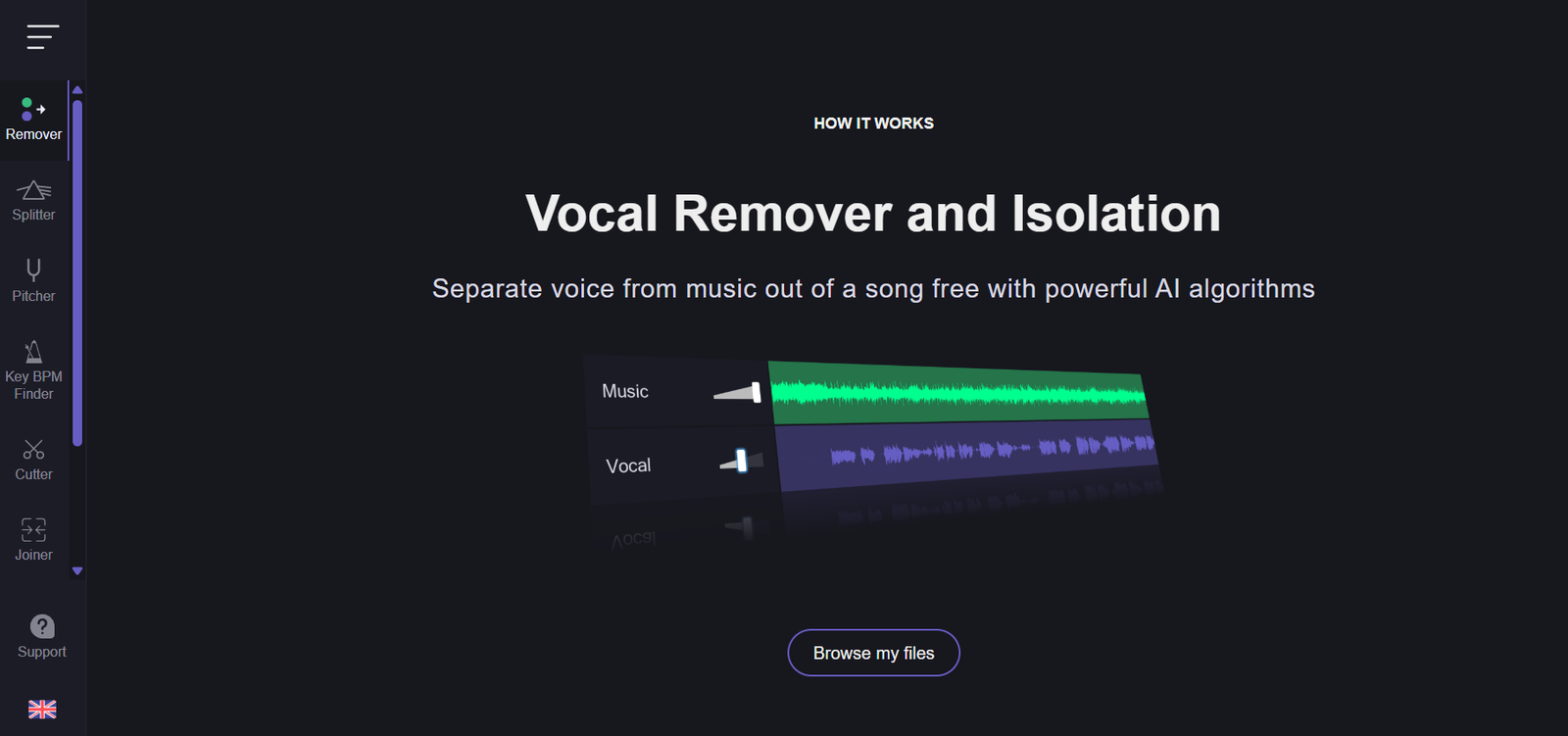
The standout feature of Vocal Remover is its AI-powered vocal and instrumental separation. You upload a song, and the tool splits it into two separate tracks. The vocal track contains the singing, while the instrumental track retains the background music. This makes it perfect for karaoke, remixing, and learning purposes.
Another useful tool is the pitch changer, which allows you to shift a song up or down in key without altering its speed. This is great for singers who want to practice in different vocal ranges.
The tempo changer lets you speed up or slow down a track without affecting the pitch. Musicians often use this to practice difficult sections at a slower pace.
You can also use the audio cutter to trim specific parts of a song. This is handy for creating loops, short samples, or removing unwanted parts of a file.
For singers and performers, the karaoke recorder feature enables you to sing over an instrumental and record your voice right in the browser. This is ideal for practice, demo creation, or even sharing performances online.
All tools are hosted online, so there’s nothing to download. Each process is intuitive and fast, even for beginners.
How It Works
Vocal Remover is simple to use. You start by visiting the website and selecting the “Vocal Remover” tool from the homepage. Upload your audio file, and the system automatically processes it using machine learning algorithms trained to identify and separate vocal frequencies from instrumental elements.
Once processing is complete, which usually takes less than a minute, you can listen to the separated tracks directly in your browser. You’ll get two playback options—one for vocals and one for instrumentals. From there, you can download either or both files in high-quality MP3 format.
Other tools follow a similar process. You upload your file, adjust the settings—such as pitch, speed, or cut points—and then export the modified audio. Everything happens within the browser, so there’s no waiting for installations or software updates.
Whether you’re isolating vocals, preparing a track for karaoke, or adjusting a song’s pitch, Vocal Remover makes the process accessible and fast.
Use Cases
Karaoke singers use Vocal Remover to generate clean instrumental tracks they can sing over at home or during live performances. By removing the original vocals, they get a professional-sounding backing track instantly.
DJs and remix artists rely on the tool to isolate vocals or instrumentals for mashups, edits, or creative remixes. Being able to quickly extract elements of a song opens up new creative possibilities.
Music educators use Vocal Remover to help students focus on specific aspects of a song—like listening to just the instrumental for rhythm practice or isolating vocals to study phrasing and intonation.
Producers and musicians use it to sample instrumentals or clean vocals for beats and arrangements, especially when working on covers or reimagined versions of songs.
Even casual music fans use the platform to sing along to their favorite songs or create fun personal projects like voiceovers, lyric videos, or birthday messages with custom soundtracks.
Pricing
Vocal Remover is completely free to use. Most tools on the site, including vocal separation, pitch and tempo control, and audio cutting, are accessible without a subscription or payment.
The service doesn’t require you to create an account, and there are no watermarks or file limitations for basic use. You simply visit the website, upload your track, and start editing.
While Vocal Remover is currently free, it’s always good to check their website for any updates or premium features that may be introduced in the future. But as it stands, it remains one of the most accessible and generous tools available online for music editing.
Strengths
One of the biggest strengths of Vocal Remover is how quick and easy it is to use. There’s no software to download, no signup process, and no learning curve. Anyone can start separating vocals from instrumentals in under a minute.
The AI processing is impressively accurate, especially for songs with clear vocal and instrumental separation. It’s fast and delivers results that are good enough for casual use, rehearsals, and even creative projects.
The variety of tools offered in one place—pitch adjustment, tempo control, karaoke recording, and cutting—makes it a versatile solution for many audio editing needs.
Its browser-based nature makes it cross-platform. Whether you’re on a PC, Mac, tablet, or phone, you can use the tool as long as you have an internet connection.
Being free and ad-light also makes it more user-friendly than many other online tools that limit features or bombard users with pop-ups and restrictions.
Drawbacks
While Vocal Remover is very convenient, it’s not perfect for studio-quality audio processing. In songs with heavy effects, reverb, or overlapping instruments and vocals, the separation may not be 100% clean. Some artifacts or remnants can remain, especially in complex mixes.
It also doesn’t allow for fine-tuned audio editing or mixing beyond the built-in tools. If you’re a professional producer looking for multi-track editing, automation, or plugin support, you’ll need a more advanced DAW.
The file size and format options are somewhat limited. The platform primarily exports in MP3, so users needing high-resolution WAV files for studio work may need to convert the files elsewhere.
Internet connectivity is required, and large files may take a bit longer to upload and process, depending on your connection speed.
Comparison with Other Tools
Compared to tools like Moises.ai, LALAL.AI, and Spleeter, Vocal Remover offers a more accessible and immediate solution. While Moises and LALAL.AI may offer slightly higher-quality separation or more export options, they often require user accounts or paid plans for full features.
Spleeter, a powerful open-source option from Deezer, requires local installation and some technical knowledge to operate, which limits accessibility for casual users.
Vocal Remover stands out by offering no-login, instant access with good-quality results for free. It’s ideal for anyone who wants a quick and straightforward way to get instrumentals or acapellas without diving into technical setups.
For creators who don’t need high-end editing features but want reliable, fast audio separation, Vocal Remover is one of the most efficient tools available.
Customer Reviews and Testimonials
Vocal Remover has become a favorite among singers, teachers, and hobbyists. Many users praise how fast the tool works and how easy it is to generate karaoke-ready tracks without downloading anything.
A vocal coach mentioned using it regularly to prepare backing tracks for students, calling it a “life-saver for last-minute lessons.” Another user, a bedroom producer, said it helped them extract clean acapellas for remixes that they later posted to SoundCloud.
Users also appreciate the lack of paywalls and the clean, simple interface. With no registration needed, it has quickly become a go-to tool for casual and frequent users alike.
While professionals may note the limits in fidelity, most casual users report that the results are more than enough for practice, performance, and creative fun.
Conclusion
Vocal Remover is a fast, simple, and effective online tool for anyone looking to extract vocals or instrumentals from a song. Whether you’re preparing for karaoke night, producing a remix, or teaching a music class, it offers an easy way to work with audio—without the need for expensive software or advanced skills.
It’s completely free, requires no downloads, and delivers results in seconds. While it may not replace a full digital audio workstation for professionals, it’s one of the best tools available for quick vocal isolation and music editing on the fly.
For musicians, creators, and audio enthusiasts looking for speed, simplicity, and convenience, Vocal Remover is an excellent choice.