
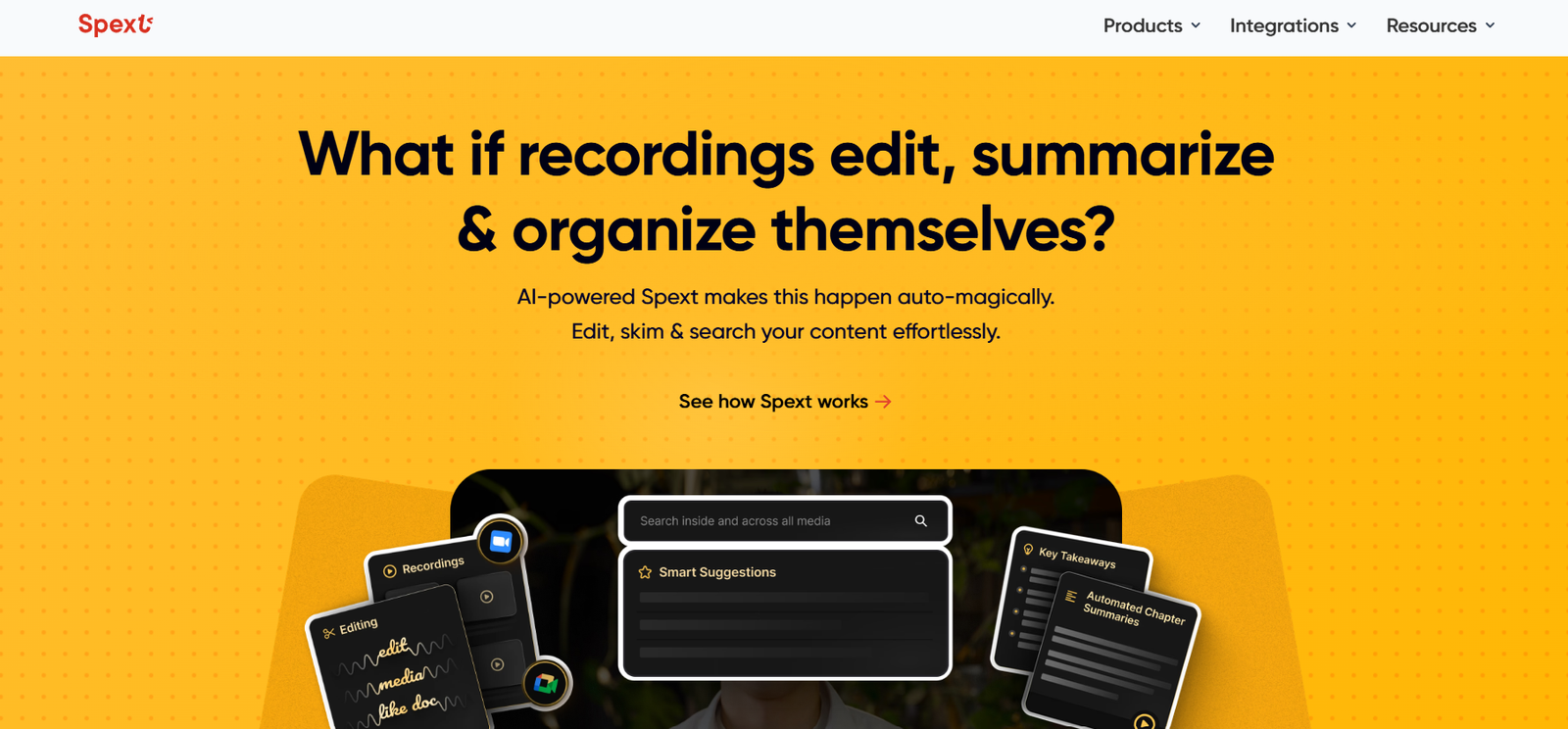
Spext is a smart audio and video editing tool that makes post-production fast and intuitive by letting you edit content through its transcript. Instead of cutting waveforms or timelines, you simply edit the text and the audio or video updates automatically.
It’s built for podcasters, content marketers, educators, and remote teams who need to create clean, professional content from recorded conversations, meetings, or interviews—without having to master complex editing software.
Spext combines transcription, editing, and publishing tools into one web-based platform, making it easy to turn spoken content into polished, shareable media.
Features
At the core of Spext is its AI-powered transcription engine, which converts spoken content into highly accurate text. Once transcribed, the platform gives you a text editor that’s synced to your audio or video. You can delete words, sentences, or filler phrases from the transcript, and those same parts are removed from the recording.
This editing-by-text experience saves hours of manual trimming and lets users clean up their recordings in a way that feels natural—just like editing a Google Doc.
Spext also includes automatic filler word detection. Words like “um,” “uh,” “you know,” and other speech fillers can be automatically identified and removed with a single click.
Speaker labeling is built-in, helping distinguish between voices in multi-person recordings. This is particularly helpful for interviews, panel discussions, or collaborative meetings.
You can also add subtitles, generate clips, and repurpose content for social media directly within the platform. Edited videos or audio can be exported in multiple formats, or published directly using shareable links.
Spext also integrates with Zoom, allowing users to automatically import recordings for faster post-meeting edits and summaries.
How It Works
Using Spext begins with uploading your audio or video file. Once uploaded, Spext transcribes the file in a matter of minutes, providing a searchable, editable transcript. You can then read through the text and make edits—any text you delete or change affects the media file in real time.
The audio waveform and transcript are perfectly synced, so as you make changes, you can preview how the final product sounds or looks. You can also highlight key moments, extract short clips, or add subtitles.
If you’re editing a meeting, interview, or podcast, you can use the speaker labels to keep track of who said what. Once you’re happy with your edit, you can export it or generate a public link to share it with your team, clients, or audience.
This process eliminates the steep learning curve of traditional editing software, making Spext a time-saver for non-technical users and busy content teams.
Use Cases
Podcasters use Spext to remove mistakes, filler words, or off-topic sections from their episodes before publishing. Instead of listening and cutting audio manually, they simply scan the transcript and edit with a few clicks.
Content marketers and social media managers use the platform to extract highlights from webinars, interviews, and meetings. These short clips can then be used for promotional content across platforms like LinkedIn, Twitter, and Instagram.
Educators and online course creators rely on Spext to clean up lecture recordings, add subtitles, and share edited sessions with students. The transcript can also be used as course notes or downloadable summaries.
Teams working remotely use Spext to summarize and share meeting highlights. With automatic transcription and speaker labeling, they can extract actionable points and remove off-topic conversations before distributing the recording.
Customer service, product, and sales teams use the tool to edit call recordings for internal training or external content. It helps turn real conversations into learning material quickly and easily.
Pricing
Spext offers a range of pricing options depending on how often you edit or transcribe media. As of the latest available information, Spext provides a free plan with limited transcription minutes and basic editing features—suitable for testing and casual use.
Paid plans unlock more transcription hours, enhanced editing capabilities, Zoom integrations, and higher export quality. These plans are designed for professionals or teams that handle content regularly.
Team plans offer collaborative features, allowing multiple users to work on projects and share editing responsibilities. Organizations looking for bulk usage or advanced integrations can request custom enterprise pricing.
You can view the most current pricing details and compare plans directly on the Spext pricing page.
Strengths
Spext’s biggest strength is its user-friendly approach to editing. By allowing users to cut and clean audio or video through a transcript, it removes the barrier of technical editing knowledge. Anyone who can edit text can now edit media.
Its AI-driven transcription is fast, accurate, and supports multiple languages, making it accessible for international teams or multilingual content.
Another major advantage is how quickly it speeds up the content editing process. What might take hours with traditional software can be done in minutes on Spext.
The platform’s clean interface, browser-based access, and no need for downloads make it easy to start using immediately. Zoom integration and shareable links further enhance its utility for teams and content workflows.
The ability to repurpose content into clips or quote videos also makes it an ideal tool for marketing and social media distribution.
Drawbacks
While Spext simplifies a lot of processes, it’s not built for advanced media editing like multitrack mixing, complex effects, or audio mastering. Users who need precise audio control or cinematic editing may still require professional software like Adobe Premiere or Audition.
The free plan offers limited transcription minutes, so users working on longer or frequent projects will need to upgrade to paid plans quickly.
Though the platform supports speaker labeling, automatic accuracy may vary depending on recording quality, accent, and background noise. Manual correction may be needed in some cases.
It also requires an internet connection since it’s browser-based, so offline access is not available.
Comparison with Other Tools
Spext is often compared to tools like Descript, Otter.ai, and Rev. Compared to Descript, Spext offers a lighter, more streamlined experience focused primarily on editing by transcript. While Descript includes audio recording, screen capture, and multitrack support, it comes with a steeper learning curve and more complex interface.
Otter.ai is great for transcription and meeting notes, but it doesn’t allow for actual audio or video editing. Spext, by contrast, lets you use the transcript to edit and publish media files directly.
Rev is known for high-accuracy human transcription, but it’s more of a service than an editing platform. Spext brings real-time, AI-powered editing together with transcription, which makes it more efficient for ongoing content workflows.
For teams that want quick turnarounds, user-friendly editing, and integrated publishing tools, Spext strikes a great balance between simplicity and functionality.
Customer Reviews and Testimonials
Users of Spext often highlight how intuitive and fast the editing process feels. Podcasters mention how it cuts down their production time dramatically and gives them full control over polishing their episodes.
Marketers appreciate how easy it is to extract clips from longer conversations and how well the auto-transcription supports social content creation.
Educators have noted that it simplifies lecture clean-up and subtitle creation, helping make their content more accessible and professional.
Remote teams often mention the value of sharing clean, edited meeting recordings with minimal effort. The ability to summarize, clean, and repurpose conversations helps them stay organized and productive.
Support is also mentioned frequently as responsive and helpful, especially when onboarding new users or teams.
Conclusion
Spext is a smart, efficient tool for anyone who works with spoken content and wants to turn it into polished, shareable audio or video quickly. With its intuitive transcript-based editing, fast transcription, and browser-based convenience, it’s ideal for creators, marketers, educators, and teams looking to save time and improve content quality.
It doesn’t try to replace pro editing software—instead, it fills a valuable space where most content editing happens: cleaning up, summarizing, and sharing conversations in a clean and compelling way.
For people who want to edit podcasts, webinars, meetings, or interviews without getting lost in a timeline, Spext is a simple, powerful solution that gets the job done.


