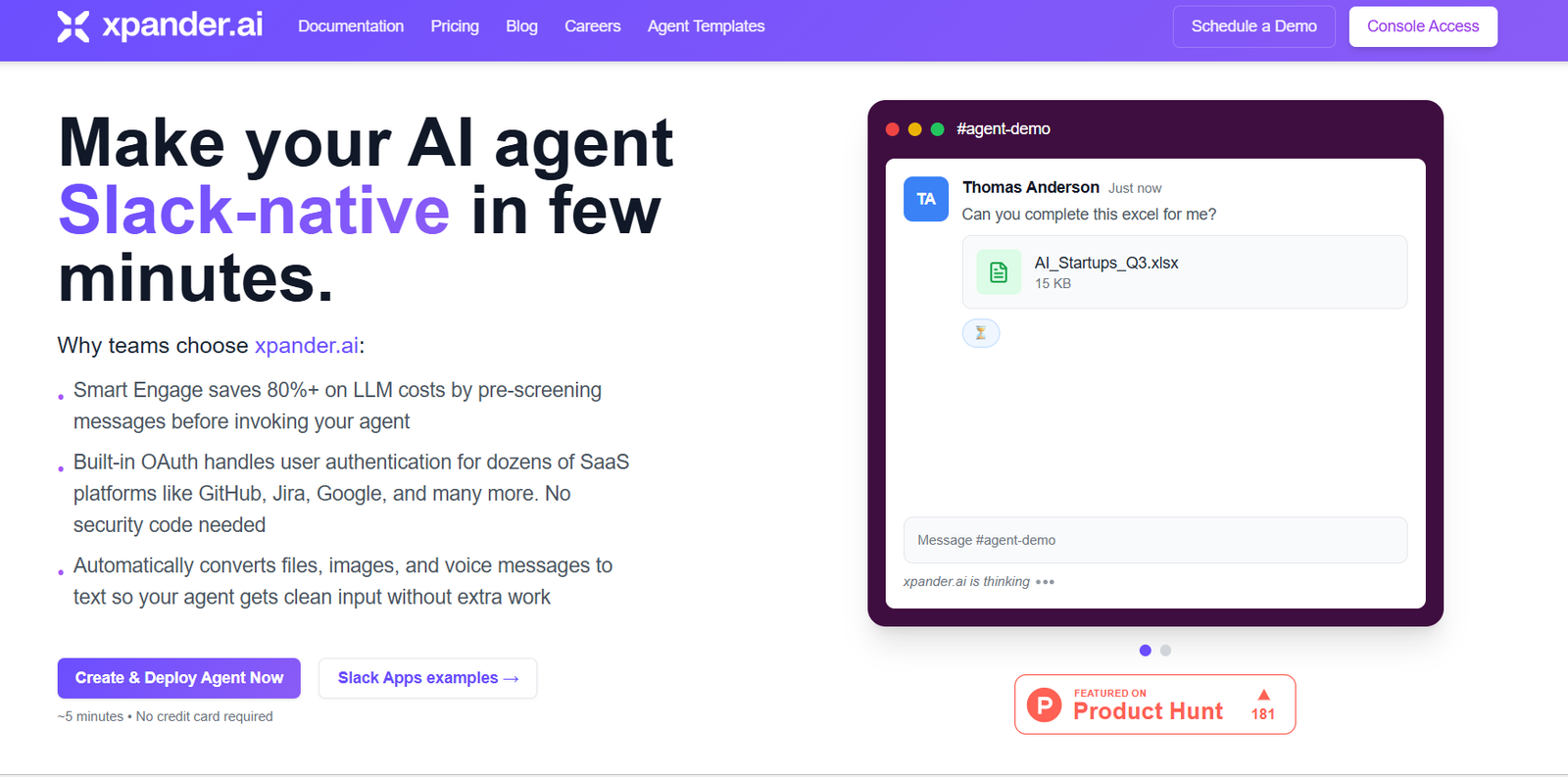
Xpander AI for Slack is an AI-powered knowledge assistant designed to help teams get instant answers to questions, retrieve internal documentation, and boost productivity—directly within Slack. Built to eliminate information silos, Xpander enables employees to access organizational knowledge faster without switching apps or asking around.
Designed for high-performance teams and knowledge-driven organizations, Xpander seamlessly integrates into existing Slack workspaces and connects with various knowledge sources such as Google Drive, Confluence, Notion, GitHub, and more. By doing so, it brings AI-powered search and intelligent summarization to everyday team communication.
Features
Xpander AI for Slack includes a comprehensive set of features aimed at improving knowledge retrieval, internal search, and decision-making across teams.
Instant Q&A in Slack: Team members can ask questions in Slack and get instant, accurate responses sourced from internal documents and connected platforms.
Knowledge Base Integration: Xpander connects with major platforms like Google Drive, Notion, GitHub, Confluence, and more to surface relevant information.
Smart Summarization: The AI can summarize long documents, meeting notes, or threads, giving users digestible takeaways without needing to read everything.
Natural Language Search: Users can use plain English to search across thousands of internal files, making knowledge accessible to non-technical team members.
Thread Awareness: Xpander works contextually within threads, helping teams follow conversations and get smart insights without disrupting the flow.
Multilingual Support: The assistant understands and responds in multiple languages, making it suitable for global teams.
Security and Privacy: Data access is governed by permissions, ensuring that users can only retrieve what they are authorized to see.
Admin Controls: Team admins can manage integrations, monitor usage, and control how knowledge is accessed and distributed.
Plug-and-Play Setup: Integrates into Slack within minutes, with no complex setup or technical onboarding required.
How It Works
Xpander AI for Slack works by embedding an intelligent assistant into your team’s Slack workspace. Once added, users can ask the assistant questions in public channels, threads, or direct messages. The AI processes the query and searches across connected data sources to find the most relevant answer.
To enhance accuracy, Xpander indexes documents from integrated platforms like Notion, Google Drive, GitHub, or Confluence. It then uses language models to understand the user’s intent and return precise answers, including document excerpts, links, or summaries.
The assistant responds contextually within Slack conversations, maintaining relevance to the discussion thread. It’s designed to reduce the need for manual searches, pings, or switching between platforms—allowing employees to stay focused and efficient.
Admins can configure permissions, manage knowledge sources, and monitor activity through a simple dashboard. All data is handled securely, respecting organizational access levels.
Use Cases
Xpander AI for Slack is ideal for teams that depend heavily on internal documentation, collaboration, and shared knowledge.
Engineering Teams: Developers can quickly access documentation, API references, or internal code explanations without leaving Slack.
Customer Support: Support teams can retrieve policy documents, troubleshooting guides, or knowledge base entries on demand.
Product Management: PMs can reference research documents, meeting notes, and product roadmaps within their team channels.
Marketing Teams: Access content calendars, brand guidelines, and campaign plans instantly through AI-powered search.
HR and Operations: Answer common employee questions about policies, benefits, and onboarding with smart retrieval from HR documents.
Remote Teams: Distributed teams reduce back-and-forth messages by finding the answers they need instantly, regardless of time zone.
Onboarding New Employees: New hires can ask questions and receive instant, accurate responses sourced from company materials.
Pricing
As of the most recent information available on the official website, Xpander AI for Slack currently offers early access and is free to use during this phase. This includes full functionality, integration with Slack, and connections to multiple knowledge platforms.
While future pricing plans have not been publicly announced, users can sign up for early access and use the tool at no cost during the current open beta.
For updates on future pricing, premium tiers, or enterprise plans, visit the official Xpander AI website.
Strengths
Xpander AI for Slack offers several unique advantages for knowledge-focused organizations.
Slack-Native Integration: Embedded directly into Slack, making it frictionless for daily use.
Rapid Information Access: Answers questions in seconds, removing the need for manual document digging.
Smart Document Search: Finds relevant snippets from across connected platforms like Google Drive or Notion.
Time-Saving Summaries: Quickly distills long documents or threads into clear summaries.
Simple Setup: No complex installations or technical onboarding required.
Improves Productivity: Keeps teams focused by providing the answers they need in the apps they already use.
Multilingual and Contextual: Supports multiple languages and understands conversational context.
Drawbacks
While Xpander AI for Slack is a powerful tool, there are some current limitations to be aware of.
Limited to Slack: Teams not using Slack cannot benefit from the platform at this time.
Still in Early Access: As a beta product, some features may be in development or evolving.
No Mobile Optimization Mentioned: Current experience appears geared toward desktop Slack usage.
No Public Pricing Details: Lack of transparent pricing may make budget planning difficult for larger teams.
Limited Customization: Users may want deeper control over how AI responds or how sources are weighted, which may not yet be available.
Comparison with Other Tools
Xpander AI for Slack operates in the growing space of AI knowledge assistants integrated into team communication platforms. It can be compared with tools like Glean, Notion AI, and Slack’s own native search.
Compared to Slack’s native search, Xpander adds intelligence, context awareness, and multi-platform integration, making it far more capable.
Against Glean, which is a broader enterprise search platform, Xpander is more focused and easier to deploy directly within Slack.
Compared to Notion AI, which works inside Notion itself, Xpander aggregates content across multiple platforms and makes it accessible in Slack.
Xpander’s unique value lies in its lightweight deployment, Slack-native experience, and real-time contextual answers across multiple tools.
Customer Reviews and Testimonials
As of now, Xpander AI for Slack does not publicly list customer testimonials or reviews on its website. However, early interest is evident from tech communities and Slack-centric teams looking to reduce time spent searching for internal information.
Users who’ve tried the early access version report smoother onboarding, better internal documentation access, and reduced internal back-and-forth in Slack threads.
To hear more about user experiences and product updates, visit the Xpander AI homepage and sign up for their newsletter or early access.
Conclusion
Xpander AI for Slack is a practical and timely solution for teams overwhelmed by scattered internal knowledge and constant questions. By embedding an intelligent assistant directly into Slack, it turns conversations into opportunities for real-time learning and faster decision-making.
Whether you’re a fast-growing startup or a global remote team, Xpander helps you scale internal knowledge sharing without adding complexity. It’s lightweight, easy to set up, and free to use during its early access phase—making it an excellent addition to any Slack workspace focused on efficiency and clarity.
As more companies seek to harness AI for operational excellence, Xpander AI for Slack shows how smart, contextual knowledge assistance can improve productivity at every level of the organization.