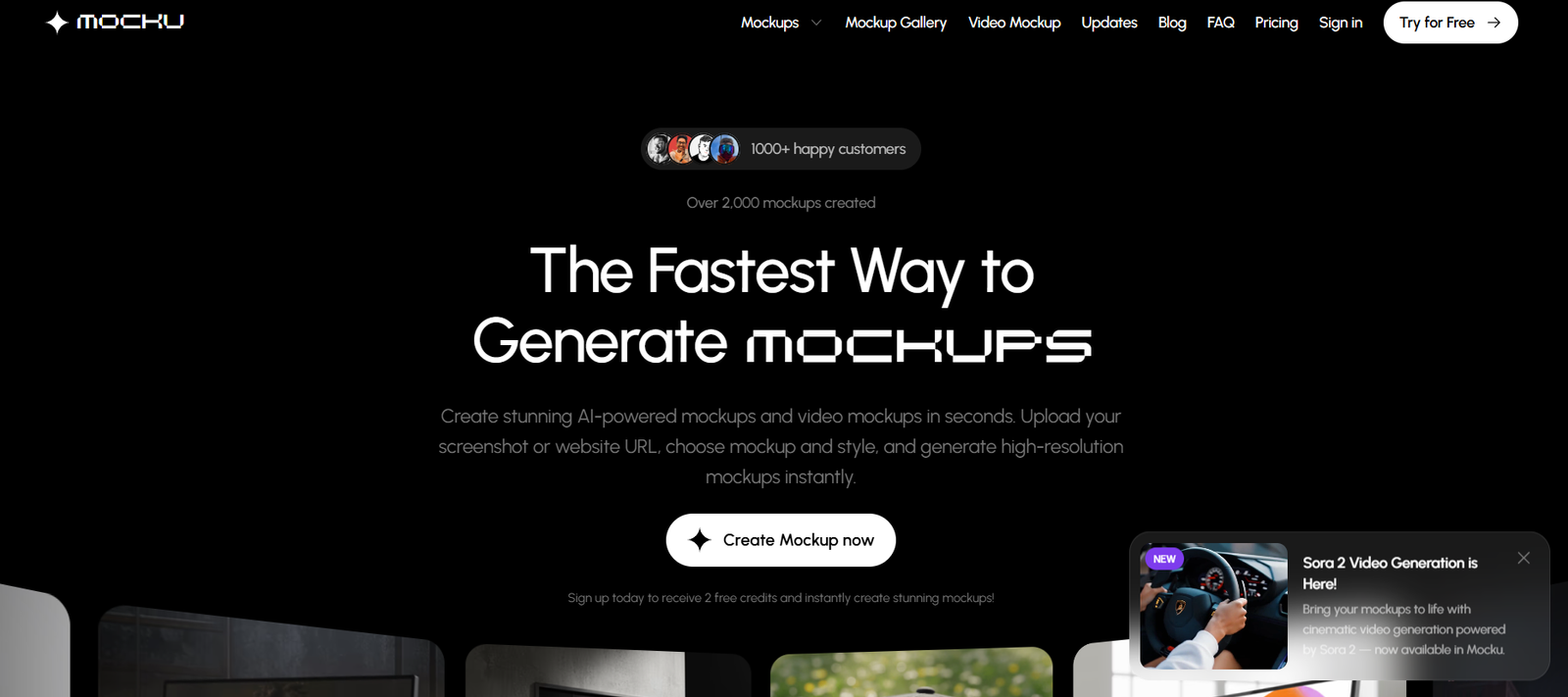
Mocku is an AI-powered mockup generator that allows users to create high-quality, realistic product mockups in seconds. Designed for creators, marketers, e-commerce sellers, and designers, Mocku simplifies the process of turning digital assets into professionally-styled product previews.
Instead of relying on design software like Photoshop or manually creating mockups, users can upload an image or design file to Mocku and choose from a wide selection of templates. The platform automatically renders the mockup in real-life scenarios, such as on t-shirts, mugs, packaging, devices, and more.
Mocku is built for speed and simplicity, offering a powerful solution for those who need professional mockups without the hassle of complex tools.
Features
Mocku provides a robust set of features tailored to visual content creators and marketers.
The platform’s main feature is its one-click mockup generation. Users upload a design or image, choose a template, and Mocku automatically applies the design to the mockup scene using AI-enhanced rendering. This includes accurate perspective, lighting, and surface integration.
Mocku offers a diverse template library, including apparel (t-shirts, hoodies, hats), packaging (boxes, bags), drinkware (mugs, bottles), and devices (smartphones, laptops, tablets). Templates are frequently updated to match current marketing trends and product types.
The drag-and-drop interface is simple to use and requires no design experience. Users can quickly position their designs, scale them, and preview the output before download.
All mockups are rendered in high resolution, suitable for marketing campaigns, online stores, or presentations. The platform also supports transparent background exports, making it easier to integrate mockups into other design assets or websites.
Mocku is browser-based, meaning there is no need to install any software, and projects can be accessed from anywhere with an internet connection.
How It Works
Mocku’s workflow is simple and efficient, allowing users to create mockups in just a few steps.
To get started, users visit the platform and choose from the available mockup templates. After selecting a category — such as apparel, packaging, or digital devices — they upload their design file (usually in PNG, JPG, or SVG format).
Mocku’s system uses AI to apply the design to the selected product, adjusting for curvature, angle, and shadows to make the image appear natural. Users can customize placement, scale, and positioning directly in the interface.
Once satisfied, the final mockup can be downloaded as a high-resolution image or used in digital marketing campaigns, product listings, or portfolio materials.
No graphic design software is required, and users can complete a full mockup in under a minute.
Use Cases
Mocku is valuable for various industries and use cases where visual presentation is key.
E-commerce sellers use Mocku to display products like custom t-shirts, tote bags, or mugs without the cost and time of physical samples and photography. This allows sellers to quickly test product ideas or showcase new designs.
Marketing teams and agencies use Mocku to generate campaign visuals for ads, social media, landing pages, or email content. The ability to render products in different styles and settings improves campaign variety and brand storytelling.
Designers and freelancers use the tool to showcase client work or portfolio pieces in a professional and visually appealing way. Mocku helps bring concepts to life with minimal effort.
Startups and product developers can create packaging and branding mockups to present to investors, stakeholders, or focus groups before launching a physical product.
Educators and content creators can also use Mocku for tutorials, promotional graphics, or training materials that require visually compelling examples.
Pricing
As of the latest available information from the official Mocku website, the platform operates on a freemium model, offering both free access and paid premium features.
Free Access: Users can try a limited selection of mockup templates and generate basic mockups with watermarking or lower resolution.
Premium Plans: Paid subscriptions unlock full access to the mockup library, high-resolution downloads, commercial usage rights, and watermark-free exports.
Monthly Plan: Starts at $14/month, offering full access to all features and templates.
Annual Plan: Priced at $99/year, which offers cost savings over monthly billing.
Both plans support unlimited mockup generation, making them ideal for regular users such as agencies, e-commerce sellers, and design professionals.
For the most up-to-date pricing or promotions, visit https://mocku.co
Strengths
Mocku’s primary strength is its ease of use. The platform allows anyone — regardless of design skill — to generate professional mockups quickly and efficiently.
Its diverse and frequently updated template library supports a wide range of industries and product types, from fashion and tech to packaging and lifestyle products.
The AI-enhanced rendering provides realistic and market-ready visuals, which can significantly improve product presentation and reduce reliance on expensive photography or design services.
Being a web-based platform, Mocku offers high accessibility, allowing users to create mockups on demand from any device.
Drawbacks
While Mocku is powerful and easy to use, it does have some limitations.
The free version is limited, both in terms of template selection and export quality. Users creating multiple mockups for commercial use will likely need to upgrade to a premium plan.
Unlike graphic design software like Photoshop, Mocku does not offer full customization of lighting, scene editing, or advanced effects. This may limit flexibility for users with more complex design needs.
Currently, the platform is focused on static mockups only. It does not support animated or 3D interactive mockups, which may be a desired feature for advanced product presentations.
Comparison with Other Tools
Mocku competes with tools like Placeit, Smartmockups, and Renderforest in the online mockup generation space.
Compared to Placeit, which offers a broader set of tools including video mockups and logos, Mocku focuses more specifically on fast and clean image-based mockups with a lean interface. It’s better suited for users who want quick results without navigating through a heavy UI.
Smartmockups offers deeper integrations with design platforms like Canva and Figma, while Mocku stands out for its AI-enhanced simplicity and affordable pricing.
Renderforest is more focused on animated and video mockups, while Mocku is positioned as a fast, image-first alternative for creators who need efficient, high-quality visuals.
Customer Reviews and Testimonials
As of now, Mocku does not publicly display detailed customer reviews on its homepage. However, early adopters in the design and e-commerce communities have shared positive feedback via social media and design forums.
Users praise the platform’s speed, ease of use, and quality of output. Many highlight its value in early-stage product design, campaign testing, and sales page creation.
Mocku’s clean interface and professional-quality templates make it a favorite for users who need quick visuals without the need for full design software.
For future reviews and discussions, prospective users can follow the platform’s updates or look for feedback on sites like Product Hunt or Twitter.
Conclusion
Mocku is a fast, user-friendly AI mockup generator that empowers individuals and teams to create professional product visuals in seconds. Its intuitive interface, AI-enhanced rendering, and broad template library make it ideal for e-commerce sellers, marketers, designers, and product creators.
While it may not replace advanced design tools for complex projects, it offers excellent value for users needing quick, high-quality mockups for commercial or promotional use. Its pricing is competitive, and its ease of use makes it accessible to users at all experience levels.