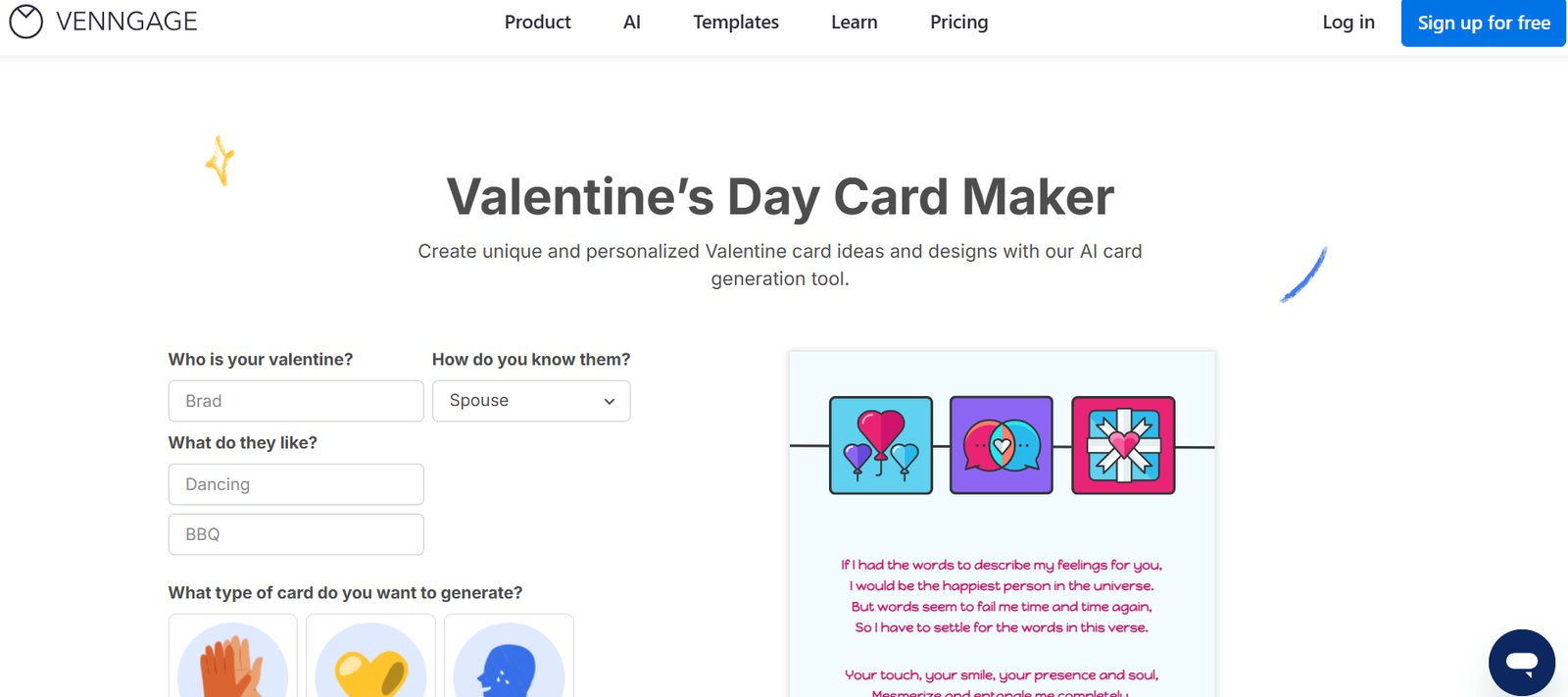
Venngage is a web-based infographic maker and visual content creation tool designed for businesses, marketers, educators, and professionals who need to present data and ideas visually. Founded in 2012, Venngage has evolved into a leading platform for non-designers to create high-quality infographics, reports, presentations, mind maps, and social media visuals without relying on expensive design software or professional designers.
Venngage simplifies the design process with a drag-and-drop interface, thousands of pre-made templates, and brand customization features that ensure visual consistency across projects. Whether you’re creating a business report, an educational presentation, or a data-driven infographic, Venngage enables you to design content that communicates clearly and looks professional.
Features
Template Library
Venngage offers thousands of professionally designed templates across multiple categories. These include infographics, reports, pitch decks, charts, mind maps, posters, whitepapers, resumes, and social media graphics. Templates are designed to save time and provide creative inspiration.
Drag-and-Drop Editor
The user-friendly, browser-based editor allows you to drag and drop elements such as icons, charts, text boxes, and shapes. No design skills are needed, and edits are reflected in real time.
Data Visualization Tools
Venngage includes tools for creating data-rich visuals. Users can insert charts and graphs that update dynamically with imported data from CSV files or manual input. Chart styles include bar, pie, line, bubble, and area charts.
Brand Kit
With the Brand Kit feature, businesses can upload their logos, choose brand fonts, and set official brand colors. This ensures brand consistency across all designs.
Team Collaboration
Venngage offers real-time collaboration, allowing team members to work together on designs. Comments, suggestions, and version history make teamwork more efficient.
Icons and Stock Photos
The platform includes access to over 40,000 icons and a large stock photo library. Users can search and insert visuals directly within the editor to enhance their graphics.
Export Options
Designs can be exported in various formats, including PNG, PDF, interactive PDF, and PowerPoint. Interactive designs include clickable links for reports and presentations.
Custom Charts and Infographic Widgets
Specialized widgets such as progress bars, timelines, flowcharts, maps, and process diagrams are available to represent data and ideas visually.
Presentation Mode
You can present your designs directly from Venngage in fullscreen, making it suitable for pitches or classroom presentations without needing additional software.
Accessibility Tools
Venngage supports alt text for visuals and offers design guidance to help users create content that meets basic accessibility standards.
How It Works
Sign Up and Log In
Create a free Venngage account or sign in with a Google account. While some features are available to free users, others require an upgrade to a paid plan.Choose a Template
Select a design type—infographic, report, poster, social post, etc.—and browse through available templates. Choose one that fits your needs and click to start editing.Customize Content
Use the editor to modify text, images, colors, and layout. Upload your own visuals or use the built-in libraries. Insert charts or icons as needed.Apply Branding
Add brand elements using the Brand Kit. Upload your logo and apply your company’s color palette for consistency across materials.Collaborate or Share
Invite teammates to edit or review the design. Use the comment feature for feedback. Share the link or export the design when finalized.Download or Publish
Export the design in your preferred format. Venngage supports static and interactive outputs depending on the plan.
Use Cases
Marketing and Social Media
Venngage is widely used by marketing teams to create branded content such as infographics, data visualizations, blog visuals, and social media posts. Marketers use it to communicate complex data and promote brand messaging.
Business Reports and Presentations
Create visually appealing internal and external reports, pitch decks, whitepapers, and proposals. Visual storytelling helps stakeholders engage with and retain key information.
Education and Training
Educators and instructional designers use Venngage to create lesson materials, e-learning visuals, and student assignments. The platform makes it easy to explain complex concepts using diagrams and illustrations.
Human Resources
HR teams use Venngage to build onboarding guides, employee handbooks, organizational charts, and internal communications that are visually engaging and easy to understand.
Nonprofits and Public Awareness Campaigns
Organizations use Venngage to visualize survey data, create awareness posters, and present annual reports to stakeholders in a digestible format.
Consulting and Freelance Services
Consultants and freelancers use Venngage to prepare visually impressive reports and presentations for clients, especially when visualizing data insights or strategy plans.
Pricing
Venngage offers a tiered pricing model to suit individuals, businesses, and enterprises. All plans are billed annually, but monthly billing options are also available at a slightly higher cost.
Free Plan
Limited access to templates
Basic design tools
Venngage watermark on exports
No brand customization
PNG download only (low resolution)
Premium Plan (for individuals)
Full access to templates
Premium export options (PDF, Interactive PDF)
Upload custom fonts
$19/month (billed annually)
Business Plan (for professionals and teams)
All Premium features
Team collaboration
Brand Kit
Priority support
Export to PowerPoint
$49/month (billed annually)
Enterprise Plan (for large teams)
Everything in Business
Dedicated account manager
Custom team training
Advanced security features
Custom pricing (contact sales)
Visit the official pricing page for the latest information and regional availability.
Strengths
Extensive template library for multiple content types
Easy-to-use drag-and-drop editor
Ideal for non-designers and business users
Advanced branding and collaboration tools
Built-in charts, icons, and stock visuals
Supports export in multiple formats, including PowerPoint
Real-time team collaboration
Browser-based—no software installation required
Drawbacks
Free version includes watermarks and limited features
Some templates are locked behind premium tiers
Advanced branding and collaboration features require a Business or Enterprise plan
Performance can lag slightly with complex designs on older devices
Not suitable for highly customized or professional-grade graphic design
Comparison with Other Tools
Compared to other design platforms like Canva, Piktochart, or Visme, Venngage stands out as a specialist in infographics and data visualization.
Canva offers broader design types but is less specialized in charting and data-driven visuals.
Piktochart is also infographic-focused but lacks the depth of Venngage’s branding and team features.
Visme offers similar functionality but is slightly more expensive for enterprise-level plans.
For users prioritizing infographics, data storytelling, and business visuals, Venngage offers the most targeted feature set.
Customer Reviews and Testimonials
Venngage has received consistently positive feedback on platforms such as G2, Capterra, and Trustpilot.
G2 Rating: 4.5/5 (based on over 300 reviews)
Trustpilot Rating: 4.3/5
Product Hunt: Featured as a top design tool
User Testimonials:
“I created an entire investor pitch deck using Venngage. It looked like I had hired a designer.”
“Venngage has helped our marketing team deliver infographics that convert better than long-form text.”
“As an educator, I love how easy it is to create diagrams and lesson visuals for my students.”
Most users praise its ease of use, quality of templates, and value for money.
Conclusion
Venngage is a powerful and user-friendly platform for creating infographics and visual content without requiring a background in design. Its intuitive interface, broad selection of templates, and robust branding tools make it especially useful for marketers, educators, business professionals, and teams seeking to communicate ideas visually and effectively.
While some advanced features are gated behind premium plans, Venngage provides enough value and versatility to justify the investment, particularly for users needing consistent visual output across projects.