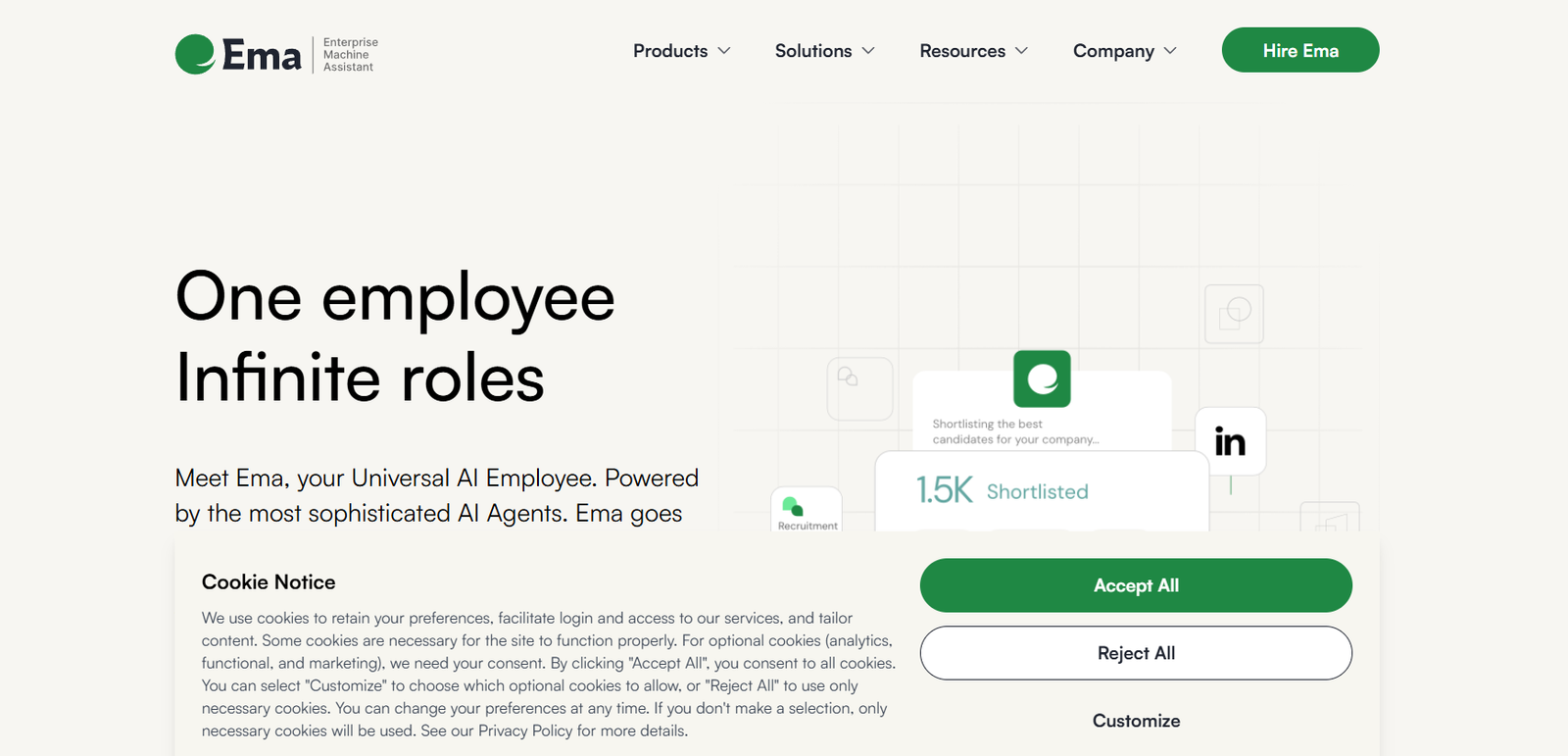
Ema is an AI-powered executive assistant designed to streamline professional workflows by automating administrative tasks such as scheduling, meeting notes, email summaries, and follow-ups. Built for knowledge workers, executives, and busy teams, Ema helps users focus on strategic work while it handles repetitive tasks in the background.
Ema leverages large language models and natural language processing to understand user intent, manage information, and communicate on behalf of the user. Whether you’re overwhelmed by meetings, struggling to manage follow-ups, or just need help organizing your day, Ema functions like a digital chief of staff that never takes a break.
Features
Ema offers a robust set of features tailored to automate administrative workflows and improve day-to-day productivity:
AI Meeting Summaries: Automatically generates concise and accurate summaries after video or audio meetings.
Calendar Coordination: Manages scheduling by communicating with attendees to find optimal times and book meetings.
Email Summarization: Extracts key points from long email threads and highlights important takeaways.
Automated Follow-Ups: Sends reminders and follow-up messages after meetings, deadlines, or requests.
Task Management Integration: Syncs with task platforms to add to-dos or reminders based on conversations or meetings.
Multi-Platform Compatibility: Works across email, calendars, Slack, and other business communication tools.
Contextual Awareness: Understands user preferences, project context, and ongoing discussions to tailor recommendations.
Privacy-Centric Design: Built with enterprise-level security, ensuring sensitive information stays protected.
No-Code Workflow Automation: Users can automate recurring actions like weekly updates or meeting agendas without writing code.
Team Collaboration Tools: Managers can assign tasks, track follow-ups, and review summaries across teams.
How It Works
Ema is designed to integrate seamlessly into the digital tools professionals already use. After creating an account, users connect their email, calendar, and collaboration apps like Slack or Zoom. Ema begins monitoring communications and calendar activity to identify meetings, tasks, and follow-up opportunities.
For meetings, Ema listens in or receives transcripts and then automatically generates detailed summaries, action items, and decisions. These are delivered via email or chat, and can be pushed to task managers or shared with teammates.
For emails, Ema processes threads and extracts key insights, helping users avoid reading long chains to get context. It can also draft replies, send reminders, and schedule responses based on availability.
Users interact with Ema through a conversational interface, giving it natural language commands like “Schedule a follow-up with John next week” or “Summarize my last three Zoom meetings.” It responds instantly, tracks requests, and ensures no detail is missed.
Use Cases
Ema is versatile and supports multiple professional roles and industries:
Executives and Founders: Reduce administrative overhead and keep high-level visibility on tasks and meetings.
Product Managers: Track decisions, to-dos, and outcomes from product discussions automatically.
Sales Teams: Follow up with prospects, summarize call notes, and book meetings without manual input.
HR and People Ops: Automate onboarding follow-ups, internal communications, and candidate coordination.
Project Managers: Stay updated on progress through automatic meeting notes and task tracking.
Customer Success Teams: Summarize client meetings and automate check-ins.
Consultants and Freelancers: Handle multiple client communications without missing deadlines or updates.
Pricing
As of the most recent information available on the official Ema website, pricing details are not publicly listed. Ema is currently in high-demand access mode, and interested users must request early access to the platform by joining the waitlist.
This approach suggests Ema is currently refining its offering and onboarding select users to optimize performance and gather feedback. Custom pricing may be introduced once full access is available, especially for teams and enterprise clients.
Strengths
Ema offers a number of strengths that make it a valuable AI assistant for modern professionals:
Comprehensive Automation: Handles a wide variety of tasks that typically consume significant time.
Seamless Integrations: Works with popular tools like Gmail, Outlook, Zoom, Slack, and Google Calendar.
Time Savings: Reduces time spent on follow-ups, scheduling, and manual note-taking.
Natural Language Interface: Users can interact with Ema as they would with a real assistant.
Context-Aware Actions: Makes smarter decisions by understanding meeting history and user preferences.
Enterprise-Ready Security: Built with data protection and compliance in mind for corporate environments.
Always-On Support: Available 24/7, with no fatigue or lapses in attention.
Drawbacks
While Ema is a powerful platform, it has some limitations to consider:
Waitlist Access: Currently not available for immediate sign-up, which may delay adoption.
No Transparent Pricing: Lack of public pricing could deter users looking for quick evaluation.
Dependent on Integrations: Full functionality relies on integration with external tools; users not using standard tools may see reduced utility.
Limited Offline Use: The tool is optimized for connected environments and may not be useful in low-connectivity settings.
Potential Learning Curve: Users unfamiliar with AI productivity tools may require time to adjust.
Comparison with Other Tools
Ema vs. Motion: Motion focuses on smart calendar management and prioritization. Ema takes a broader role as a digital executive assistant with more email, meeting, and communication support.
Ema vs. Reclaim.ai: Reclaim excels at calendar automation and task time blocking. Ema includes similar features but adds email summaries, meeting notes, and full follow-up workflows.
Ema vs. Superhuman: Superhuman enhances email speed and UX. Ema complements this by acting on email content with automation, not just better interfaces.
Ema vs. x.ai: x.ai was an early scheduling AI. Ema is far more robust, covering multiple workflows beyond scheduling, such as task tracking and summaries.
Customer Reviews and Testimonials
As Ema is in limited-access mode, detailed public reviews are minimal. However, early access users and featured feedback suggest high user satisfaction and excitement about its potential.
A startup founder shared:
“Ema is like having a full-time assistant without the overhead. It handles my follow-ups, sends reminders, and even gives me summaries of calls I barely had time to attend.”
Another early adopter commented:
“I used to spend two hours a day just managing my inbox and calendar. With Ema, that’s down to twenty minutes—and nothing slips through the cracks.”
Users appreciate the time savings and the professional polish it adds to their day-to-day workflow.
Conclusion
Ema is redefining what it means to have an executive assistant in the digital age. With the power of artificial intelligence, it takes on the repetitive, time-consuming tasks that drain productivity and shifts focus back to strategic work. Whether you’re an executive juggling meetings or a team member managing multiple projects, Ema acts as a silent partner—coordinating, summarizing, and following up with precision and speed.
While still in early access, the value of Ema is already clear. For professionals looking to modernize how they manage time and communication, Ema represents a powerful and intelligent step forward in work automation.