
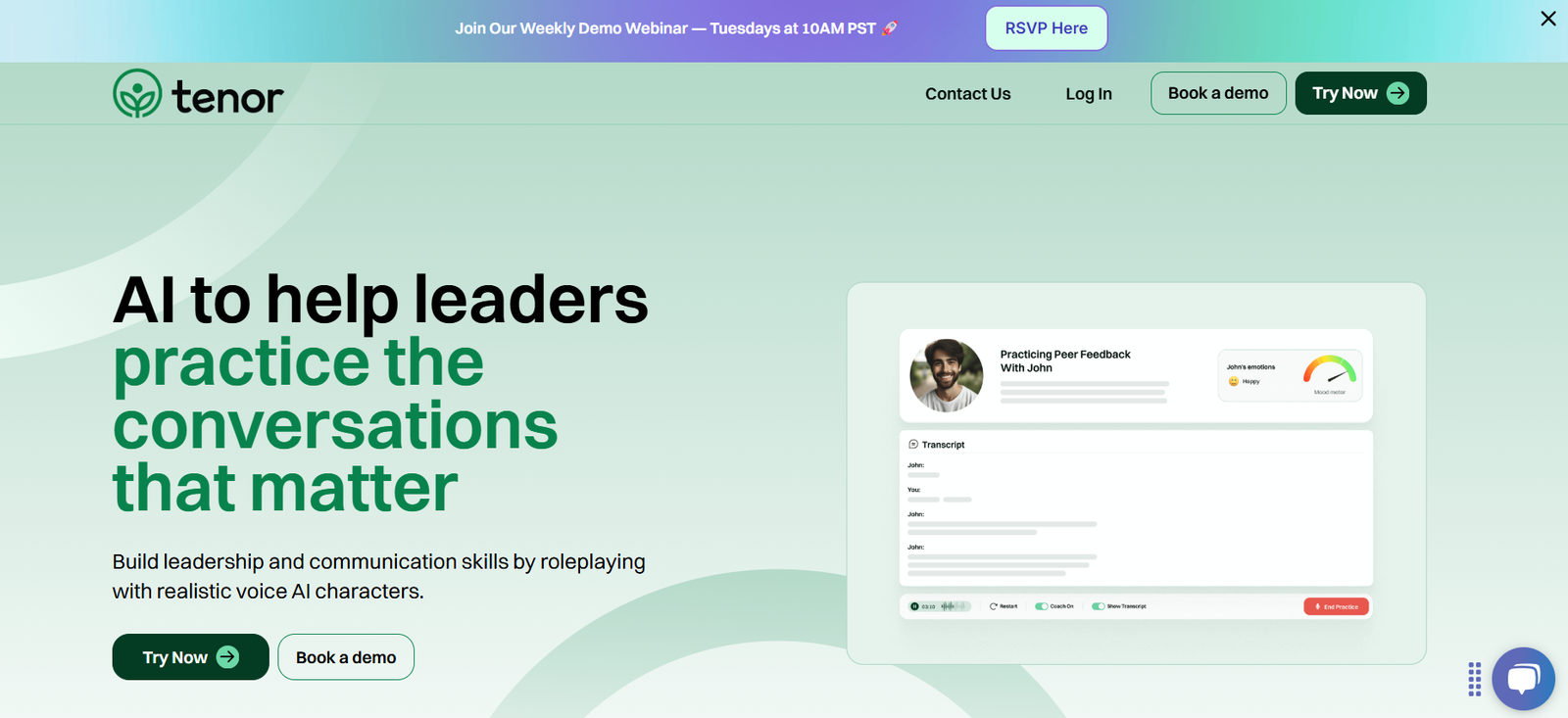
TenorHQ is an AI-driven tool that helps teams turn meetings into actionable insights by automatically generating meeting notes, summaries, action items, and follow-ups. Designed for modern remote and hybrid teams, TenorHQ ensures that every discussion is captured, important points are documented, and nothing falls through the cracks.
Unlike traditional note-taking tools, TenorHQ leverages artificial intelligence to understand the context of conversations, identify key decisions, and provide intelligent follow-up recommendations. This not only saves time but also enhances team collaboration and accountability.
Whether it’s a Zoom call, a Google Meet session, or a Microsoft Teams discussion, TenorHQ ensures that every meeting becomes a productive and traceable asset.
Features
TenorHQ automatically records and transcribes meetings in real time. Once the meeting ends, the platform processes the conversation and generates a structured summary that includes key topics, decisions, and next steps.
The platform uses AI to detect action items and assign them to the relevant team members. This makes follow-ups seamless and ensures tasks don’t get lost in long meeting recordings.
TenorHQ supports calendar integrations, making it easy to capture meetings scheduled in Google Calendar or Microsoft Outlook. It joins the meeting automatically or records with user permission.
The AI-generated summaries are editable and shareable, making it easy for team leads to distribute notes via Slack, email, or internal documentation tools.
TenorHQ integrates with productivity tools like Notion, Asana, Trello, Slack, and Google Drive. This helps streamline workflows by linking meeting insights directly to your project management platforms.
Advanced search and tagging features let users revisit past meetings and quickly find relevant information using keywords or filters like participant names or project tags.
TenorHQ emphasizes privacy and compliance, offering enterprise-grade security for sensitive meetings. It supports encrypted recordings and gives admins control over access and data retention.
How It Works
Users connect their calendars and meeting platforms to TenorHQ. Once set up, the tool either joins meetings automatically or is manually invited by users, depending on preferences and privacy settings.
During the meeting, TenorHQ transcribes the conversation using advanced speech-to-text algorithms. It captures speaker labels, timestamps, and contextual cues to identify key moments.
After the meeting ends, TenorHQ generates a summary that includes main discussion points, decisions made, open questions, and clearly defined action items.
Users receive the summary in their dashboard or email, where they can edit, tag, or share the content with relevant stakeholders.
Integrations allow users to push summaries and tasks to project management tools for tracking and execution.
Use Cases
Project managers use TenorHQ to keep track of ongoing initiatives, ensuring that action items are captured and followed up across teams.
Remote teams rely on TenorHQ to document virtual stand-ups, team check-ins, and brainstorming sessions without needing a dedicated note-taker.
Sales teams use it to document client meetings, identify objections, and ensure follow-ups are accurate and timely.
Executives and leadership teams use the tool to capture board meeting outcomes, strategic discussions, and internal alignment sessions.
Recruiters and hiring managers use TenorHQ to document interview conversations and share highlights with the hiring team without rewatching entire recordings.
Marketing teams leverage meeting notes to document campaign planning sessions, track deadlines, and align cross-functional efforts.
Pricing
TenorHQ offers tiered pricing based on team size and features. While full pricing details are typically available through a demo or sales inquiry, a general breakdown includes:
Free Plan: Available for individuals or small teams looking to try the platform. Includes limited transcription minutes and basic summaries.
Pro Plan: Offers more transcription time, advanced editing, calendar integrations, and task automation features. Suitable for small to medium teams.
Enterprise Plan: Includes all features plus custom onboarding, advanced security settings, priority support, and tailored integrations. Designed for large organizations and compliance-focused industries.
TenorHQ offers a free trial so users can test the platform before committing to a subscription.
Strengths
TenorHQ dramatically reduces the manual effort involved in capturing and sharing meeting notes. The AI accurately transcribes and identifies important moments, saving teams hours every week.
Its integration with project management tools creates a seamless workflow from conversation to execution.
The platform improves accountability by clearly assigning action items and deadlines during or after the meeting.
The searchable archive of past meetings ensures knowledge is retained and accessible, even when team members change or are unavailable.
TenorHQ supports remote-first collaboration by making meetings more transparent and traceable across time zones and teams.
Drawbacks
The platform currently focuses on English, which may limit usability for multilingual teams without additional language support.
Accuracy may vary in meetings with heavy background noise, multiple speakers talking at once, or technical jargon.
The AI may occasionally miss contextual nuances, requiring manual edits or clarification after the meeting.
Meeting participants need to consent to being recorded, which may present challenges in privacy-sensitive environments or regions with strict compliance laws.
Some features, such as advanced integrations and analytics, may only be available on higher-tier or enterprise plans.
Comparison with Other Tools
Compared to Otter.ai, TenorHQ places more emphasis on generating actionable insights and integrates more tightly with task management systems.
Versus Fireflies.ai, TenorHQ offers stronger task assignment features and enterprise-grade compliance options, making it suitable for regulated industries.
Unlike Zoom’s built-in transcription, TenorHQ provides summaries, action items, and task automation—transforming the meeting from passive documentation to active follow-up.
Tools like Fathom and Sembly offer similar capabilities, but TenorHQ’s focused workflow integration and attention to data security make it a competitive option for business use.
Customer Reviews and Testimonials
Users appreciate how TenorHQ makes meetings more productive by automatically documenting key decisions and action items.
Project managers report time savings and better task tracking, especially across remote teams and asynchronous workflows.
Sales professionals highlight the ability to revisit past client conversations without listening to full recordings, helping them prepare for follow-ups with greater accuracy.
Leadership teams value the tool’s accountability features and how it ensures clarity even in fast-moving meetings.
Some users mention a learning curve in setting up integrations or editing AI-generated summaries but agree the payoff is substantial in productivity gains.
Conclusion
TenorHQ is a powerful AI meeting assistant designed for teams that want to make their meetings more actionable, efficient, and collaborative. By turning conversations into structured summaries and follow-up tasks, it removes the burden of manual note-taking and enhances team alignment.
Whether you’re managing projects, running remote meetings, or leading client conversations, TenorHQ helps you focus on the discussion—while it handles the documentation.


