Features
AI-Generated Lesson Plans
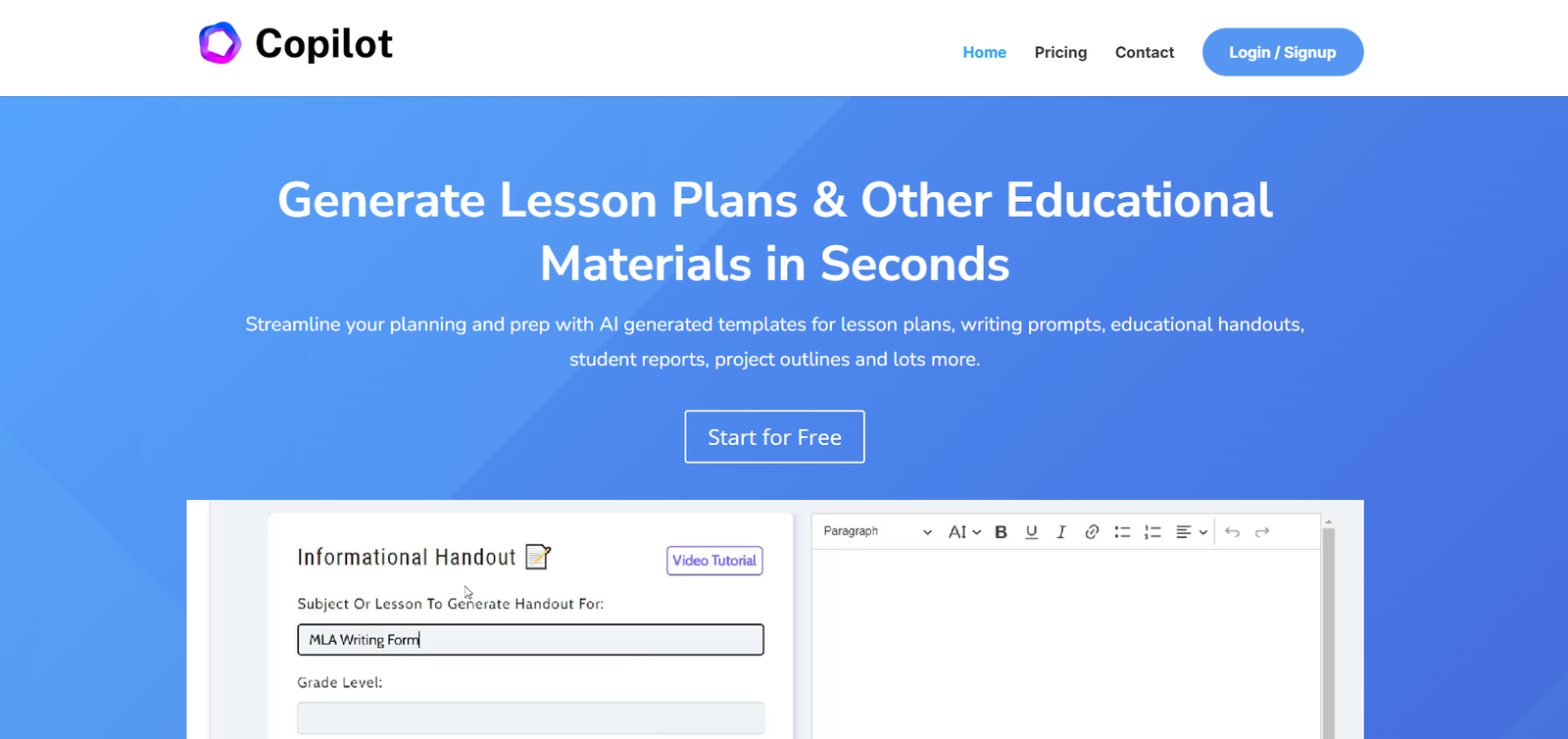
Create complete, standards-aligned lesson plans in seconds by entering a topic, grade level, and subject.
Worksheet and Activity Generator
Generate classroom worksheets, bell ringers, exit tickets, and small group activities tailored to your lesson objectives.
Assessment Creator
Produce multiple-choice quizzes, open-ended questions, and tests for formative or summative assessment.
Educational Newsletter Builder
Design classroom newsletters with student updates, upcoming events, and key information to engage families.
Project-Based Learning Ideas
Generate ideas for long-term projects that support deeper understanding and real-world application of classroom content.
Editable Content
All AI-generated content is editable directly within the platform. Educators can customize, save, and export materials.
Multi-Format Exports
Download materials in DOCX or PDF formats for easy integration with Google Classroom, LMS platforms, or email.
User Dashboard
Organize your generated content into folders and categories, making it easy to revisit or revise content later.
How It Works
Sign Up or Log In
Create an account with Education Copilot using your email.Select a Tool
Choose from tools like “Lesson Plan Generator,” “Worksheet Creator,” or “Exit Ticket Generator.”Input Your Prompt
Enter your topic, subject, grade level, and any additional guidelines you want the AI to follow.Generate Content
The platform produces content in seconds. You can edit, regenerate, or save the output.Download or Share
Export your content as a Word document or PDF and use it in the classroom immediately.
Use Cases
K–12 Teachers
Quickly generate daily or weekly lesson plans aligned with standards for any subject or grade.
Substitute Teachers
Use the platform to generate emergency sub plans and quick resources that maintain instructional consistency.
Instructional Coaches
Support educators with ready-to-go teaching materials, activities, and assessment strategies.
Homeschool Parents
Plan structured and engaging lessons for home education without spending hours researching.
Education Administrators
Support staff by equipping them with tools to create and distribute quality educational content at scale.
Pricing
As of July 2025, Education Copilot offers two main pricing plans:
Monthly Plan – $9.99/month
Unlimited access to all AI tools
Generate unlimited lesson plans and resources
Download in Word or PDF
Cancel anytime
Annual Plan – $99/year (save 17%)
Includes everything in the monthly plan
Priority access to new features
Designed for long-term users and schools
Education Copilot also offers institutional licensing and team discounts for school districts or teacher training programs. Contact their sales team directly through the website for details.
Visit https://educationcopilot.com/#pricing for the latest offers.
Strengths
Educator-Focused Design
Every tool is purpose-built for teachers, making the platform more relevant than generic AI tools.
Time-Saving and Efficient
Reduces the burden of lesson prep, especially for new teachers or those managing multiple classes.
Customization Options
Outputs are editable and exportable, allowing teachers to refine content to fit their classroom needs.
Classroom-Ready Materials
Content is appropriately structured for different grade levels and includes clear objectives.
Regularly Updated Tools
The platform is actively maintained, with new features and tools frequently added.
Drawbacks
Limited Free Access
Education Copilot does not offer a free plan or trial as of writing, which may deter first-time users.
No AI Chat Feature
Unlike some AI tools, it lacks a conversational interface to refine content interactively.
Basic Design Tools
While it generates written content well, it lacks features for visual design like Canva or Genially.
Lack of LMS Integration
Currently, it does not integrate directly with platforms like Google Classroom or Schoology.
Comparison with Other Tools
Compared to more general-purpose tools like ChatGPT or Jasper AI, Education Copilot stands out by offering a specialized set of tools focused entirely on classroom instruction. It is more structured and ready-to-use for educators.
Education Copilot vs. Learnt.ai
Learnt.ai offers over 60 educational tools and focuses more broadly on academic content creation, including training modules and rubrics. Education Copilot is more streamlined and focused on daily classroom needs like lesson plans and worksheets.
Education Copilot vs. MagicSchool.ai
MagicSchool.ai is another education-focused AI tool with a larger range of features and often supports multiple languages and IEP documentation. Education Copilot offers a simpler, more affordable alternative with strong foundational tools.
Education Copilot vs. Canva for Education
While Canva excels in visual design for education, Education Copilot focuses on content creation. The two can complement each other.
Customer Reviews and Testimonials
Educators using Education Copilot have shared positive feedback on social media and review platforms:
“I planned a whole week of English lessons in under an hour. This tool has transformed how I prep.”
– Middle School Teacher, Texas
“The worksheet generator is a lifesaver. It gives me creative, on-topic resources with minimal effort.”
– Elementary Teacher, New York
“As a substitute teacher, I can walk into a class and generate an entire lesson based on one topic.”
– Substitute Teacher, Florida
Some teachers note that they still tweak the AI-generated content, especially for special education or ESL students, but the time savings are substantial.