Auphonic is an AI-powered audio post-production platform designed to automate the most time-consuming tasks involved in creating clean, professional-quality sound. Whether you’re a podcaster, filmmaker, journalist, or radio producer, Auphonic offers tools to automatically level audio, reduce noise, normalize loudness, and encode files across multiple formats—saving hours of manual editing work.
Creators around the world rely on Auphonic to enhance their audio recordings without needing advanced audio engineering knowledge. Its intelligent algorithms adapt to different audio conditions and optimize your content for consistent clarity and compliance with loudness standards.
Features:
Loudness Normalization: Automatically matches your audio to international loudness standards (e.g., EBU R128, ATSC A/85, and others).
Intelligent Leveling: Balances volume differences between speakers, music, and background audio.
Noise & Hum Reduction: Removes background noise, hiss, static, and electrical hum using AI.
Adaptive Filtering: Applies smart equalization to improve clarity and reduce audio artifacts.
Multi-Track Processing: Allows you to upload and process multiple audio tracks in sync.
Voice Detection: Isolates speech from music or ambient sound for voice-centric content.
Automatic Encoding: Export in MP3, AAC, Opus, WAV, FLAC, ALAC, and other common formats.
Metadata & Chapter Support: Add ID3 tags, chapters, and cover art to your files.
Speech Recognition (Add-On): Generate automatic transcripts in over 80 languages.
API & Integration: Connect with external platforms and automate workflows via REST API.
How It Works:
Upload Your Audio: Drag and drop your audio file(s) into the Auphonic web interface or use the mobile/desktop apps.
Set Processing Options: Choose your desired enhancements such as noise reduction, loudness normalization, and file output format.
Process with AI: Auphonic applies intelligent algorithms to clean, balance, and prepare your audio.
Download or Export: Receive a polished file ready for podcasting, video, or broadcast publishing.
Repeat or Automate: Use presets or connect via API for automated batch processing.
You can also upload video files—Auphonic will extract and optimize the audio, then repackage it.
Use Cases:
Podcasters: Ensure every episode sounds clean and consistent, even when guests use different mics.
Journalists & Reporters: Polish field recordings and interviews for broadcast.
YouTubers & Filmmakers: Extract and optimize dialogue from videos without manual mixing.
Educational Content Creators: Improve audio quality in online courses or webinars.
Radio & Broadcast Engineers: Meet regional loudness regulations with one-click processing.
Audiobook Producers: Prepare long-form spoken word with consistent volume and clarity.
Pricing:
As of July 2025, Auphonic offers free credits and tiered pricing plans based on processing time per month (source: Auphonic Pricing):
Free Plan:
2 hours of processed audio/month
Access to all standard features
Single-track and multi-track support
Ideal for small podcasters or casual use
Recurring Credit Plans:
9 hours/month: $11/month
21 hours/month: $23/month
45 hours/month: $49/month
100 hours/month: $99/month
Includes automatic renewals and priority processing
One-Time Credits (Pay-as-you-go):
5 hours: $12
10 hours: $22
25 hours: $49
50 hours: $90
Great for occasional or seasonal use
Enterprise Plans:
Custom pricing with unlimited usage
Includes SLA, API access, team accounts, and white-label support
Ideal for studios, networks, and SaaS providers
All paid plans include access to metadata tagging, loudness processing, and file encoding tools.
Strengths:
Fully automates high-quality post-production for any audio project
Ideal for creators without audio engineering experience
Complies with international broadcast and podcast loudness standards
Supports multi-language transcription
API and desktop apps for professionals and teams
Transparent pricing with generous free tier and flexible pay-as-you-go options
Strong reputation and widely used in the podcast and broadcast industries
Drawbacks:
Requires an internet connection unless using desktop app
Not a DAW—doesn’t support multitrack mixing or sound design
Some advanced features (e.g., transcription) cost extra
Processing time quotas may be limiting for daily high-volume users
No real-time editing or previewing—processing must be completed first
Comparison with Other Tools:
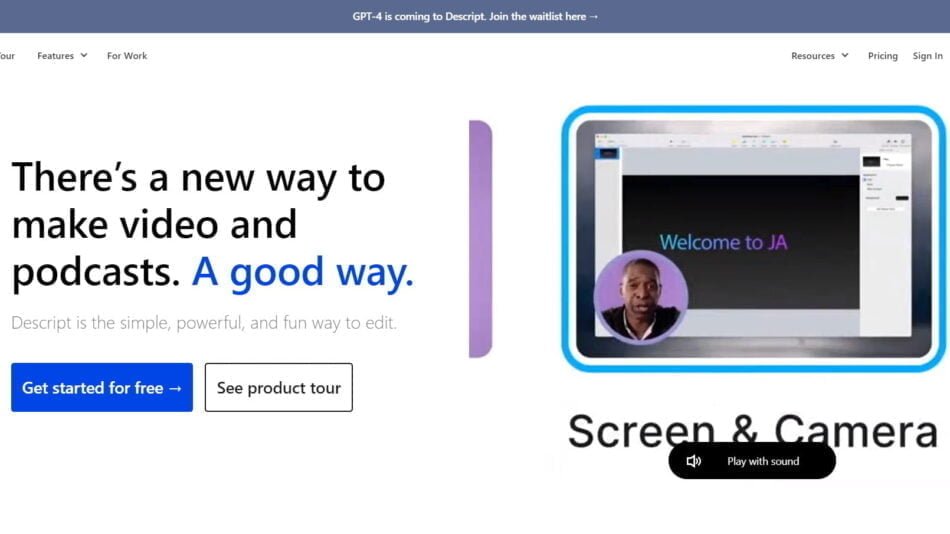
Auphonic vs Descript:
Descript offers editing, transcription, and screen recording. Auphonic focuses solely on post-production quality, making it more accurate for audio cleanup and leveling.
Auphonic vs Adobe Audition:
Adobe Audition offers manual, professional editing. Auphonic is fully automated and faster for batch cleanup and compliance processing.
Auphonic vs Riverside.fm:
Riverside is a recording platform. Auphonic is ideal for post-production once the recording is finished.
Auphonic vs Cleanvoice.ai:
Cleanvoice focuses on filler word and silence removal. Auphonic provides more robust audio engineering features like adaptive leveling and loudness normalization.
Customer Reviews and Testimonials:
Auphonic is widely respected by podcasters, audio engineers, and content creators:
“I run three podcasts, and Auphonic saves me hours per week on editing.”
“It takes my raw Zoom interviews and makes them sound broadcast-ready.”
“Simple, fast, and consistently excellent results—essential in my workflow.”
“Love the auto-leveling—no more adjusting every speaker manually.”
Users consistently praise Auphonic’s ease of use, quality of results, and time-saving value.
Conclusion:
Auphonic is a reliable and intelligent solution for anyone who needs professional-quality audio post-production without the hassle. From podcasts to documentaries, it automates cleanup, loudness compliance, and file encoding so you can focus on your content—not your audio workflow.
Whether you’re a solo creator or a broadcast network, Auphonic offers the automation and consistency you need to sound your best every time.