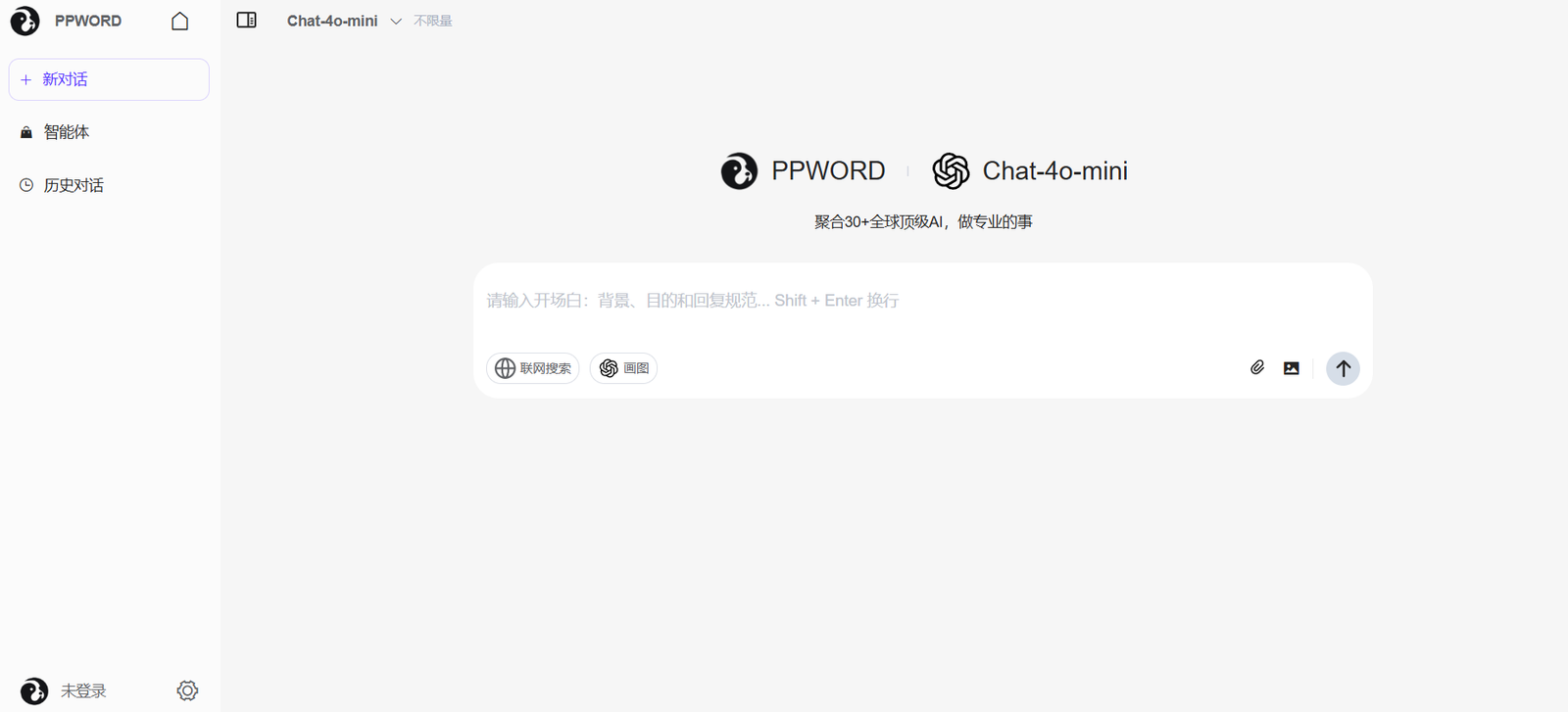
PP Word is an AI-powered document collaboration platform that integrates intelligent writing assistance with real-time co-editing capabilities. Positioned as a next-generation alternative to traditional word processors, PP Word enables users to write, edit, and collaborate on documents efficiently while leveraging artificial intelligence for drafting, summarizing, translating, and more.
Created for both individual users and professional teams, PP Word supports seamless content management, knowledge sharing, and AI-enhanced productivity, all in one clean and user-friendly interface. Its intelligent features make document creation smarter, faster, and more collaborative.
Features
PP Word offers a rich set of features aimed at transforming how users create and collaborate on documents:
AI Assistant for Writing: Automatically generate, optimize, and expand text using AI. Includes writing suggestions, rewriting, and summarization.
Multilingual Translation: Real-time AI-powered translation helps users work across languages effortlessly.
Real-Time Collaboration: Supports simultaneous editing and commenting, allowing team members to work together seamlessly.
Knowledge Base Integration: Allows users to convert documents into internal knowledge that can be searched and reused across projects.
Custom Templates: Create and reuse document templates for faster workflows.
Cloud Sync and Storage: Automatically saves documents in the cloud for access from any device.
Version Control: Keeps track of changes and allows users to restore previous versions of documents.
Document Sharing: Easily share documents via links with customizable access permissions.
These features combine traditional document editing with modern AI-powered capabilities to boost productivity and collaboration.
How It Works
PP Word operates as a cloud-based platform accessible via web browser, where users can create or upload documents and begin working immediately. Upon creating a document, users can invoke the AI assistant through the interface to perform tasks such as generating content, rewriting text, translating passages, or summarizing paragraphs.
Collaboration is central to PP Word. Multiple users can be invited to a document with specific permissions (view, comment, or edit), and changes are reflected in real time. The commenting system allows for feedback and suggestions without disrupting the original content.
The platform also includes tools for managing document history, enabling users to track who made changes and revert to earlier versions if needed. Documents can be tagged, organized, and saved in workspaces for better structure and team access.
Use Cases
PP Word supports a broad spectrum of users and industries, from individuals seeking better writing tools to enterprises managing internal documentation. Common use cases include:
Content Creation: Bloggers, marketers, and writers can draft and refine content using AI writing aids.
Team Collaboration: Remote teams can co-author reports, proposals, or meeting notes in real time.
Academic Writing: Students and researchers benefit from summarization, translation, and clean formatting tools.
Multilingual Documentation: International teams use built-in AI translation to create content in multiple languages.
Knowledge Management: Organizations convert their documents into searchable internal knowledge bases.
Internal Reporting: Use templates and version control for consistent and traceable internal reports.
These scenarios show the flexibility and power of PP Word across personal and professional domains.
Pricing
As of June 2025, PP Word offers both free and premium versions. The pricing structure is based on feature access and usage limits:
Free Plan
Access to core editing and collaboration tools
Limited use of AI assistant features
Cloud storage for documents
Ideal for individuals and light users
Pro Plan – ¥38/month (approximately $5.25 USD)
Full access to AI writing and translation features
Advanced templates and document management
Priority support and more storage
Suitable for professionals and frequent users
Team/Enterprise Plans – Custom pricing
Includes team workspaces, admin controls, enhanced security, and collaborative analytics
Designed for organizations and larger teams
Pricing available upon request through sales inquiry
These plans provide scalable access for users at various levels, from students to enterprise teams.
Strengths
PP Word stands out in several key areas that make it a compelling choice in the AI document editing market:
AI Integration: Powerful writing, summarization, and translation features directly embedded into the editor.
Collaborative Editing: Real-time, multi-user editing with version control and commenting system.
User-Friendly Design: Clean and modern UI makes it easy for new users to adopt.
Cloud-Based: Accessible from any device with automatic saving and syncing.
Multilingual Support: Excellent for global teams working across different languages.
Knowledge Management: Documents can be transformed into internal reference material for reuse.
These strengths enhance both individual productivity and team collaboration.
Drawbacks
While PP Word offers a modern experience, there are some limitations to be aware of:
Primarily Chinese Interface: The platform is currently optimized for Chinese-speaking users, which may be a barrier for international teams without language support.
Limited Integrations: Compared to platforms like Google Docs or Microsoft Word, third-party integrations are fewer.
Feature Depth for Enterprises: Larger organizations may find some enterprise controls or workflow automation options lacking.
AI Usage Quotas: Free accounts have limited access to AI features, which may restrict utility for heavy users.
These drawbacks may affect suitability depending on language needs and technical requirements.
Comparison with Other Tools
PP Word competes in the smart document editing space alongside platforms like Google Docs, Notion, and Microsoft Word with Copilot. Here’s how it stacks up:
vs. Google Docs: Google Docs is widely adopted and integration-friendly, but lacks native AI features. PP Word adds AI-powered writing and translation natively.
vs. Notion: Notion offers more flexibility for knowledge management, but PP Word focuses more on document structure and real-time editing.
vs. Microsoft Word with Copilot: Microsoft Word has robust AI but is part of a more complex suite. PP Word offers a lightweight, web-based alternative for streamlined writing and collaboration.
PP Word’s integration of AI tools directly into the writing experience gives it a unique advantage in real-time productivity, especially for Chinese-speaking teams.
Customer Reviews and Testimonials
As of now, PP Word does not display public testimonials or customer reviews directly on the website. However, it has gained traction in productivity and education circles in China. User feedback from local tech communities highlights the tool’s intuitive interface, useful AI functions, and ease of collaborative editing.
Social platforms such as WeChat or Zhihu may contain more real-world usage cases and community discussions as its user base expands.
For future updates, keep an eye on the platform’s social media or any potential listings on marketplaces like Product Hunt.
Conclusion
PP Word is a forward-looking document collaboration platform that integrates powerful AI features to enhance writing, editing, and team productivity. With smart tools for content generation, real-time co-authoring, and knowledge management, it’s designed for the modern professional who values efficiency and seamless teamwork.
While it currently caters more to Chinese-speaking users, its robust capabilities and intuitive interface make it a strong alternative to mainstream word processors. For teams and individuals seeking a smarter way to write, collaborate, and manage documents, PP Word is a compelling solution worth exploring.