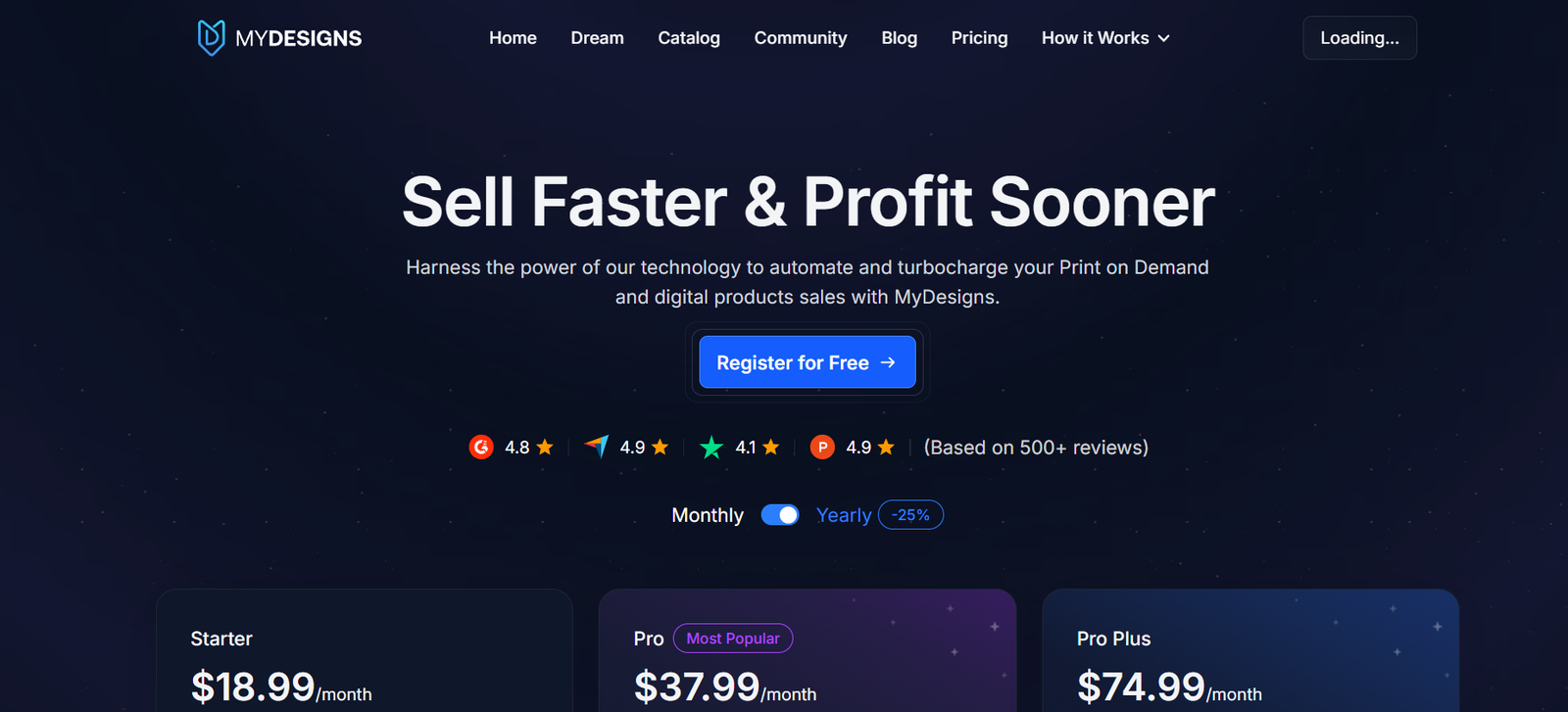
MyDesigns.io is a digital asset management and workflow automation platform designed specifically for creators, entrepreneurs, and print-on-demand sellers. It allows users to upload, store, organize, and edit large volumes of visual content such as PNGs, PSDs, mockups, SVGs, and product listings.
The platform is equipped with AI and batch processing capabilities, enabling users to apply edits, generate mockups, add metadata, and publish to e-commerce platforms—all in one interface. With automation at its core, MyDesigns.io is built to help creators save time, stay organized, and scale their digital businesses.
From file versioning and keyword tagging to direct marketplace integrations, it serves as a comprehensive workspace for managing the lifecycle of a digital product—from creation to sale.
Features
Centralized Digital Asset Management
Store and organize all your design files, including images, mockups, and templates. Supports formats like PNG, JPG, PSD, SVG, and more.
AI-Powered Background Remover
Automatically remove backgrounds from images using advanced AI tools. Ideal for creating clean mockups and product thumbnails.
Batch Editing and Processing
Apply actions like resizing, renaming, watermarking, and mockup generation to hundreds of files at once.
Mockup Generator
Create realistic product mockups for apparel, prints, and merchandise using your designs and built-in templates.
Metadata Automation
Generate and apply keywords, titles, and descriptions for each design to streamline marketplace uploads.
Direct Marketplace Integrations
Connect with Etsy, Shopify, and other e-commerce platforms to publish product listings directly from your MyDesigns.io dashboard.
Tagging and Folder Structure
Use smart tagging and folder hierarchies to organize large collections of designs for quick retrieval.
Version Control and History
Track edits and maintain versions of your files to manage design iterations.
Bulk Export Options
Download files in multiple formats and resolutions for different use cases like social media, print, or web.
Cloud-Based Collaboration
Work on assets from anywhere, and collaborate with team members or VAs by managing access permissions.
How It Works
MyDesigns.io simplifies design and asset management into five core steps:
Upload Your Files
Start by uploading your design files—single or in bulk—to the MyDesigns.io dashboard.Organize with Tags and Folders
Sort files using custom folders, categories, and keyword tags.Edit or Process Files
Apply actions such as resizing, background removal, renaming, or mockup creation using the built-in tools or AI workflows.Add Metadata
Automatically or manually insert titles, descriptions, and tags optimized for SEO or marketplace guidelines.Export or Publish
Export your files in the required formats or publish directly to platforms like Etsy, Redbubble, or Amazon Merch.
The platform is browser-based and cloud-powered, so there’s no need to install software or worry about local storage.
Use Cases
Print-on-Demand Sellers
Prepare and publish hundreds of product designs across multiple marketplaces with bulk mockup generation and metadata tools.
Graphic Designers and Agencies
Store client files, track revisions, and share access with clients or team members securely.
Social Media Managers
Create and manage visuals for multiple brands or campaigns, organized by folders and tags.
Etsy and Shopify Sellers
Streamline listing creation with AI-powered metadata and direct publishing features.
Educators and Course Creators
Organize graphics, PDFs, and presentation materials by course or module with searchable metadata.
Virtual Assistants and Remote Teams
Work collaboratively on asset libraries with structured workflows and permission-based access.
Pricing
MyDesigns.io offers a subscription-based model with several tiers based on storage and feature access.
Free Plan
Up to 250 designs
Limited batch actions
Basic metadata tools
Cloud storage included
Pro Plan – $19/month
Up to 1,500 designs
Advanced batch processing
Unlimited mockup generation
Full access to AI tools
Export automation
10GB cloud storage
Business Plan – $39/month
Up to 5,000 designs
Direct marketplace publishing
Team collaboration tools
Priority support
25GB cloud storage
Custom Enterprise Plans
Custom storage limits
API access
Onboarding support
Designed for large agencies or e-commerce brands
All plans include a free trial. For current details, visit the official pricing page.
Strengths
Purpose-Built for Creators
Unlike generic DAMs (Digital Asset Management systems), MyDesigns.io is tailored to creative workflows, especially for POD and digital sellers.
Scalable Automation
Batch editing, mockup creation, and metadata generation drastically reduce manual labor.
User-Friendly Interface
Intuitive UI makes it easy to organize and edit large volumes of content without technical knowledge.
Marketplace Integration
Direct upload capabilities for Etsy and other platforms save hours of manual work.
Cloud Storage with Version Control
Keeps your files secure and organized, with the ability to revert or track changes.
Strong Support and Community
Regular webinars, tutorials, and active community engagement help users get the most from the platform.
Drawbacks
Not a Design Tool
MyDesigns.io is not a graphic design software like Photoshop or Canva; it’s built to manage and process existing assets.
Limited Free Plan
The free tier is best for testing; serious users will need to upgrade for full access.
No Mobile App
Currently optimized for desktop; lacks a mobile-specific interface.
Learning Curve for Power Features
While simple to start, mastering batch actions and workflows may require watching tutorials.
Marketplace Support Still Growing
While Etsy and Shopify are supported, other integrations are still in development or in beta.
Comparison with Other Tools
MyDesigns.io vs Canva
Canva is for creating designs. MyDesigns.io is for managing, organizing, and automating them at scale.
MyDesigns.io vs Airtable/Notion
Airtable and Notion can manage assets loosely, but lack built-in image processing, mockup tools, or design-specific automation.
MyDesigns.io vs Adobe Bridge
Adobe Bridge is a file manager for creatives, but it lacks the AI tools, marketplace publishing, and cloud functionality MyDesigns.io offers.
MyDesigns.io vs Creative Fabrica Spark
Creative Fabrica offers content generation; MyDesigns.io is more focused on managing and processing existing design content.
Customer Reviews and Testimonials
“MyDesigns has revolutionized how I manage my Etsy shop. I used to spend hours uploading listings—now it takes minutes.”
— Print-on-Demand Seller
“As a freelancer, it helps me keep every client project in one place. The bulk tools save me tons of time.”
— Graphic Designer
“Mockup generation in bulk is a game changer. It used to take all day. Now it’s a few clicks.”
— Shopify Store Owner
“I’ve got over 10,000 designs. Without MyDesigns, I’d be buried in folders. Absolute must-have for digital sellers.”
— Digital Product Creator
Conclusion
MyDesigns.io is a powerful platform for digital asset management, built specifically for the creative and e-commerce community. With its automation tools, batch editing capabilities, AI integrations, and marketplace publishing features, it dramatically improves the efficiency and organization of digital product workflows.
Whether you’re managing a few hundred designs or tens of thousands, MyDesigns.io offers a structured, scalable, and smart way to streamline your creative business. It’s more than just storage—it’s a full asset management solution for creators ready to grow.