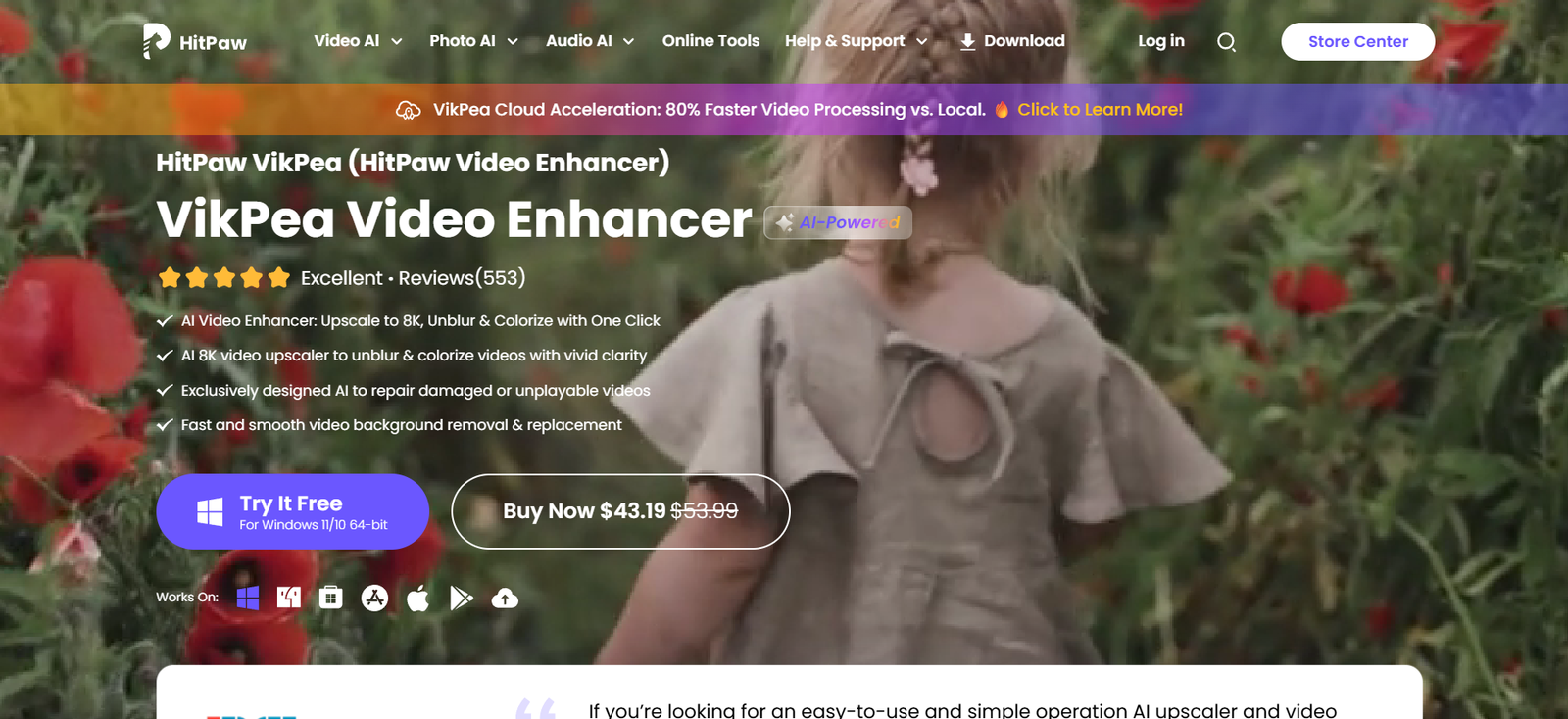
HitPaw is a versatile, AI-powered media editing suite offering tools for video enhancement, photo restoration, screen recording, background removal, and more. Designed for content creators, marketers, educators, and general users, HitPaw combines powerful editing functions with an intuitive UI—making professional-quality video and image creation accessible to everyone.
With specialized apps like HitPaw Video Enhancer, Watermark Remover, Photo Enhancer, and AI Art Generator, the platform covers virtually all media needs. Whether you’re editing YouTube videos, upscaling old photos, or converting formats, HitPaw provides efficient, AI-assisted tools for faster, better content production.
Official website: https://www.hitpaw.com
Features
1. HitPaw Video Enhancer (AI-Based)
Upscale low-resolution videos to 4K or higher
Denoise and sharpen blurry footage
AI models for face enhancement, animation upscaling, and general enhancement
2. HitPaw Photo Enhancer
Restore old or blurry photos using deep learning
Face enhancement and colorization for vintage black-and-white images
Batch processing supported
3. HitPaw Watermark Remover
Remove watermarks, logos, or unwanted objects from images and videos
Supports multiple removal methods (smooth filling, edge detection, etc.)
4. HitPaw Screen Recorder
Record screens, webcam feeds, or both simultaneously
Great for tutorials, gaming, or presentation videos
Supports scheduled recordings and picture-in-picture
5. HitPaw Video Converter
Convert videos to over 1,000 formats (MP4, MOV, AVI, etc.)
Download videos from YouTube, TikTok, and 10,000+ sites
Built-in editor for trimming and cutting
6. AI Art Generator
Create anime-style and fantasy art from photos or prompts
Customize poses, outfits, and themes
Fast generation and download
7. HitPaw Edimakor (Video Editor)
Timeline-based video editing with drag-and-drop interface
Includes effects, transitions, and subtitles
Designed for beginners and intermediate users
How It Works
Each HitPaw product is a standalone or downloadable software application (Windows and macOS). Here’s a typical workflow:
Choose the Tool You Need
Select a specific app like Photo Enhancer or Video Converter based on your task.Upload Your Media
Drag and drop your video, image, or URL into the interface.Apply AI Tools or Edits
Choose enhancement options, filters, watermark removal modes, or export settings.Preview and Export
Preview results before saving. Then export to your desired format or resolution.
All tools are beginner-friendly and require no technical background to use effectively.
Use Cases
1. YouTubers and Content Creators
Enhance video quality, remove unwanted objects, and polish content quickly before publishing.
2. Photographers and Designers
Restore old photos, upscale images, or convert file types without needing Photoshop.
3. Educators and Trainers
Record lectures, tutorials, or webinars with screen and webcam overlays.
4. Social Media Managers
Create short-form content, AI-generated art, or animated graphics for campaigns.
5. Digital Marketers
Compress, edit, and watermark videos for product demos, ads, or email embeds.
6. Hobbyists and Individuals
Use AI art tools and photo restoration to create personal projects or gifts.
Pricing
HitPaw offers individual pricing for each of its tools, with options for monthly, annual, and lifetime licenses. Pricing as of June 2025:
HitPaw Video Enhancer
Monthly: $42.99
Annual: $109.99
Lifetime: $349.99
HitPaw Photo Enhancer
Monthly: $19.99
Annual: $79.99
Lifetime: $99.99
HitPaw Watermark Remover
Monthly: $9.99
Annual: $29.99
Lifetime: $49.99
HitPaw Video Converter
Monthly: $19.95
Annual: $39.95
Lifetime: $79.95
HitPaw Screen Recorder
Monthly: $9.99
Annual: $29.95
Lifetime: $49.95
Free trials are available for most tools, but exports may be watermarked or limited in resolution.
For bundle offers and business pricing: https://www.hitpaw.com/store.html
Strengths
All-in-One Ecosystem: Multiple tools for editing, enhancing, and converting media—all under one brand.
AI-Driven Enhancements: Superior photo and video improvement using trained models.
Beginner-Friendly UI: Tools are intuitive with clear workflows.
Cross-Platform Support: Available for both Windows and Mac.
Active Development: Regular updates and new tools are frequently released.
Free Trial Available: Try before you buy with most software offerings.
Drawbacks
Separate Purchases: Tools are sold individually, which may become costly for users needing multiple functions.
Desktop Only: Most tools require installation; limited browser-based features.
Watermark on Free Versions: Trial versions export watermarked media.
No Cloud Integration: Lacks direct cloud syncing or mobile app access for on-the-go edits.
Comparison with Other Tools
Versus Adobe Premiere Pro & Photoshop
HitPaw is far more beginner-friendly, affordable, and automated. Adobe offers greater manual control but with a steep learning curve.
Versus Topaz Labs (Photo AI, Video AI)
Topaz has more advanced upscaling for pros, but HitPaw offers similar capabilities at lower pricing and with better UI accessibility.
Versus CapCut or Canva Video
HitPaw includes more powerful AI enhancement tools, while CapCut is stronger in mobile-based video editing and effects.
HitPaw is ideal for users seeking affordable, AI-powered tools that are easy to use and focused on quality improvement and conversion.
Customer Reviews and Testimonials
HitPaw is rated positively across platforms like Trustpilot, G2, and Product Hunt.
“I recovered my old wedding video with HitPaw’s AI Enhancer—it looked almost like 4K. Incredible!” – Verified User
“Very intuitive. I don’t have time to learn Premiere, so this was perfect for YouTube editing.” – Content Creator
“The watermark remover and screen recorder alone are worth it. Great value!” – Online Tutor
User reviews frequently mention ease of use, effectiveness of the AI, and value-for-money.
Conclusion
HitPaw delivers an impressive suite of AI-powered tools that simplify video and image editing for professionals and casual users alike. From enhancing low-res footage to converting formats, recording screens, and generating art, HitPaw makes high-quality content creation faster, more affordable, and more accessible.
If you’re looking for an alternative to complex, subscription-heavy software like Adobe—without compromising on results—HitPaw is a top contender.