
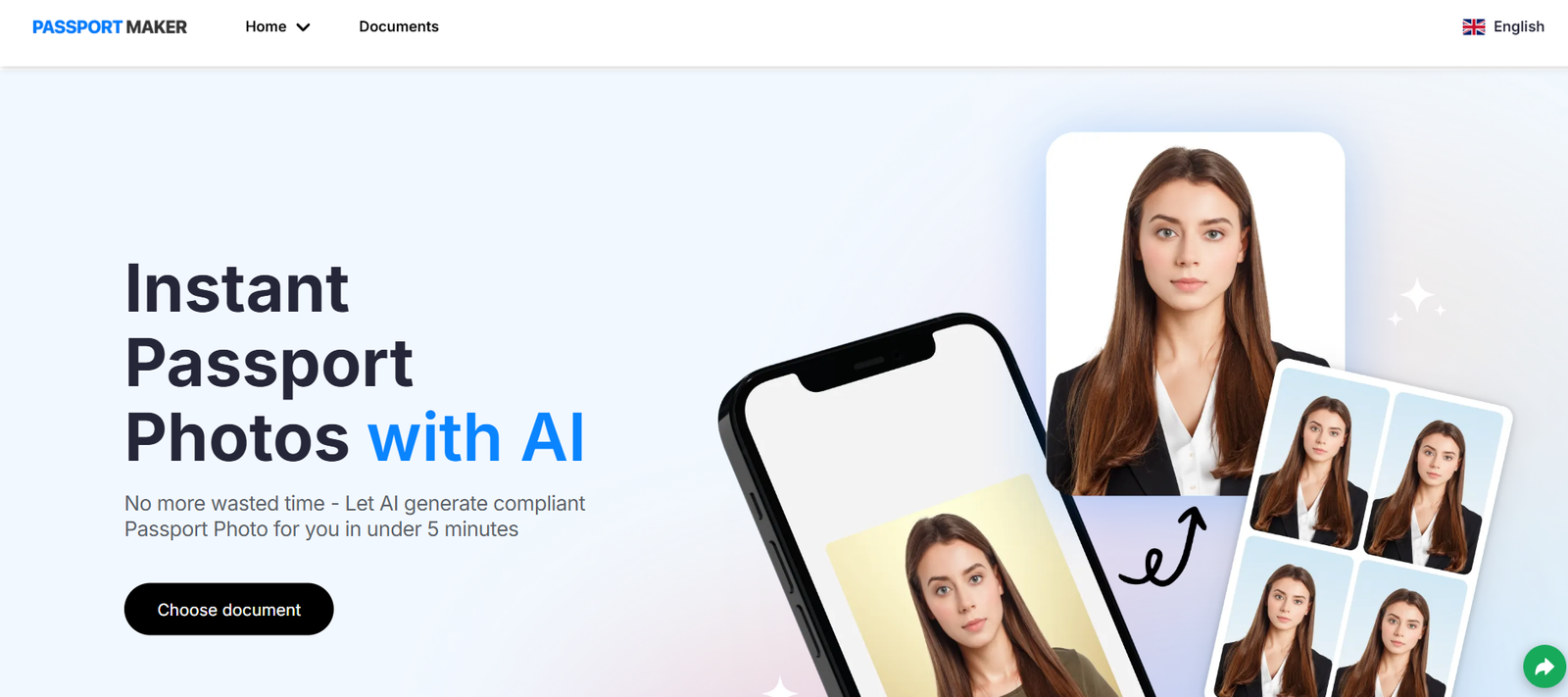
PassportMaker is an AI-driven passport and ID photo maker that allows users to create compliant photos for official documents. The tool uses facial detection and background processing algorithms to automatically crop, resize, and optimize uploaded photos to meet national and international standards.
Users can upload a selfie or existing photo taken with any camera or smartphone. The tool then removes the background, centers the face, applies correct margins, and outputs the photo in the required dimensions and format for a specific country or document type. The entire process is fast, secure, and user-friendly, eliminating the need to visit a photo studio or booth.
Whether you’re applying for a passport, visa, student ID, or any official document, PassportMaker can generate acceptable photos without the cost or hassle of traditional services.
Features
AI Background Removal
Automatically removes the background and replaces it with the standard white or light-gray color required by passport agencies.
Smart Cropping and Face Centering
The AI detects facial features and aligns the photo to meet biometric standards for head size, eye level, and positioning.
Country-Specific Formats
Supports passport and visa photo specifications for over 150 countries, including the US, UK, Canada, India, EU countries, and Australia.
Multiple Document Types
Generate photos for passports, visas, ID cards, work permits, student cards, green cards, and more.
Instant Download
After processing, users can instantly download the final image in high-resolution format (typically JPG or PNG).
Print-Ready Layout
Get a print sheet with multiple photos aligned on a 4×6 inch format for convenient home or lab printing.
No Registration Required
The tool can be used without creating an account, making the process faster and more secure.
Secure Image Handling
Uploaded photos are processed securely and automatically deleted after a short period to protect user privacy.
Mobile-Friendly Interface
Fully responsive design allows users to upload and edit photos from smartphones or tablets.
How It Works
PassportMaker is simple and fast to use, with a fully automated process:
Visit the Website
Navigate to https://passportmaker.com on any browser.Upload a Photo
Choose an existing photo from your device, preferably taken in natural lighting with a neutral expression.Select Country and Document Type
Specify the country and the type of document you are applying for (e.g., US Passport, UK Visa, Canadian PR).Let the AI Process the Image
The tool will automatically remove the background, adjust brightness, crop the image, and align the face according to the official requirements.Download the Final Photo
Save the optimized image for online submission or download a print-ready version for physical application.
No software download or photo editing skills are required.
Use Cases
Passport Applications
Create compliant photos for new passport applications or renewals for adults and children.
Visa Applications
Generate country-specific visa photos for travel and immigration processes.
Student ID or School Forms
Upload casual portraits and convert them into acceptable school ID photos.
Work Permits and Employment IDs
Produce photos that meet the formatting needs for HR departments and official ID cards.
Online Job Applications
Create high-resolution, clean headshots for resumes, LinkedIn, and digital application forms.
Remote Document Submissions
Ideal for users applying for travel documents, residency permits, or academic forms online from home.
Pricing
As per the official website, PassportMaker offers a simple pricing model:
Free Preview
Upload and test photos
View AI adjustments in low resolution
Try out different formats and countries
Watermarked output
Premium Download – $5.99 per photo set
High-resolution image download
Print-ready 4×6 sheet included
No watermark
Lifetime access to the final file
One-time payment, no subscription
This pricing is one of the most affordable options in the market, especially compared to photo studio costs or express passport services.
Strengths
Wide Country Support
Complies with the official requirements of over 150 countries.
Affordable and Transparent
Pay only when you’re satisfied with the output. No subscriptions or hidden charges.
Fast and Accurate
Processing takes just seconds with high precision thanks to AI.
Convenient and Remote
No need to visit a physical location—create passport photos from home at any time.
Great for Families and Frequent Travelers
Use one photo, apply it to multiple formats and document types.
Secure and Private
Temporary storage of uploads and deletion after download maintains user confidentiality.
Drawbacks
No Manual Editing Options
Users can’t manually adjust cropping or lighting—everything is fully automated.
Limited Styling Guidance
The tool doesn’t offer suggestions on how to pose or what to wear, leaving that to the user.
No Physical Delivery
While the tool creates print-ready files, it does not offer photo printing or mail delivery services.
Single Output Fee
Users need to pay separately for each document or photo variation if they want high-resolution versions.
Dependent on Input Quality
Photos taken in poor lighting or with low resolution may produce suboptimal results.
Comparison with Other Tools
PassportMaker vs IDPhoto4You
IDPhoto4You offers free editing but lacks PassportMaker’s AI-driven cropping and background removal precision.
PassportMaker vs PhotoBooth
Traditional booths require physical presence and are often more expensive. PassportMaker is 100% online and cheaper.
PassportMaker vs Photoshop Templates
Photoshop provides full control but requires skill. PassportMaker automates everything for non-technical users.
PassportMaker vs Smartphone Apps
Many mobile apps provide similar features but often include ads, subscriptions, or low-quality output. PassportMaker focuses on quality, compliance, and affordability.
Customer Reviews and Testimonials
Feedback from users reflects high satisfaction with simplicity and accuracy:
“I needed urgent visa photos for my Schengen application. PassportMaker saved me a trip to the photo store—and they were accepted!”
— Travel Blogger
“Used it for my daughter’s passport. Much easier than dragging her to a studio. Highly recommend.”
— Parent
“The process was so fast. Uploaded a selfie from my phone, paid $5.99, and printed it at home. Accepted with no issues.”
— Freelancer
“No nonsense, just works. I’ve used it twice for different countries and had no problems.”
— International Student
Conclusion
PassportMaker is a reliable, AI-powered platform that solves the tedious process of creating passport and visa photos. With support for over 150 countries, fast processing, and affordable pricing, it is the perfect tool for individuals and families needing compliant ID photos without leaving home.
Whether you’re applying for your first passport or submitting travel documents last minute, PassportMaker delivers professional, regulation-compliant photos in just a few minutes—all online, no hassle.


