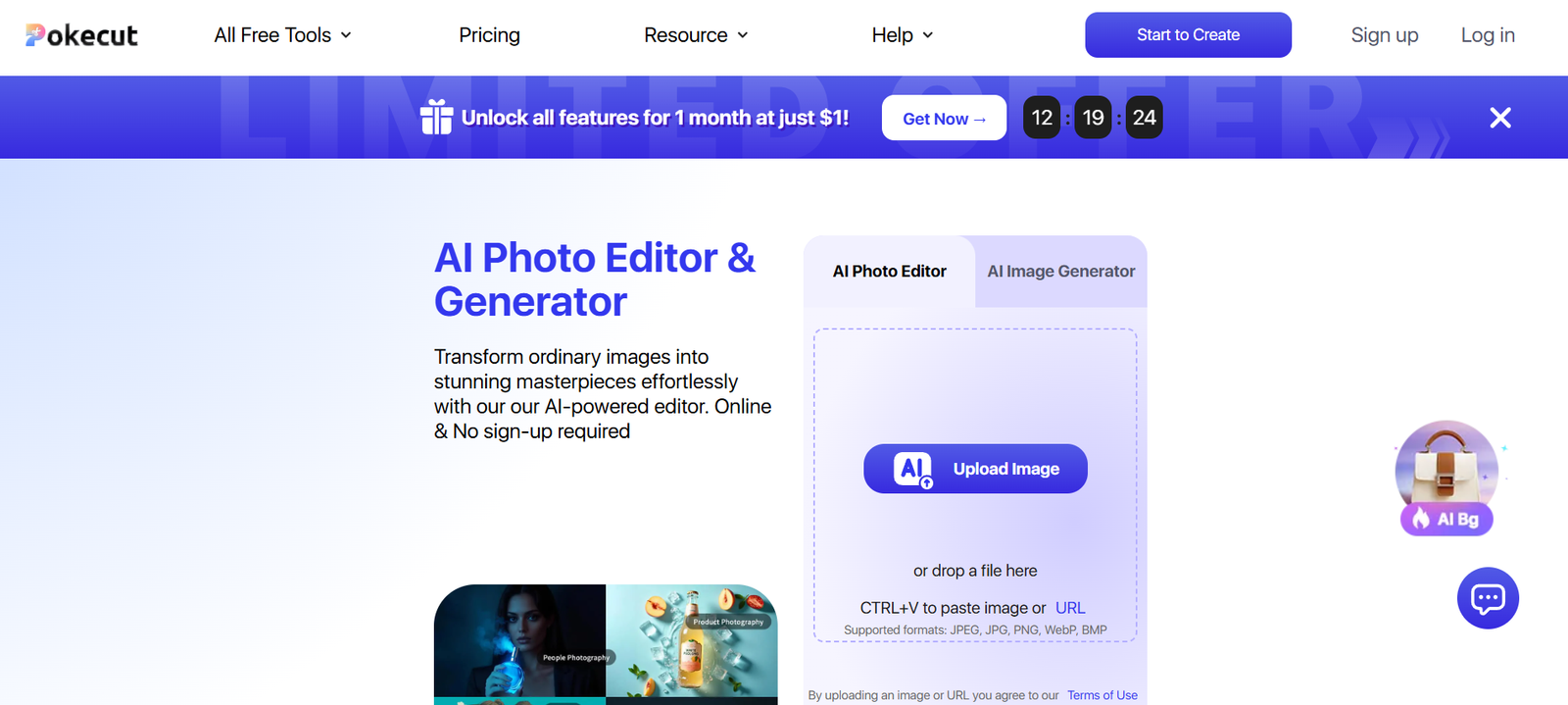
Pokecut AI is a powerful, AI-based tool that enables anyone—from eCommerce sellers to marketers—to create professional-grade product photos with just a few clicks. Designed to eliminate the need for expensive photography equipment or editing software, Pokecut lets users upload a basic product image and automatically enhances it with clean backgrounds, realistic shadows, and creative scenes optimized for sales and branding.
Whether you’re listing items on Amazon, running a Shopify store, or managing a social media campaign, Pokecut delivers studio-quality product photos in seconds—directly from your browser.
Official website: https://www.pokecut.com
Features
1. AI Product Photo Generator
Upload a product image and instantly generate multiple high-quality photo variations using AI-powered styling.
2. One-Click Background Removal
Remove the background of any image with a single click. Pokecut ensures clean, precise cutouts ideal for eCommerce use.
3. Scene Creator
Place your product into customizable scenes—such as home, studio, or lifestyle settings—for engaging promotional visuals.
4. Shadow & Reflection Effects
Add realistic shadows or reflections to your product image to increase depth and authenticity.
5. Smart Scaling & Centering
Automatically crops, centers, and resizes your product for optimal visual presentation.
6. AI-Powered Template Library
Choose from themed templates optimized for Amazon, Etsy, and Shopify product image guidelines.
7. Batch Processing (Pro Feature)
Upload and process multiple product images at once, saving time for high-volume sellers.
8. Mobile-Friendly
Pokecut works seamlessly on both desktop and mobile browsers, allowing users to create content on the go.
How It Works
Pokecut AI simplifies the product photography process into just a few steps:
Upload Your Product Photo
Use a basic image—preferably taken against a neutral or white background. Smartphone photos are acceptable.Choose a Template or Scene
Select from a wide range of clean or creative product photo templates designed for eCommerce platforms.Customize Visuals
Adjust the background, add shadow effects, resize or reposition your product image. The AI guides most adjustments automatically.Download in High Quality
Once satisfied, download your images in high resolution, ready to use for your online store, ad campaigns, or social media.
Everything is cloud-based and browser-accessible—no software installation required.
Use Cases
eCommerce Product Listings
Generate professional photos for Amazon, Shopify, Etsy, and other platforms with appropriate formatting and dimensions.
Social Media Content
Create visually appealing product shots for use in Instagram posts, TikTok videos, or Facebook ads.
Online Catalogs and Brochures
Prepare polished visuals for downloadable product catalogs or print-ready marketing materials.
Ad Creatives
Design conversion-optimized product visuals for Google Ads, Facebook Ads, or email marketing campaigns.
Startups and Indie Brands
Save time and money on traditional photo shoots while maintaining brand professionalism.
Agencies and Freelancers
Offer fast-turnaround image enhancement services to clients without needing advanced editing skills.
Pricing
As of June 2025, Pokecut AI offers the following pricing tiers:
Free Plan
Limited background removal access
Watermarked downloads
Up to 5 image exports per month
Limited templates
Pro Plan – $9/month
Unlimited image exports
No watermark
Full access to template library
High-resolution downloads
Priority processing
Pro+ Plan – $19/month
Includes all Pro features
Batch upload and processing
Advanced scene customization
Early access to new templates and features
Enterprise Plan – Custom Pricing
API access
Team collaboration tools
White-label branding
Dedicated support
Users can also purchase image credits on a pay-as-you-go basis. For detailed pricing and promotions, visit: https://www.pokecut.com
Strengths
Beginner-Friendly Interface
No design or editing skills are needed. Anyone can create professional visuals with simple clicks.
Fast and Automated
AI automates background removal, resizing, and visual optimization—saving hours of manual work.
Cost-Effective
Replaces traditional studio photography at a fraction of the price, especially with the Pro plan.
Optimized for eCommerce
Templates are specifically designed to meet Amazon, Etsy, and Shopify image guidelines.
Web-Based and Mobile-Compatible
Accessible from any modern browser, including smartphones.
Drawbacks
Limited Customization on Free Plan
The free plan offers minimal features and includes watermarks, making it suitable mainly for trials.
Basic AI Scene Control
While templates are useful, some advanced users may find limited control over scene elements (e.g., prop placement or lighting angles).
No Native Mobile App
Although mobile browser access is available, a dedicated app would improve usability for on-the-go users.
Lack of Manual Retouching Tools
The platform focuses on automation and does not offer granular photo editing or manual adjustments.
Comparison with Other Tools
Pokecut AI operates in a growing market of AI-driven product photo tools, including Stylize, Pebblely, and Imagewith.AI. Here’s how Pokecut stands out:
Compared to Stylize: Pokecut has a more focused feature set for eCommerce listings, while Stylize leans into broader creative themes and brand-based customization.
Compared to Pebblely: Pokecut offers more structured templates designed for eCommerce, whereas Pebblely emphasizes artistic, lifestyle backgrounds.
Compared to Imagewith.AI: Both tools are beginner-friendly, but Pokecut provides more interactive customization options and better support for batch processing.
For sellers and marketers who want fast, polished product photos without needing graphic design skills, Pokecut is a practical and affordable solution.
Customer Reviews and Testimonials
Early user feedback for Pokecut AI has been overwhelmingly positive, especially among eCommerce sellers and solopreneurs:
“Pokecut helped me get my entire Etsy catalog ready in one day. I didn’t need a camera or editing skills.” – Etsy Seller
“It’s super intuitive. I now make all my Shopify product photos on Pokecut without outsourcing.” – DTC Brand Owner
“Affordable, fast, and professional-looking. Great value for small business owners like me.” – Amazon FBA Seller
Users often highlight the tool’s time-saving capabilities and professional output quality.
Conclusion
Pokecut AI is an excellent solution for small business owners, online sellers, and marketers looking to streamline product photography and image creation. With AI-powered tools, customizable templates, and a clean interface, Pokecut simplifies a traditionally complex process—making it easy to generate sales-ready visuals without needing design skills or photography equipment.
Whether you’re launching a new product or updating a store catalog, Pokecut provides fast, cost-effective, and professional results.