
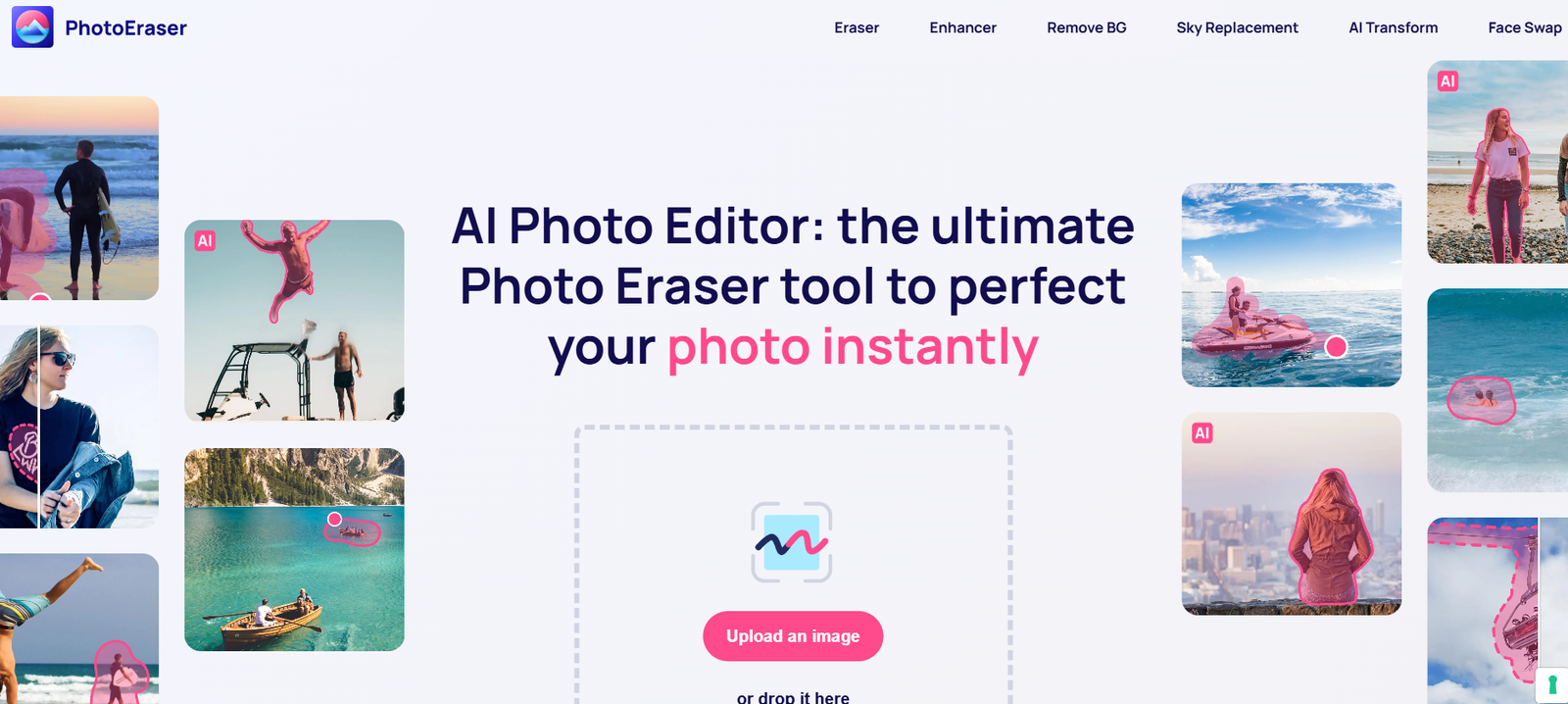
PhotoEraser is a free, browser-based AI image editor designed to remove unwanted objects from images quickly and automatically. It works by analyzing the selected area and filling it with a background that blends seamlessly into the rest of the image.
The tool is ideal for users who want to clean up photos for social media, presentations, product listings, or personal collections. Since it’s entirely online, there’s no need to install any software or create an account. The process is intuitive—highlight what you want removed and let the AI do the work.
PhotoEraser is optimized for speed, simplicity, and effectiveness. It is built for non-designers but powerful enough to deliver results close to what a professional editor might achieve.
Features
AI-Powered Object Removal
Automatically detects and removes unwanted objects from your photo using advanced image inpainting algorithms.
One-Click Cleanup
Select and erase items in seconds with minimal effort.
Supports JPG and PNG Formats
Compatible with the most common image types for easy upload and export.
Free to Use
Offers essential functionality at no cost with no watermark applied to the exported image.
No Installation Required
100% browser-based and works on all modern web browsers.
Drag-and-Drop Upload
Quickly upload your image by dragging it onto the workspace.
Custom Brush Size
Control the brush size to refine which parts of the image you want to remove.
Undo/Redo Options
Edit with confidence using basic control tools for mistakes or changes.
Instant Preview
View your edited image instantly after each change.
How It Works
Using PhotoEraser is straightforward. Here’s how it works in just a few steps:
Visit the Website
Open https://www.photoeraser.app in any modern web browser.Upload Your Photo
Drag and drop your image file or use the upload button to select a JPG or PNG from your device.Mark the Object to Remove
Use the brush tool to highlight the area you want to erase. You can adjust the brush size for more precision.Click ‘Erase’
The AI processes your selection and removes the object, filling in the area with context-aware pixels.Download the Edited Image
Once satisfied, click the download button to save the new image to your computer.
No technical skills or software knowledge is required.
Use Cases
Social Media Content
Clean up photos before posting to Instagram, Facebook, or Twitter. Remove unwanted people, text, or background objects.
Product Photography
Remove logos, watermarks, or distracting elements from product images for e-commerce platforms like Amazon, Etsy, or Shopify.
Travel and Lifestyle Blogs
Eliminate crowds, signage, or clutter from scenic shots to create more aesthetic visuals.
Event Photography
Enhance wedding or event images by removing photobombers or distractions in the background.
Profile Photos
Clean up headshots or profile pictures for LinkedIn, resumes, or social media.
Presentations and Reports
Use polished, distraction-free visuals in business decks, school presentations, or client documents.
Creative Projects
Use the tool to isolate elements or prepare clean backgrounds for collages, design mockups, or scrapbooking.
Pricing
As of the latest update, PhotoEraser is completely free to use. There are no paid subscriptions, no freemium limitations, and no account registration required.
Free Access Includes:
Unlimited image uploads
Full object removal functionality
Instant downloads
No watermark
While the platform currently offers all features for free, future versions may include premium plans with advanced features or higher-resolution exports.
Strengths
Fast and Intuitive
No need to learn complex software—just click, erase, and download.
Free with No Watermarks
Unlike many competitors, PhotoEraser does not add branding to your edited images.
Accurate Object Removal
The AI performs well in most typical image scenarios, creating smooth and natural-looking results.
Browser-Based Convenience
No software installation needed, which is especially useful for Chromebook users or those on restricted devices.
Beginner-Friendly
Perfect for casual users, students, freelancers, or marketers who need quick image edits.
Instant Results
Edits are processed in seconds, making it suitable for last-minute content adjustments.
Drawbacks
Limited to Object Removal
The tool does not offer cropping, resizing, text overlays, or other general editing features.
Not Ideal for Complex Scenes
In highly detailed or textured backgrounds, the AI may not blend the removed area perfectly.
No Mobile Optimization
The experience is best on desktops or laptops; mobile use is functional but less precise.
No Cloud Save or Project History
Edits are one-off; once you leave the page, your session is lost.
No API or Integration
As of now, there is no developer access or integration with other tools or platforms.
Lack of Advanced Controls
There’s no manual clone stamp or detailed layer editing like in Photoshop.
Comparison with Other Tools
PhotoEraser vs Photoshop
Photoshop offers pixel-level control and professional-grade editing but requires a subscription and training. PhotoEraser is free, faster, and requires no expertise.
PhotoEraser vs Remove.bg
Remove.bg specializes in background removal, not object deletion. PhotoEraser focuses on cleaning up selected parts of the image.
PhotoEraser vs Cleanup.pictures
Both tools offer AI-based object removal. Cleanup.pictures has paid plans with more advanced export options, while PhotoEraser is free.
PhotoEraser vs Canva
Canva offers broad design features but limited image cleanup functionality. PhotoEraser fills that specific editing niche.
PhotoEraser vs Inpaint
Inpaint offers similar functionality but includes watermarks in free mode. PhotoEraser does not.
Customer Reviews and Testimonials
While PhotoEraser does not display public user reviews on its website, positive mentions are found on image editing forums and tool directories:
“This is the fastest free tool I’ve used to remove logos and people from my travel shots.”
— Travel Blogger
“Great results for a free product. It saved me from learning Photoshop.”
— Student
“Simple but effective. I cleaned up a bunch of product photos for my online store.”
— Small Business Owner
“Love that there are no watermarks and it works right in the browser.”
— Freelancer
Conclusion
PhotoEraser delivers a straightforward, effective, and entirely free solution for removing unwanted elements from your photos using AI. It excels in ease of use, requires no technical background, and produces quality results suitable for a variety of use cases—social media, business, personal projects, and more.
While it doesn’t offer broader editing features or advanced control, it fills a specific need extremely well. For anyone looking to clean up their photos quickly without software downloads or subscriptions, PhotoEraser is a practical and reliable option.


