
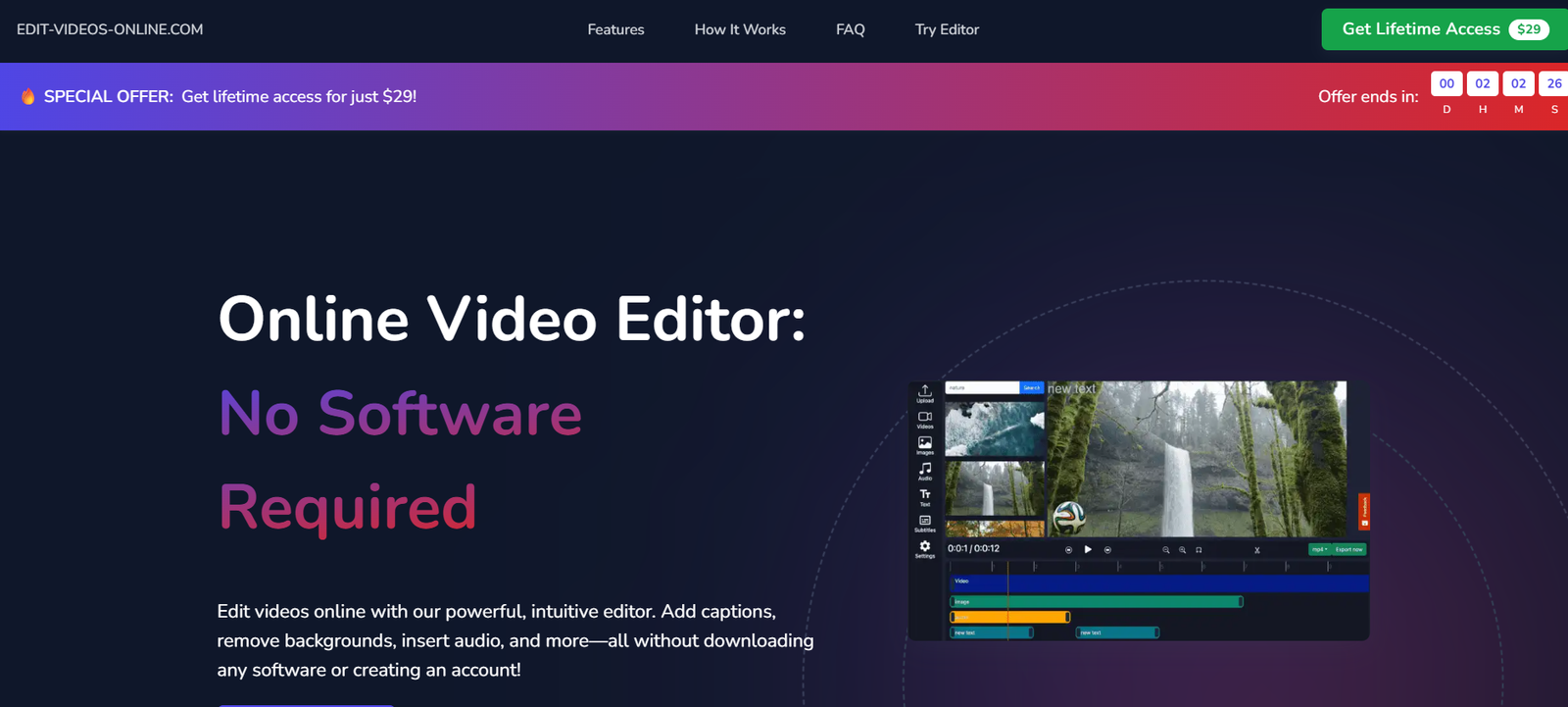
Edit Videos Online is a free web application that lets users perform basic video editing tasks directly in their browser. The tool is designed for accessibility and simplicity, removing the need for complex software installations or expensive licenses.
Whether you’re a content creator who needs to trim a YouTube video, a student preparing a presentation, or a business user working on internal communication, Edit Videos Online provides a streamlined editing experience without frills.
Users can upload their video files, make basic edits like trimming, cutting, and merging, and then export the final version in standard formats suitable for uploading or sharing.
Features
No Installation Required
Edit Videos Online is fully browser-based. You can use it on Chrome, Firefox, Safari, or any modern browser without installing any software.
Free to Use
The platform is completely free with no registration required. It’s ideal for one-off or occasional editing tasks.
Video Trimming
Easily cut the beginning or end of a video to remove unwanted parts.
Video Cropping
Crop out parts of the frame to focus attention or remove distracting elements.
Merge Clips
Combine multiple video clips into one cohesive video.
Add Audio
Upload a background music track or narration to accompany your video.
Format Compatibility
Supports popular video formats like MP4, WebM, and AVI.
Preview Function
Users can view their edits in real-time before exporting.
Export Options
Download the finished video to your local drive in MP4 format.
No Watermarks
Unlike many free editors, exported videos do not contain any branded watermarks.
Simple Interface
The user interface is intuitive and beginner-friendly with clearly labeled tools and a clean layout.
How It Works
Using Edit Videos Online is straightforward and doesn’t require any prior video editing knowledge:
Visit the Website
Go to https://edit-videos-online.com on your desktop or laptop browser.Upload Your Video
Drag and drop your video file or use the file picker to upload. The site accepts MP4, AVI, and WebM formats.Choose an Editing Tool
Select the function you need—trim, crop, merge, or add audio—from the tool menu.Edit and Preview
Make the desired edits and use the preview window to review your changes.Export the Final Video
Click on the export button to process your video and download it to your device.
No login or account is required. Your video is processed in-browser, ensuring privacy and speed.
Use Cases
Content Creators
Edit social media videos for platforms like YouTube, Instagram, or TikTok with quick trimming and background audio.
Students and Educators
Create project presentations, tutorial videos, or educational content without needing video editing software.
Small Businesses
Produce promotional videos or internal training clips without outsourcing editing work.
Marketing Teams
Edit customer testimonials, webinar clips, or product demos in-house with minimal effort.
Personal Use
Edit home videos, travel vlogs, or video messages for friends and family.
Remote Teams
Collaborate on video content quickly when professional tools aren’t available.
Pricing
Edit Videos Online is completely free to use. The website does not offer any subscription tiers, paid features, or hidden charges. All core functions—trimming, cropping, merging, adding audio—are included at no cost.
There are no watermarks or limitations on video length mentioned, making it a practical choice for users who want functionality without commitment.
Strengths
Free and Accessible
No cost and no login requirements make it a go-to tool for quick, casual editing.
No Software Downloads
Works entirely in the browser, which is great for users on shared or locked-down devices.
Beginner-Friendly
Intuitive interface designed for non-experts.
Fast Processing
Small to medium files are processed quickly depending on your device’s performance.
No Watermarks
Unlike many free alternatives, exported videos are clean and unbranded.
Device Compatibility
Works on most desktop operating systems including Windows, macOS, and Linux.
Drawbacks
Limited Features
No advanced editing tools such as transitions, effects, text overlays, or timeline controls.
No Mobile Support
The site is not optimized for mobile use. Editing should be done on a desktop or laptop.
No Cloud Storage
Users must save their videos locally. There’s no project history or saving progress.
No Collaboration Tools
Not suited for teams working on the same project. Each edit is done in isolation.
Performance May Vary
Browser-based editing relies on your system’s resources. Large files may slow down or crash older machines.
No Customer Support
There’s no live support or user account system, which may frustrate users needing help.
Comparison with Other Tools
Edit Videos Online vs Kapwing
Kapwing offers more features like subtitles, templates, and collaboration but requires an account and limits free exports. Edit Videos Online is simpler and entirely free.
Edit Videos Online vs Clipchamp
Clipchamp offers professional features like stock media and timeline editing but often requires a subscription. Edit Videos Online is limited but free and easier to use.
Edit Videos Online vs Canva Video Editor
Canva provides templates and brand kits, but can be overwhelming for simple tasks. Edit Videos Online focuses only on basic video manipulation.
Edit Videos Online vs VEED.io
VEED.io has more premium editing tools and team collaboration, but places watermarks on free exports. Edit Videos Online has fewer features but no watermarks or sign-ups.
Customer Reviews and Testimonials
While Edit Videos Online does not have a built-in review section or account-based feedback, mentions in forums and blog posts point to general user satisfaction with its simplicity:
“This is the best tool I’ve found for trimming videos without needing to download anything.”
— Blogger
“Perfect for quick edits to my course videos. No learning curve at all.”
— Online Tutor
“I needed to merge clips for a wedding video and didn’t want to install anything—this was a lifesaver.”
— Casual User
“I love that it doesn’t add a watermark like other free editors. Super clean and fast.”
— YouTuber
Conclusion
Edit Videos Online is an ideal solution for users who want to make quick, basic video edits without dealing with the complexity of traditional software. Its fully browser-based design, free access, and watermark-free exports make it a standout choice for casual editors, educators, marketers, and content creators looking for a lightweight tool.
While it won’t replace professional editing suites for advanced projects, Edit Videos Online excels at simplicity and speed, giving users just what they need to get the job done with minimal hassle.


