VidBERT is a generative AI tool built to produce realistic, coherent video clips directly from text input. At its core, VidBERT leverages advanced deep learning models—combining large language models and video diffusion techniques—to create short videos that match the content, tone, and actions described in the user’s prompt.
For example, typing “a person walking on a beach at sunset” into VidBERT’s input field will generate a short video clip that visualizes this scene. No cameras, editing, or actors are needed.
VidBERT is ideal for early-stage prototyping, marketing campaigns, educational content, and social media. It’s particularly powerful for users who need to convey visual ideas quickly and creatively, even if they lack video production skills.
Features
Text-to-Video Generation
VidBERT can take natural language descriptions and generate short video clips that visualize the prompt.
Multiple Style Options
Users can choose from different visual styles such as cinematic, realistic, animation, or stylized aesthetics.
High-Resolution Output
The platform generates video content in high resolution, typically between 720p and 1080p depending on the prompt complexity and model version.
Prompt History and Management
Users can revisit previous prompts, view generation history, and tweak earlier requests for improved results.
Cloud-Based Platform
VidBERT is entirely web-based, requiring no downloads or local computing resources.
Scene Variation Tools
Supports variations of the same scene to allow experimentation with tone, action, and lighting.
Creative Filters and Enhancements
Advanced users can apply cinematic effects, transitions, or specific camera angles via enhanced prompt parameters.
Multilingual Prompt Support
Prompts can be entered in various languages, making it accessible to a global audience.
How It Works
Using VidBERT is simple and streamlined:
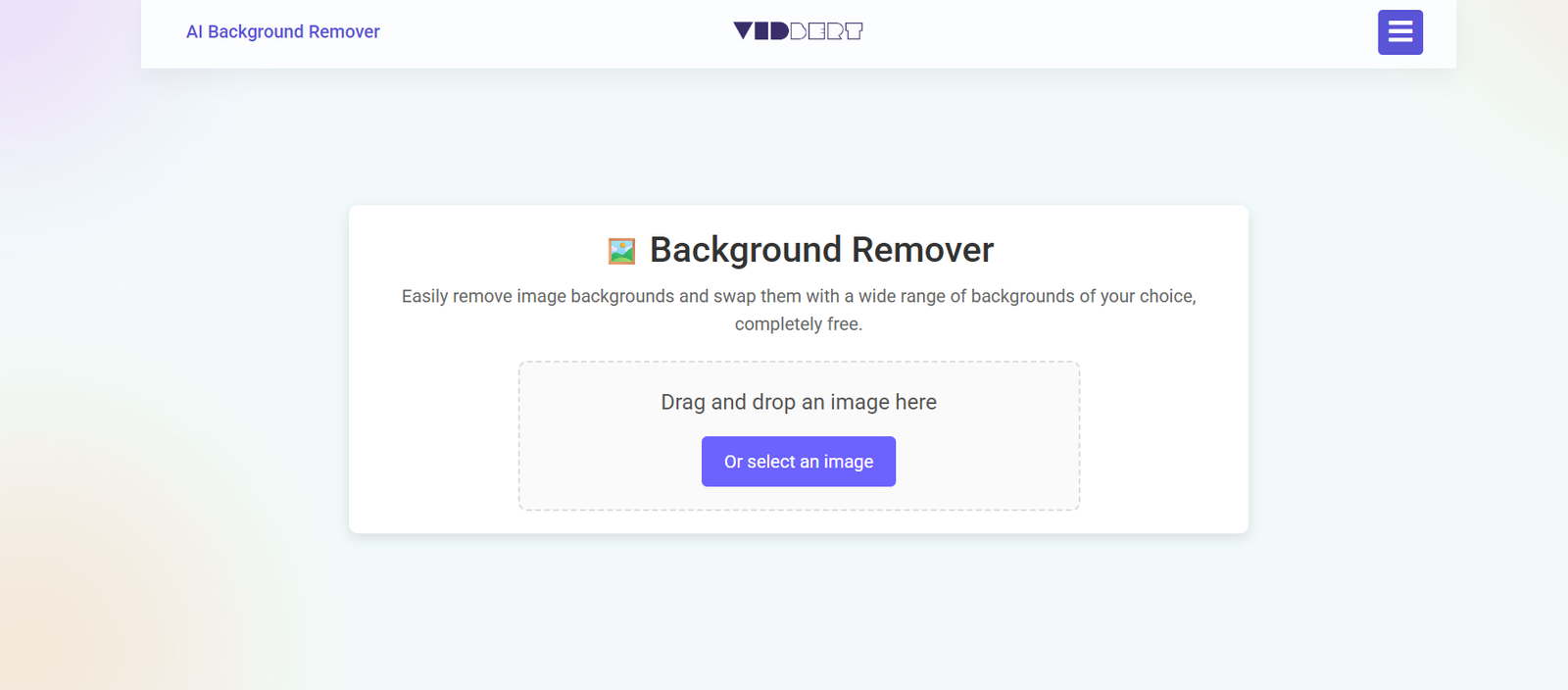
Visit the Website
Navigate to https://vidbert.com on any modern browser.Enter a Text Prompt
Describe the scene you want to visualize. For example: “A futuristic city skyline at night with flying cars.”Choose Style and Settings
Select a visual style if desired—options may include realistic, anime, cartoon, cinematic, or surreal.Generate the Video
Click “Generate” and wait for the AI to process the request. Depending on load and settings, video generation takes between 30 seconds to a few minutes.Preview and Download
Once the video is ready, you can preview it, download it as an MP4 file, or regenerate with variations.
No editing tools or technical knowledge are needed, making it highly accessible to non-technical users.
Use Cases
Marketing Campaigns
Generate visual content for ads, product teasers, or brand storytelling without a film crew.
Educational Content
Use AI-generated videos to illustrate scientific concepts, historical events, or language lessons.
Content Creation for Social Media
Quickly produce eye-catching videos for platforms like Instagram, TikTok, or YouTube Shorts.
Storyboarding and Prototyping
Visualize scenes for films, games, or animated series as part of a pre-production pipeline.
Corporate Training and E-Learning
Create explainer videos or simulations for training modules and instructional courses.
Entertainment and Concept Visualization
Experiment with scenes for storytelling, comics, novels, or creative writing prompts.
Virtual Reality or Game Development
Generate realistic sequences to inspire or visualize levels, environments, or narratives.
Pricing
As of the latest data from the official website, VidBERT offers tiered pricing plans to accommodate different user needs.
Free Plan
Limited daily generations
Watermarked videos
Standard resolution (up to 720p)
Access to core models only
Great for basic experimentation
Pro Plan – $19/month
100 video generations/month
No watermarks
1080p resolution
Access to cinematic and stylized models
Priority in processing queue
Studio Plan – $49/month
300+ video generations/month
Faster rendering speeds
Premium model access with better scene coherence
Advanced control parameters for creators
Commercial usage rights included
Enterprise/Custom Plans
Available for large teams, agencies, and developers. Includes API access, SLAs, and bulk licensing.
All paid plans include prompt history, private project folders, and customer support.
Strengths
No Technical Skill Required
Anyone can create visually compelling videos with just a text prompt.
Speed and Efficiency
Generate visual prototypes or social media content in a fraction of the time traditional methods require.
Versatile Styling Options
Ability to switch between realistic and creative visual outputs based on audience and purpose.
Flexible Pricing
Offers both free and scalable paid plans suitable for individual creators and businesses.
Commercial Rights (in Paid Plans)
Users can use generated videos for monetized or client-facing projects.
Global Accessibility
Multilingual support and browser-based platform make it available to users worldwide.
Drawbacks
Limited Video Length
Most outputs are short-form (typically 4–10 seconds), which may not suit long-format content needs.
Occasional Inaccuracy
As with any generative AI, results may not always precisely match the prompt, especially with complex descriptions.
Watermark in Free Plan
Free users must contend with watermarks and lower resolution videos.
Lack of Editing Tools
VidBERT is focused on generation, not post-production. Users must export to external tools for editing.
Generation Time Variability
Processing can be slower during peak usage hours, especially for free users.
Limited Real-Time Customization
Fine-grained controls like camera movement, subject positioning, or timeline edits are currently limited.
Comparison with Other Tools
VidBERT vs Runway ML (Gen-2)
Runway’s Gen-2 offers similar text-to-video functionality but is more advanced in motion realism. However, it requires more GPU resources or a subscription. VidBERT provides a more beginner-friendly interface and pricing.
VidBERT vs Pika Labs
Pika Labs offers powerful creative tools and 3D-like motion, but its interface can be overwhelming for casual users. VidBERT provides a simpler, streamlined experience ideal for quick ideas.
VidBERT vs Kaiber
Kaiber focuses more on music-driven visuals and stylization. VidBERT centers on descriptive prompts and scene accuracy.
VidBERT vs Animoto or Canva
These are traditional video editors with templates. VidBERT offers full generative capabilities—creating new visuals, not just assembling existing ones.
Customer Reviews and Testimonials
User sentiment around VidBERT is largely positive, especially in the early-adopter AI creative community. While direct testimonials are limited on the site, social media and AI forums highlight the following:
“I was able to visualize a sci-fi concept for my short story in under 5 minutes—this is a game-changer.”
— Indie Author
“Perfect for TikTok creatives. I describe a vibe, and VidBERT gives me the visuals.”
— Social Media Marketer
“I’ve used it to storyboard scenes for my film pitch. Saves tons of time.”
— Creative Director
“The AI isn’t perfect, but it gets the core idea right most of the time. A huge leap forward in content generation.”
— Animator
Conclusion
VidBERT is at the forefront of text-to-video AI technology, making high-quality, short-form video generation accessible to anyone with a creative vision. With no need for cameras, actors, or editing tools, it empowers creators to experiment and execute visual storytelling at speed and scale.
From educators and marketers to designers and storytellers, VidBERT is a powerful tool for prototyping ideas, producing content, and pushing the boundaries of visual media—all from a single text prompt.
To explore its capabilities, visit https://vidbert.com