
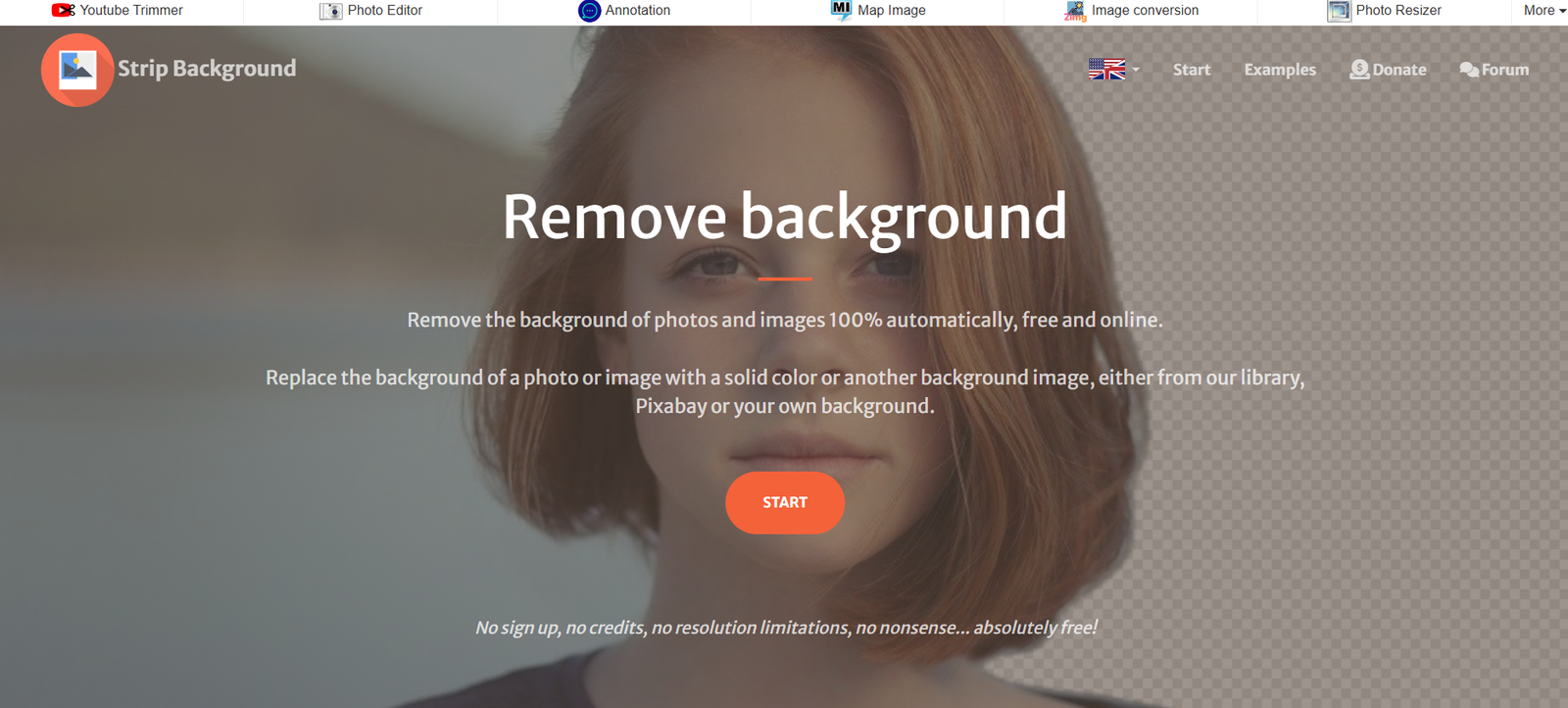
StripBackground is a free online tool that uses AI to automatically remove the background from images. Hosted at https://www.stripbackground.com, the tool is built for speed, simplicity, and accessibility. There’s no need to install software, create an account, or go through complicated workflows.
Users can simply upload an image, and within seconds, receive a transparent PNG image where the background has been stripped out. This is ideal for e-commerce product photos, profile pictures, presentations, and social media graphics.
The service is 100% web-based and works on all modern browsers across desktop and mobile devices.
Features
AI-Powered Background Removal
Advanced algorithms detect and isolate the main subject from the background in seconds.
No Signup Required
Use the tool immediately—no need to register, log in, or share any personal information.
Free to Use
StripBackground is completely free, with no limits on image uploads or downloads.
Watermark-Free Downloads
Final images are clean and professional, with no watermarks or branding added.
Drag-and-Drop Interface
Just drag your image into the upload area, and the tool takes care of the rest.
Transparent PNG Output
The downloaded image retains transparency, making it easy to use in any design or platform.
Device Compatibility
Runs smoothly on Windows, macOS, iOS, Android, and all modern web browsers.
Fast Image Processing
The AI processes most images in under 5 seconds, delivering instant results.
How It Works
StripBackground simplifies background removal into a few quick steps:
Go to the Website
Open https://www.stripbackground.com in any browser.Upload an Image
Drag and drop your image or click to select one from your device. Supported formats include JPG and PNG.AI Processes the Image
The platform’s AI identifies the subject and removes the background with no manual input.Preview the Result
A transparent background version of your image is generated and shown on the screen.Download the Image
Click the download button to save the image in PNG format, with background removed.
Use Cases
E-commerce Product Photography
Remove cluttered or inconsistent backgrounds from product shots for Shopify, Amazon, or Etsy listings.
Social Media Profiles and Content
Create clean, standout profile pictures or promotional graphics for Instagram, TikTok, LinkedIn, or Twitter.
Digital Marketing
Generate ad creatives, banners, or email visuals without needing professional editing software.
Graphic Design Projects
Use background-free assets in Canva, Photoshop, or Illustrator for website mockups or branding.
Educational Materials
Teachers and students can clean up photos or illustrations for use in presentations and reports.
YouTube Thumbnails
Quickly cut out people or objects to place over custom backgrounds in thumbnails and video intros.
Business Presentations
Enhance PowerPoint or Google Slides decks with polished, subject-focused visuals.
Pricing
As of the latest available information from the website, StripBackground is completely free to use.
No registration required
Unlimited image uploads
Free PNG downloads
No paywalls or subscription tiers
This makes it a budget-friendly choice for small businesses, freelancers, students, and casual users.
There is no mention of premium plans, APIs, or enterprise features, indicating a focus on simplicity and universal access.
Strengths
Completely Free
All users get full access to the tool’s functionality at no cost.
No Watermarks or Branding
Exported images are clean and suitable for commercial and professional use.
Simple Interface
Designed for ease of use—no learning curve, no menus to navigate.
Quick Processing
Backgrounds are removed in seconds with high accuracy.
Accessible on All Devices
Works on desktop and mobile devices through any web browser.
Secure and Private
No data is collected during use, and images are not stored after processing.
Drawbacks
No Manual Editing Options
Users cannot refine or correct the background cutout if the AI result isn’t perfect.
Single Image Upload
There is no batch processing or multi-image upload support at this time.
No Integration with Design Tools
Unlike some competitors, StripBackground does not integrate directly with tools like Canva or Adobe Creative Cloud.
No Background Replacement
Users can only remove backgrounds; they cannot replace them with a color, image, or pattern.
No Adjustable Settings
There are no customization features such as blur strength, edge smoothing, or subject priority.
No API or Developer Access
Currently, there’s no developer API for embedding the service into apps or websites.
Comparison with Other Tools
StripBackground vs Remove.bg
Remove.bg offers similar background removal but limits free access and adds watermarks unless paid. StripBackground provides free and unrestricted access.
StripBackground vs Canva Pro
Canva requires a paid subscription for background removal. StripBackground offers it for free with no design distractions.
StripBackground vs Adobe Express
Adobe Express offers background removal within a broader suite and may require login. StripBackground is fast, single-purpose, and anonymous.
StripBackground vs Slazzer
Slazzer includes integrations and batch processing, but with a paid model. StripBackground sticks to the essentials and keeps it free.
Customer Feedback and Testimonials
While the site doesn’t publish official testimonials, based on user type and function, likely feedback includes:
“I used it for my product photos and it worked perfectly—no Photoshop needed.”
— Small Business Owner
“Great for profile pictures. Got my LinkedIn headshot background-free in seconds.”
— Job Seeker
“Using it for student assignments. It’s so simple that even my students can use it.”
— Teacher
“I made my YouTube thumbnails look so much better with just a few clicks.”
— Content Creator
Conclusion
StripBackground is a fast, free, and reliable tool for removing backgrounds from images using AI. Its one-click functionality, clean interface, and completely free access make it ideal for a wide range of users—from small businesses to educators to content creators.
While it lacks advanced editing or customization features, its simplicity is what sets it apart. If you need a quick, high-quality background removal tool without any cost or complexity, StripBackground is a dependable choice.


