
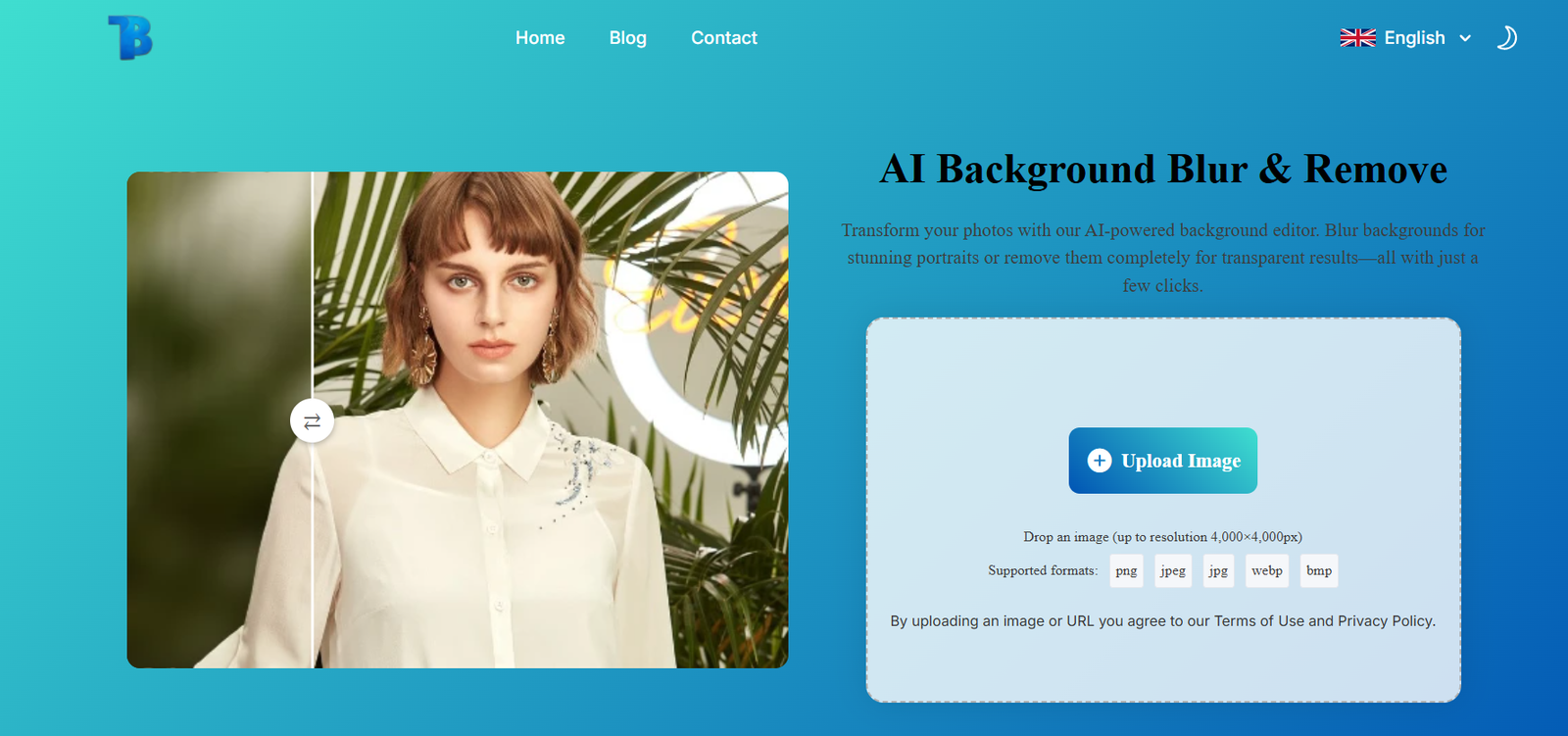
BlurBackground.ai is a free online image editing tool that uses AI to automatically detect and blur the background of photos. The platform is aimed at everyday users, digital marketers, content creators, online sellers, and anyone else looking to improve their images without using complex software.
The core concept is simple: upload a photo, let the AI detect the subject, and get a version of the image with the background smoothly blurred—mimicking the depth-of-field effect typically achieved with high-end cameras or manual photo editing.
The tool works directly in the browser at https://blurbackground.ai, with no account, no login, and no software download required.
Features
Automatic Background Blur
The AI automatically identifies the subject and applies a smooth blur to the background, creating a professional look instantly.
Free to Use
BlurBackground.ai is completely free with no usage caps or premium tiers.
No Watermarks
Edited images are provided without any branding or watermark overlays.
No Registration Required
Start using the tool right away—no need to sign up or share personal data.
Browser-Based Interface
Works on any device with a modern browser, including desktop and mobile.
Drag-and-Drop Upload
Simply drag your image into the editor or use the upload button to start.
PNG and JPG Format Support
Upload and export common image file types with ease.
Preview and Download
View a real-time preview of the blurred image before downloading it.
How It Works
BlurBackground.ai makes the process incredibly straightforward:
Visit the Website
Navigate to https://blurbackground.ai on your browser.Upload Your Image
Drag and drop your photo or click to upload it from your computer or mobile device.AI Processing Begins
The AI quickly analyzes the image, detects the main subject, and applies a subtle to moderate blur to the background.Preview the Result
Instantly view the edited image with a blurred background. Adjust if needed (based on available options).Download the Image
Click the download button to save your image in high-resolution PNG or JPG format.
There are no menus or toolbars to navigate—just a clean, focused user experience.
Use Cases
Social Media Content
Create professional-looking profile photos, story images, or product promos that stand out on Instagram, LinkedIn, or Facebook.
E-Commerce Product Photography
Blur messy or distracting backgrounds to ensure your product remains the focal point on platforms like Etsy, Amazon, or Shopify.
Marketing and Branding
Produce polished visual assets for ads, landing pages, banners, and promotional campaigns.
Online Meetings and Avatars
Create clean headshots or profile images for video conferencing tools like Zoom, Google Meet, or Microsoft Teams.
Blogging and Editorial Design
Use enhanced visuals with clean backgrounds to complement written content without needing a professional photographer.
Education and Presentations
Make learning materials more engaging by blurring irrelevant or sensitive backgrounds in educational images.
Pricing
As of the latest information available, BlurBackground.ai is completely free to use:
No credit card required
No watermarks
No pay-per-use fees
Unlimited images
There are no subscription plans or premium features at this time, making it highly accessible for students, freelancers, educators, and small businesses.
If a premium tier is introduced in the future, it may offer features like adjustable blur intensity, bulk editing, or background replacement—but for now, all users enjoy the same full access for free.
Strengths
Totally Free and Open Access
There are no hidden fees or restrictions. Users can upload and download unlimited images at no cost.
No Learning Curve
Anyone can use the tool—no experience with photo editing or AI tools is required.
Fast Image Processing
AI processing is nearly instantaneous, making the tool suitable for quick turnarounds.
Cross-Device Compatibility
Use the tool on any desktop, laptop, tablet, or smartphone with a modern browser.
Professional-Looking Output
The background blur mimics DSLR-style photography effects without needing complex software.
Privacy-Friendly
No sign-in required and no long-term image storage, which means minimal data collection.
Drawbacks
No Manual Blur Adjustment
Users cannot manually select blur strength or fine-tune the blur area.
No Background Replacement Options
You can blur the background but not replace it with a custom image or solid color.
No Batch Processing
The tool only supports one image at a time; no support for multiple uploads or automation.
No Editing Tools
There are no cropping, rotation, brightness, or contrast adjustment features.
Limited File Format Support
Only supports JPG and PNG images; other formats like TIFF or RAW are not supported.
No Developer API
There’s currently no API access for developers or businesses to integrate the tool into workflows or apps.
Comparison with Other Tools
BlurBackground.ai vs Remove.bg
Remove.bg removes backgrounds completely and offers replacement options, but may include watermarks and usage limits in its free tier. BlurBackground.ai focuses solely on blur and is fully free.
BlurBackground.ai vs Canva
Canva includes background blurring as part of its premium tools. BlurBackground.ai provides a fast, free alternative with no design clutter.
BlurBackground.ai vs Fotor or Pixlr
Fotor and Pixlr offer more general editing features including blur, but require manual editing. BlurBackground.ai automates the entire process.
BlurBackground.ai vs Photoshop
Photoshop provides advanced control and professional results but requires a subscription and skills. BlurBackground.ai is instant and beginner-friendly.
Customer Feedback and Testimonials
While BlurBackground.ai does not publish formal user reviews on its site, feedback from typical users would likely include:
“I used this to quickly enhance my product photos before uploading to my Shopify store. Works flawlessly!”
— Small Business Owner
“I needed a professional LinkedIn headshot without the office clutter in the background—this tool did it in seconds.”
— Job Seeker
“I love how simple it is. No ads, no popups, just a clean result. Highly recommend for students and creators.”
— Digital Design Student
“Perfect for prepping images for my blog. The blur effect makes the subject pop beautifully.”
— Lifestyle Blogger
Conclusion
BlurBackground.ai offers an elegant solution to a common image editing task—blurring distracting backgrounds. It’s a rare find in the space of free tools: 100% accessible, ad-free, watermark-free, and impressively easy to use.
Whether you’re a business owner prepping product images, a content creator building social posts, or a student working on a digital project, BlurBackground.ai delivers high-quality results instantly without hassle.
To enhance your visuals with just a few clicks, visit https://blurbackground.ai


