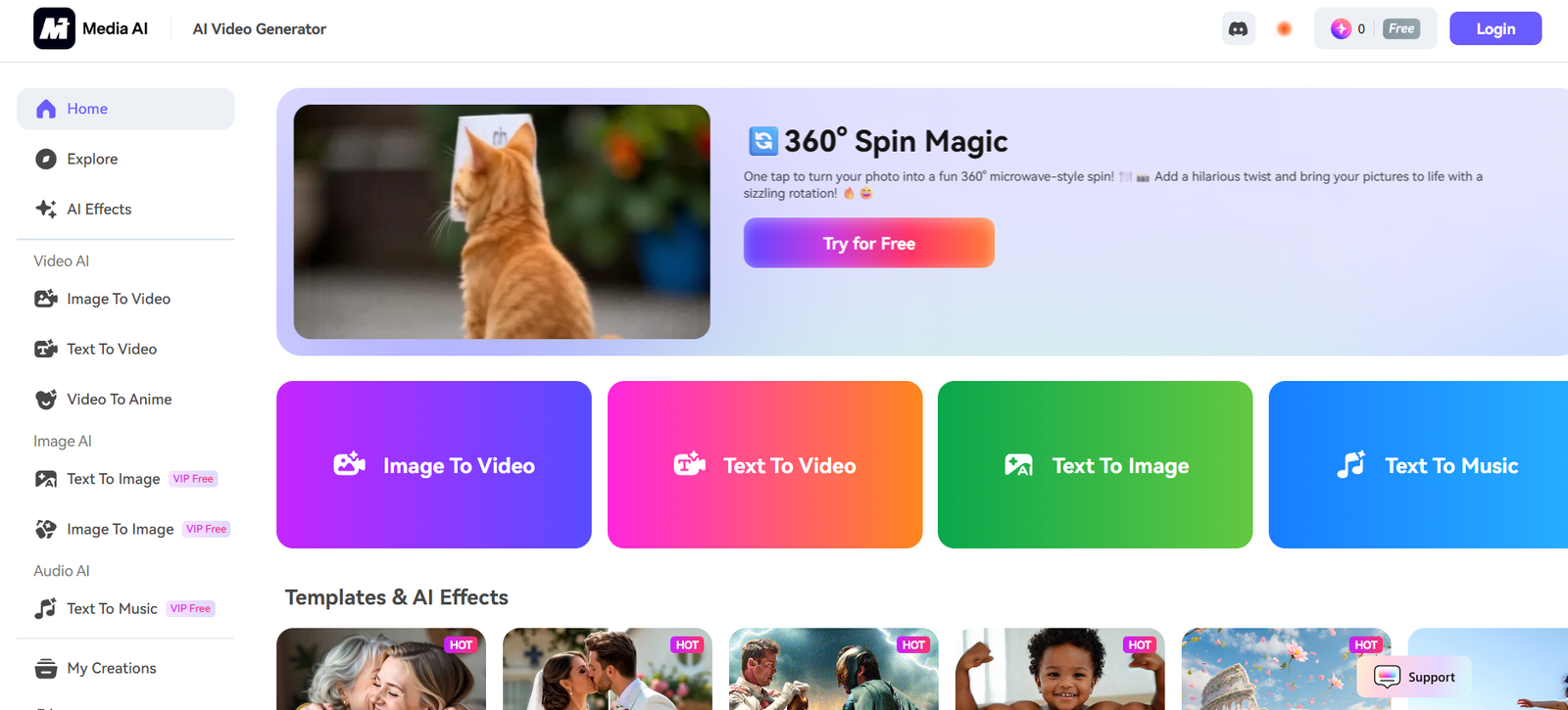
Media.io is an all-in-one online platform powered by artificial intelligence, offering tools for video editing, audio enhancement, image conversion, noise removal, background removal, and more. Designed for creators, businesses, and marketers, it combines a wide range of media processing features into a user-friendly, browser-based environment.
Whether you’re looking to convert video formats, remove background noise, generate subtitles, or create music videos, Media.io provides a complete toolkit that works without needing to install software. It’s especially useful for beginners, small businesses, educators, and social media managers seeking fast, effective media solutions.
Features
Media.io includes a vast array of AI-enhanced media tools across video, audio, and images:
Video Tools
Video Editor: Trim, crop, add subtitles, transitions, and overlays.
Text-to-Video: Turn scripts into videos using AI.
Video Converter: Supports over 1,000 video formats.
Video Compressor: Reduce file sizes without significant loss in quality.
Video Background Remover: Automatically remove or change video backgrounds.
Video Enhancer: Improve brightness, contrast, resolution, and stability.
Audio Tools
Noise Remover: Eliminate background noise from recordings or podcasts.
Voice Changer: Change your voice for fun or anonymity.
Text-to-Speech (TTS): Generate natural-sounding voiceovers from text.
Audio Cutter & Joiner: Edit music tracks or audio clips.
Audio Converter: Convert between MP3, WAV, AAC, etc.
Image Tools
Image Converter: Convert PNG, JPG, WebP, and other formats.
Background Remover: Automatically isolate subjects from photos.
Image Upscaler: Increase resolution and clarity using AI.
How It Works
Media.io simplifies creative tasks into intuitive steps:
Upload Media: Choose a file or paste a URL (video/audio/image).
Select a Tool: Pick the function you need—editing, converting, cleaning, or enhancing.
Apply AI Processing: The AI engine runs your request and shows a live preview or output.
Download or Share: Export your final file in various formats or resolutions.
This browser-based process ensures accessibility across all devices and operating systems.
Use Cases
Media.io supports a wide range of professional and creative workflows:
Content Creators: Edit vlogs, TikToks, podcasts, and reels without advanced editing software.
Digital Marketers: Compress, resize, and subtitle videos for multi-platform campaigns.
Educators: Remove distractions from lecture recordings, convert audio to text, or create video lessons.
Social Media Managers: Repurpose content across platforms with quick edits and voiceovers.
Businesses: Prepare product demo videos, customer testimonials, or internal training materials.
Pricing
Media.io offers flexible pricing options for personal and business use:
Free Plan: Includes basic access to key tools with watermarks and limited export quality.
Basic Plan (~$9.99/month): Removes watermarks, increases export resolution, and unlocks faster processing.
Standard Plan (~$19.99/month): Adds advanced tools, unlimited downloads, and subtitle generation.
Pro/Business Plan (~$29.99/month+): Full access with team collaboration, higher file limits, and commercial licensing.
Annual billing discounts and custom plans for enterprises are also available. Visit the official pricing page for the latest details.
Strengths
Media.io offers multiple competitive advantages:
All-in-One Platform: Combines dozens of media tools in one interface.
No Software Needed: 100% browser-based, with no downloads or installations.
Beginner Friendly: Designed for non-technical users with clean UI.
Cross-Media Support: Handles video, audio, and image editing in one place.
AI-Powered Efficiency: Fast processing with intelligent enhancement and conversion features.
Drawbacks
A few limitations to consider:
Watermarks on Free Plan: Free users will see branding on exported files.
Export Limits: High-resolution and longer videos may require a paid plan.
Advanced Editing Limitations: May lack granular controls found in software like Adobe Premiere or Audacity.
Internet Dependency: Being browser-based, it requires a stable connection for optimal performance.
Comparison with Other Tools
Compared to popular media editing tools:
Versus Kapwing: Kapwing offers advanced creative templates; Media.io excels at technical processing like noise removal and conversions.
Versus Canva Video: Canva is design-first; Media.io is more comprehensive for audio and video file management.
Versus Descript: Descript is podcast and transcript focused, whereas Media.io supports a wider variety of media formats and tasks.
Media.io offers broader utility for general-purpose creators, whereas others may specialize in a specific medium.
Customer Reviews and Testimonials
Media.io has received strong positive feedback across platforms:
“I use it to clean up Zoom recordings for my online course. Super easy and works every time.”
“The noise remover and subtitle generator have made my podcast editing so much faster.”
“Finally, a platform where I can edit, convert, and compress videos without installing software.”
Most users appreciate the convenience, speed, and versatility offered by the platform.
Conclusion
Media.io is a versatile, AI-powered platform that brings video, audio, and image editing tools together in one place. It’s built for modern content creators who want to get more done in less time—without needing professional editing software.
Whether you’re compressing large files, enhancing audio, removing backgrounds, or converting between formats, Media.io provides all the essential tools in a single browser tab. For creators, marketers, and professionals alike, Media.io is a smart, accessible solution to streamline media workflows.