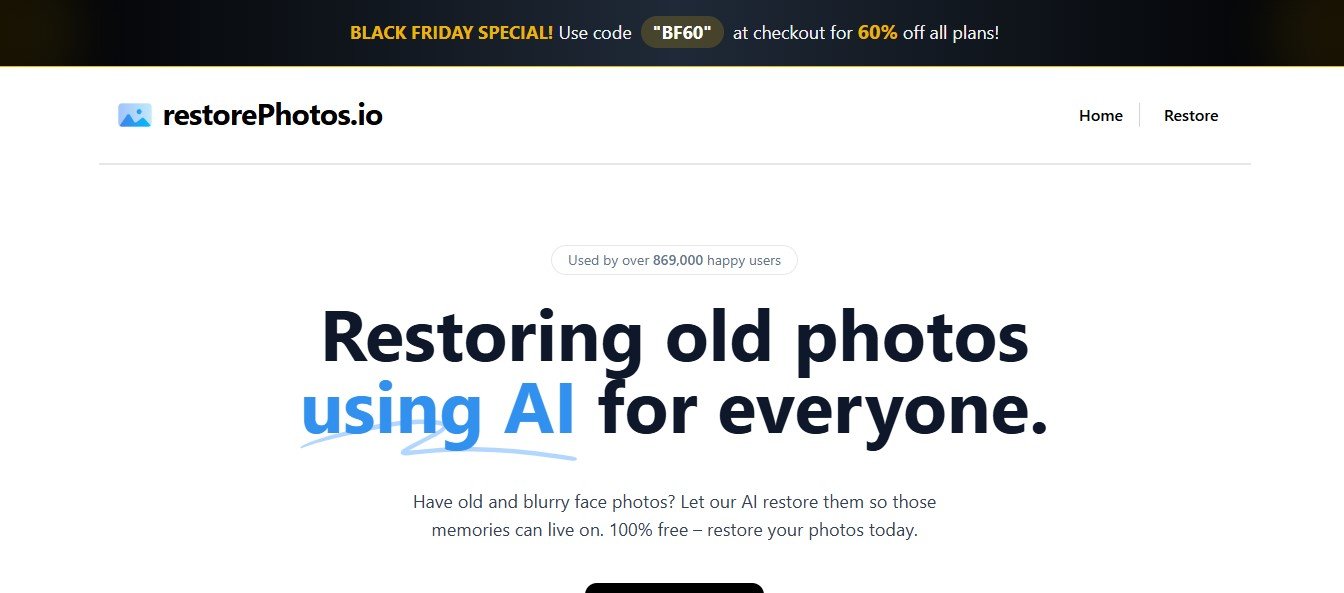
RestorePhotos.io is an AI-based photo restoration platform that revives old photographs by repairing damage, enhancing clarity, and restoring original details. Whether you want to fix vintage family photos, historical images, or old film prints, RestorePhotos.io makes professional-quality restoration accessible to everyone.
It is ideal for photographers, historians, archivists, and individuals looking to preserve cherished memories in high quality.
Features of RestorePhotos.io
AI-Powered Photo Restoration
- Uses deep-learning models to enhance and restore old, blurry, or damaged images.
- Recovers lost details while preserving the natural look of the original photo.
Scratch & Damage Removal
- Automatically detects and removes scratches, dust, and stains from old photos.
- Repairs image imperfections while maintaining original textures.
Color Restoration for Black & White Photos
- AI enhances and colorizes old black-and-white images.
- Restores faded colors for vintage color photographs.
Face & Detail Enhancement
- Improves facial details, sharpens blurry faces, and enhances eye clarity.
- AI refines textures for a more lifelike restoration.
One-Click Auto Enhancement
- Restores photos instantly with AI-driven processing.
- No manual editing skills required.
High-Resolution Image Upscaling
- Increases the resolution of low-quality images without losing detail.
- Ideal for printing and archiving old family photos.
Web-Based & No Software Installation
- Works entirely online without requiring downloads or installations.
- Supports all major image formats, including JPG and PNG.
Fast & Secure Processing
- AI restoration completes in seconds while keeping images private and secure.
- No data is stored permanently after processing.
How RestorePhotos.io Works
Step 1: Upload Your Old or Damaged Photo
- Users upload faded, blurry, or damaged photos to the platform.
Step 2: AI Analyzes & Restores the Image
- AI automatically enhances the photo by repairing details, sharpening features, and restoring colors.
Step 3: Preview & Download the Restored Image
- Users can review the enhanced version and download the high-resolution output.
Use Cases of RestorePhotos.io
Family & Personal Photo Restoration
- Restores vintage family pictures, old portraits, and childhood photos.
- Helps preserve memories for future generations.
Historical & Archival Image Repair
- Enhances historical photographs for museums, libraries, and archives.
- Restores clarity to important historical moments.
Photographers & Designers
- Provides quick AI-powered restoration for professional photography projects.
- Saves time compared to manual photo editing in Photoshop.
Genealogists & Family History Enthusiasts
- Restores old ancestry photos for genealogy research.
- Makes historical family records visually clearer.
Artists & Content Creators
- AI-enhanced images can be used for digital art, storytelling, and exhibitions.
Pricing of RestorePhotos.io
Pricing details should be verified on the official RestorePhotos.io website.
Free Plan
- Basic AI-powered restoration with limited processing.
Pro Plan
- Full access to high-resolution restoration, advanced AI enhancements, and unlimited downloads.
Enterprise Plan
- Custom pricing for businesses, museums, and professional photographers needing bulk restoration.
Strengths of RestorePhotos.io
- AI-Powered Instant Restoration – No manual editing required.
- Scratch & Damage Removal – Automatically fixes imperfections.
- Face & Detail Enhancement – Improves clarity in blurry images.
- Color Restoration & Upscaling – Revives old black-and-white and faded color photos.
- Web-Based & Secure – No downloads required, with private and secure processing.
Drawbacks of RestorePhotos.io
- Limited Free Access – High-resolution and advanced features require a paid plan.
- AI Restoration May Not Be Perfect – Some images may need minor manual adjustments.
- No Manual Editing Tools – Focuses on AI automation rather than fine-tuning edits.
Comparison with Other Photo Restoration Tools
RestorePhotos.io vs. Remini
- Remini specializes in AI face enhancement, while RestorePhotos.io provides full photo restoration, including scratch removal and color recovery.
RestorePhotos.io vs. Photoshop
- Photoshop offers manual editing tools for professionals, whereas RestorePhotos.io provides an automated, user-friendly restoration process.
RestorePhotos.io vs. VanceAI
- VanceAI includes multiple AI photo editing tools, while RestorePhotos.io focuses on restoring old and damaged photos specifically.
RestorePhotos.io Advantage
- Best for users looking for an easy, AI-powered solution to restore old photos without manual editing skills.
Customer Reviews and Testimonials
Positive Feedback
- “I restored decades-old family photos in seconds! The AI-powered enhancement is truly impressive.” – Genealogy Enthusiast
- “The scratch removal and color restoration features exceeded my expectations!” – Professional Photographer
- “A must-have tool for anyone looking to preserve their old memories digitally.” – Archivist
Constructive Criticism
- “Some photos with extreme damage needed additional manual edits.” – Digital Artist
- “Wish there were more customization options for adjusting AI restoration results.” – Hobbyist Photographer
Conclusion
RestorePhotos.io is an AI-powered photo restoration tool that makes it easy to repair old, faded, and damaged images with just a few clicks. Whether you’re looking to revive family memories, restore historical images, or enhance professional photography, its AI-driven features provide a quick and effective solution. While advanced features require a paid plan, RestorePhotos.io is an excellent choice for anyone looking for an effortless way to bring old photos back to life.