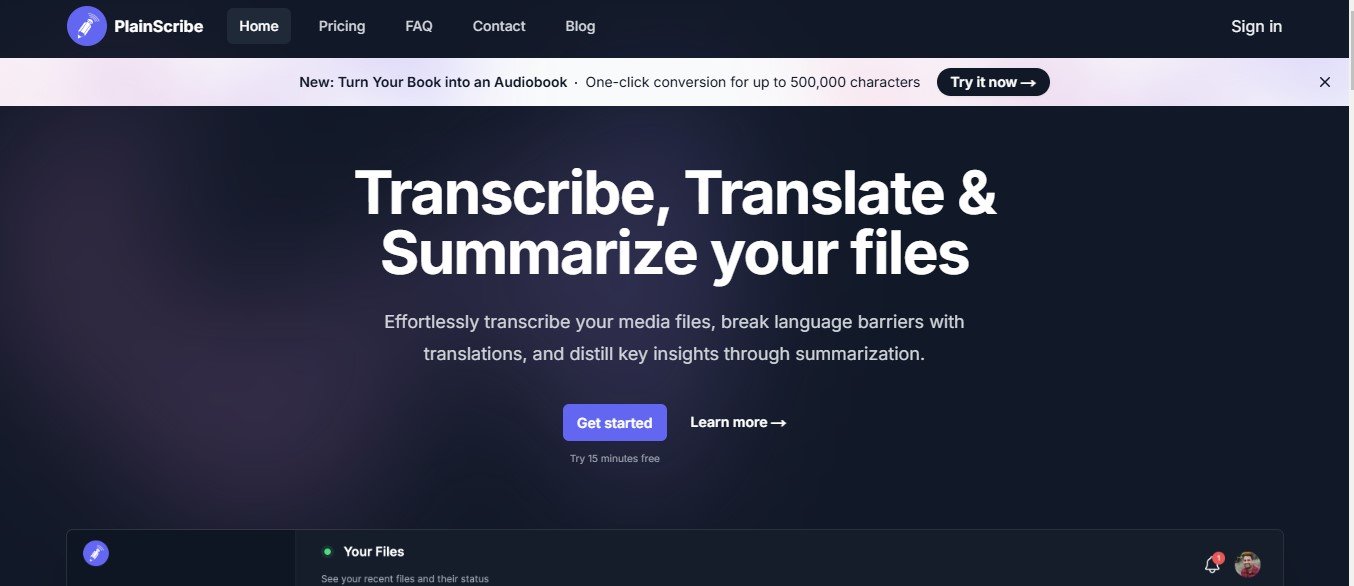
PlainScribe is an AI-powered transcription platform designed to convert audio and video files into accurate text efficiently. Its robust AI capabilities make transcription seamless, even for complex or multi-speaker audio recordings. PlainScribe supports a wide range of file formats and offers features like time-stamping, speaker identification, and multi-language transcription.
With a user-friendly interface and focus on security, PlainScribe is ideal for professionals looking to save time and improve productivity.
Key Features of PlainScribe
PlainScribe is equipped with several advanced features to ensure high-quality transcription and ease of use. Here are its key functionalities:
1. AI-Powered Transcription
Transform audio and video files into accurate text with PlainScribe’s advanced AI algorithms.
2. Multi-Speaker Identification
Automatically detect and label multiple speakers, making transcripts easy to follow for interviews, meetings, and panel discussions.
3. Time-Stamped Transcripts
Include time stamps in transcripts to quickly locate specific parts of the audio.
4. Multi-Language Support
Transcribe files in multiple languages, enabling global teams and multilingual projects.
5. Custom Vocabulary
Improve transcription accuracy by adding custom terms, industry-specific jargon, or unique names.
6. Noise Reduction
Reduce background noise and enhance audio clarity to improve transcription quality for noisy recordings.
7. Real-Time and Batch Processing
Choose between real-time transcription for live events or batch processing for pre-recorded files.
8. Secure Data Handling
PlainScribe ensures all data is encrypted and compliant with privacy standards, making it suitable for sensitive projects like legal or medical transcription.
9. Built-In Editor
Refine transcripts directly within the platform’s editor, allowing for quick adjustments and formatting before exporting.
10. Export Options
Download your transcripts in a variety of formats, including TXT, DOCX, PDF, or SRT, for easy sharing and further use.
How Does PlainScribe Work?
PlainScribe simplifies transcription into a few straightforward steps:
- Upload Your File
Upload audio or video files in supported formats (e.g., MP3, WAV, MP4) or connect the platform to live meetings or webinars. - Configure Settings
Select preferences like speaker identification, time-stamping, language, or custom vocabulary. - AI Processing
PlainScribe’s AI processes the file and generates a transcript within minutes. - Review and Edit
Use the built-in editor to review and refine the transcript for accuracy or formatting. - Export the Transcript
Download the finalized transcript in your preferred format for sharing or documentation.
Use Cases of PlainScribe
PlainScribe serves a broad range of industries and professionals. Here are some common use cases:
1. Corporate Meetings
- Automatically transcribe meeting recordings for documentation, follow-ups, or sharing with absent team members.
2. Journalism and Media
- Convert interviews, press briefings, or recordings into text for articles or reports.
3. Academic Research
- Transcribe research interviews, focus groups, or lectures to streamline data analysis and knowledge sharing.
4. Content Creation
- Generate transcripts for podcasts, webinars, and YouTube videos to enhance SEO and accessibility.
5. Legal and Medical Transcription
- Handle sensitive legal or medical recordings with secure and accurate transcription for documentation purposes.
6. Event Documentation
- Transcribe conferences, panel discussions, or live webinars for attendees or post-event content.
7. Education and Training
- Provide lecture notes, webinar transcripts, or study material for students or employees.
Pricing for PlainScribe
At the time of writing, specific pricing details for PlainScribe are not available on its official website. However, transcription platforms like PlainScribe typically offer the following pricing models:
- Free Plan: Limited access to features or transcription minutes for testing the platform.
- Pay-As-You-Go: Pricing based on the length of audio or video files processed.
- Subscription Plans: Monthly or annual plans offering unlimited transcription or access to advanced features like speaker identification or multi-language support.
- Enterprise Plans: Custom pricing for businesses with high-volume transcription needs or additional security requirements.
For up-to-date pricing information, visit the official PlainScribe Pricing Page.
Strengths of PlainScribe
- High Accuracy: Leverages AI to deliver precise transcriptions, even for challenging audio.
- Multi-Speaker and Multi-Language Support: Adapts well to complex transcription scenarios, such as multilingual discussions or group meetings.
- Ease of Use: The platform’s intuitive interface ensures a smooth experience for users of all skill levels.
- Data Security: Strong focus on privacy and compliance, making it suitable for sensitive projects.
- Export Flexibility: Wide range of file formats ensures compatibility with different workflows.
Drawbacks of PlainScribe
- Internet Dependency: As a cloud-based platform, it requires a stable internet connection for uploads and processing.
- Manual Adjustments: Certain recordings with heavy accents, low-quality audio, or overlapping conversations may require minor edits.
- Pricing Transparency: The lack of upfront pricing information might deter potential users.
- Limited Offline Functionality: PlainScribe does not support offline transcription, which may be a disadvantage in areas with poor connectivity.
Comparison with Other Transcription Tools
PlainScribe vs. Otter.ai
- Focus: Otter.ai emphasizes collaboration and live transcription, while PlainScribe provides a more comprehensive toolset for editing and exporting detailed transcripts.
- Privacy: PlainScribe offers enhanced security measures, making it better suited for legal and medical transcription.
PlainScribe vs. Rev
- Cost: Rev offers human-powered transcription, which is more expensive but highly accurate. PlainScribe provides a more affordable AI-powered alternative.
- Turnaround Time: PlainScribe delivers faster results, ideal for quick transcription needs.
PlainScribe vs. Descript
- Editing Features: Descript offers advanced audio and video editing tools alongside transcription, whereas PlainScribe focuses purely on transcription and note-taking.
- Ease of Use: PlainScribe’s interface is simpler and easier to navigate for users only looking for transcription solutions.
Customer Reviews and Testimonials
Users of PlainScribe praise its accuracy, fast turnaround time, and ease of use. Many professionals highlight its speaker identification feature as particularly helpful for interviews and meetings. Businesses in industries like legal and education appreciate its data security measures and multi-language support. However, some users mention that audio quality plays a significant role in transcription accuracy, requiring occasional manual edits.
For authentic reviews, visit the official PlainScribe website or trusted platforms like Product Hunt.
Conclusion
PlainScribe is a powerful, AI-driven transcription platform that simplifies audio-to-text conversion for professionals across industries. With features like speaker identification, multi-language support, and time-stamped transcripts, it’s an ideal solution for businesses, content creators, educators, and researchers. While it depends on internet connectivity and may require occasional manual adjustments, its accuracy, user-friendly interface, and data security make it a standout choice in the transcription space.
If you’re looking for a reliable transcription tool to streamline your workflow, PlainScribe is worth exploring. Visit their official website to learn more: PlainScribe.