
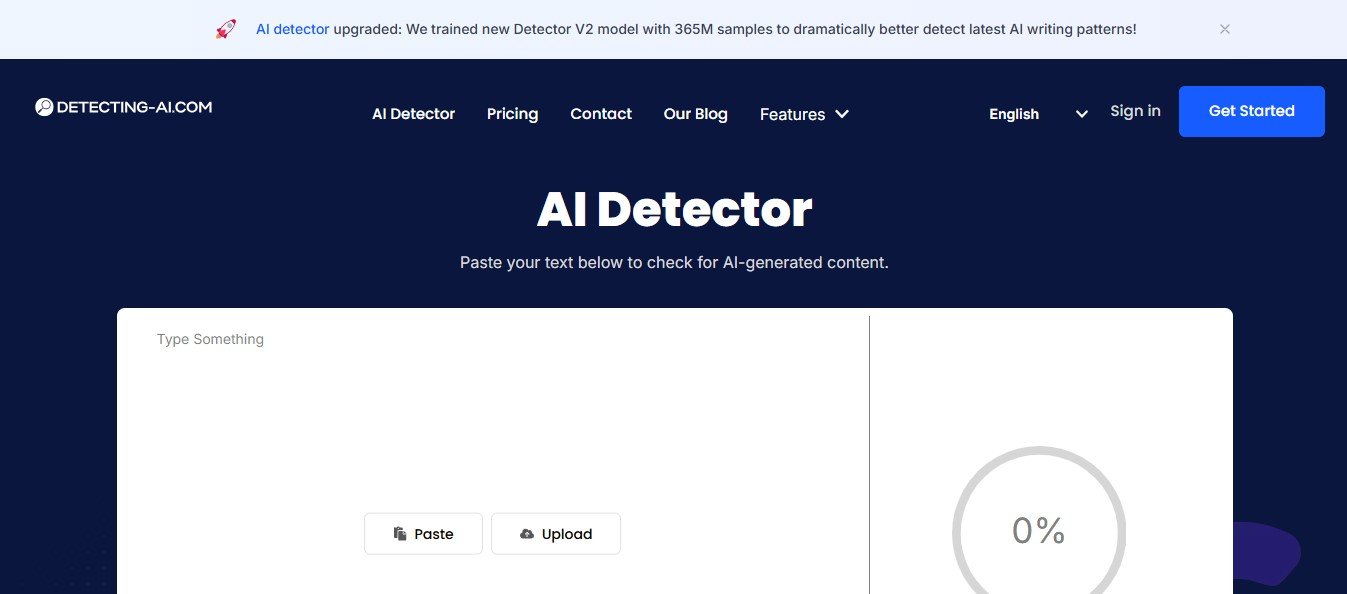
Detecting AI is an AI content detection tool that helps users determine whether a piece of text was written by a human or generated by AI. With the increasing use of AI tools like ChatGPT, Jasper AI, and Writesonic to create content, it has become essential to verify the authenticity of written text. Detecting AI analyzes the text using machine learning algorithms to identify patterns, word choices, and sentence structures that indicate whether it was generated by AI or written by a human.
The tool is designed to help educators, content publishers, SEO specialists, businesses, and freelancers ensure that their content is original and authentic. It can help academic institutions identify AI-generated assignments, content publishers avoid Google penalties for AI-generated content, and businesses maintain content credibility.
Detecting AI works by comparing the text against pre-trained AI models to flag any sections that are likely to have been generated using AI tools.
Key Features of Detecting AI
Detecting AI offers several features to ensure users can accurately identify AI-generated content. Here are some of its most notable features:
1. AI Content Detection
The core feature of Detecting AI is its AI content detection tool, which scans text and identifies whether it was human-written or AI-generated. It provides a detection score that indicates the likelihood of the text being generated by an AI model.
2. Accuracy and Reliability
Detecting AI uses advanced machine learning algorithms to achieve high detection accuracy. The tool is trained on large datasets of AI-generated and human-written text, ensuring it can identify subtle differences in writing patterns.
3. Real-Time Analysis
The platform offers real-time content analysis, allowing users to upload text and receive instant feedback on whether the content was AI-generated or human-written.
4. Comprehensive Reports
Detecting AI provides detailed reports that highlight which sections of the text were likely generated by AI. This feature is particularly useful for educators and content publishers who need to provide proof of AI detection.
5. Plagiarism Detection Integration
In addition to AI detection, the platform can be integrated with plagiarism detection tools to ensure that content is both original and human-written. This dual-check feature is helpful for academic institutions and businesses that require comprehensive content checks.
6. Multi-Language Support
Detecting AI supports multiple languages, making it a versatile tool for global users. The platform can detect AI-generated content in languages other than English.
7. API Integration
The tool offers API access for businesses and developers who want to integrate AI detection capabilities into their own platforms and workflows.
How Does Detecting AI Work?
Detecting AI uses machine learning models trained on AI-generated text datasets to identify patterns and characteristics that distinguish AI-written content from human-written text. Here’s a step-by-step breakdown of how the tool works:
Step 1: Upload Text or Paste Content
Users can upload a document or paste text directly into the Detecting AI platform.
Step 2: AI Detection Analysis
The tool runs the text through its AI detection algorithm, analyzing factors like word choices, sentence structures, and contextual flow to determine whether the content was generated by AI.
Step 3: Detection Score
Detecting AI provides a detection score that indicates the likelihood of the content being AI-generated. The score is presented as a percentage, with higher scores indicating a stronger AI presence.
Step 4: Download Report
Users can download a detailed report that highlights potential AI-generated sections and provides insights into why the text was flagged.
Use Cases for Detecting AI
Detecting AI is a versatile tool that can be used across various industries and use cases. Here are some common use cases:
1. Educators and Academic Institutions
Educators can use Detecting AI to identify AI-generated assignments and ensure that students are submitting original, human-written work. The tool helps prevent academic dishonesty by detecting content created using tools like ChatGPT.
2. Content Publishers and SEO Specialists
Content publishers can use Detecting AI to ensure that their web content is humanlike and authentic, avoiding Google penalties for AI-generated content.
3. Businesses and Marketers
Businesses can use the tool to verify the authenticity of their marketing copy, ensuring it sounds natural and credible. This is particularly useful for brand reputation management.
4. Freelancers and Copywriters
Freelancers can use Detecting AI to check their work before submission to ensure it is humanlike and won’t get flagged by clients for being AI-generated.
Detecting AI Pricing
Detecting AI offers flexible pricing plans to cater to different user needs. The platform provides free trials and subscription-based plans for individual users, educators, and businesses.
Pricing Plans
- Free Plan – Basic access with limited word count.
- Standard Plan – Suitable for freelancers and small businesses, offering a higher word count and detailed reports.
- Pro Plan – Ideal for educators and businesses, offering unlimited access, API integration, and multi-user support.
For detailed pricing information, visit the Detecting AI website to choose the best plan for your needs.
Strengths of Detecting AI
✅ Accurate Detection – The tool provides highly accurate AI content detection, even for advanced AI-generated text.
✅ Real-Time Feedback – Users receive instant feedback on whether the text is AI-generated.
✅ Detailed Reports – The platform offers comprehensive reports that highlight AI-detected sections.
✅ Multi-Language Support – Detecting AI can detect AI-generated content in multiple languages.
✅ API Integration – The tool offers API access for businesses and developers.
Drawbacks of Detecting AI
❌ Limited Free Plan – The free plan has a limited word count, which may not be sufficient for heavy users.
❌ Pricing for Enterprise Users – Custom pricing may be required for large organizations.
Comparison: Detecting AI vs. Competitors
When compared to other AI detection tools like Originality.ai, Copyleaks, and Writer.com, Detecting AI stands out for its accuracy, real-time feedback, and detailed reporting features. Unlike some competitors that only provide detection scores, Detecting AI also highlights specific sections of the content that are likely to have been generated by AI, making it a more comprehensive solution.
Additionally, Detecting AI offers multi-language support and API integration, which some competitors lack. These features make it ideal for businesses, academic institutions, and global users who require customized detection solutions.
Customer Reviews and Testimonials
Here’s what some users have to say about Detecting AI:
- Emily S., Educator:
“Detecting AI has been a valuable tool in identifying AI-generated assignments. It provides detailed reports that help me explain the findings to my students.” - James T., Content Marketer:
“We’ve been able to ensure that all of our web content is humanlike and passes Google’s detection algorithms thanks to Detecting AI.”
Conclusion: Is Detecting AI the Right Tool for You?
If you’re concerned about AI-generated content and want to ensure your text is humanlike and authentic, Detecting AI is an excellent tool to consider. With its accurate detection algorithms, real-time feedback, and detailed reports, it’s a valuable tool for educators, content publishers, businesses, and freelancers.


